As described in Migrating from Visma.net ERP Integrations (VNI) to Visma Connect for Visma.net, Visma is obsoleting VNI and replacing it by Visma Connect.
Fix invalid_tenant on Visma Connect
Your use of Visma Connect can require some changes.
When the error invalid_tenant occurs, your admin needs to provide your Visma.net user with additional privileges in the Admin menu from https://home.visma.com:
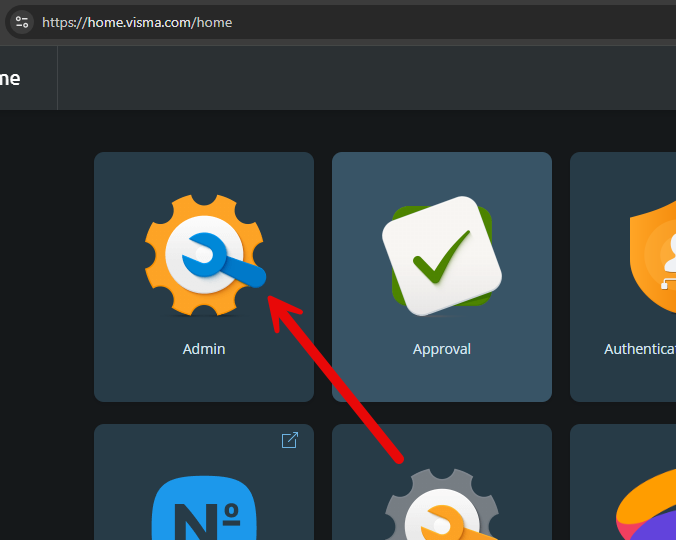
Next go the “Users and roles” menu and select the Visma.net user.
Then make sure that the “API User” as highlighted below with the red arrow has been granted:
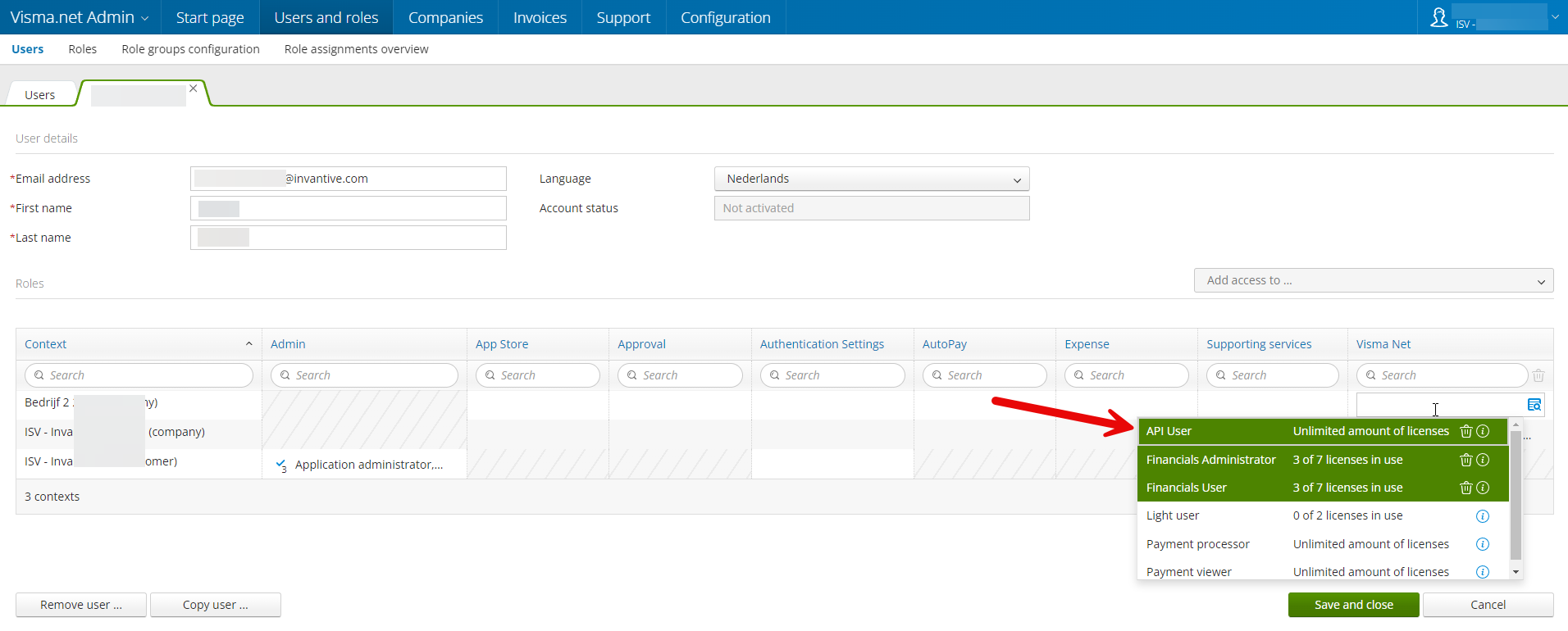
If not, grant the “API User” privilege.
It can allegedly take 10-15 minutes before the change becomes active. Therefore wait 15 minutes first.
Then try again to register the database.
Multi-company
Please note that Visma Connect introduces a large breaking change for multi-company access. Read Migrating from Visma.net ERP Integrations (VNI) to Visma Connect for Visma.net for more details.
Error code
The error code invalid_tenant can be replaced in future versions by either itgenoda822 and/or itgenvnt059 to ease resolution.
The accompanying message text is:
The application user or subscription is not entititled to use the API.
The remote server returned an error: (400) Bad Request.
Please ensure the license allows API access and ensure that the application user has the necessary roles to use the API.