Este artículo explica cómo usar las aplicaciones de Invantive Cloud para sincronizar clientes entre múltiples empresas de Exact Online.
Instrucciones
Este artículo se basa en otro artículo sobre sincronización de clientes que usa Invantive SQL en un producto local como Invantive Query Tool o Invantive Data Hub.
Sin embargo, Invantive Cloud no admite sentencias de Invantive Script como ‘local define NAME VALUE’. Y Invantive Cloud añade módulos de aplicación al juego.
Primero, registra una base de datos de Exact Online con una o varias suscripciones de Exact Online usando https://cloud.invantive.com/setup/databases/new/exactonline.
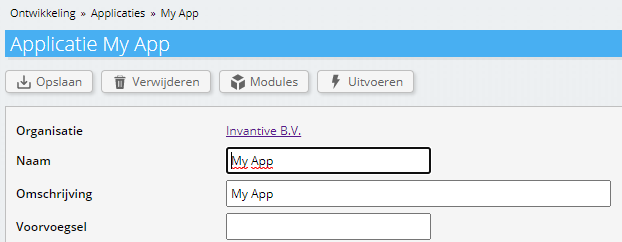
Luego crea una nueva aplicación llamada “My App“ en https://cloud.invantive.com/development/applications/new:
Agrega un módulo ejecutable usando Invantive PSQL a la aplicación con el siguiente código:
declare
  l_division pls_integer := 123;
  l_output varchar2;
begin
  create or replace table targetcompanies@inmemorystorage
  as
  --
  -- Select some companies.
  --
  select code
  from   systemdivisions@eol
  where
  code != l_division
  ;
  use select l_division, 'eol';
  --
  -- Create cartesian product of target companies and
  -- Exact Online accounts to load.
  --
  create or replace table accounts_soll@inmemorystorage
  as
  select tgt.code
         division
  ,      act.code
  ,      act.name
  ,      act.chamberofcommerce
  from   exactonlinerest..accountsbulk@eol act
  join   targetcompanies@inmemorystorage tgt
  where  act.division = l_division
  limit  50 /* Remove when tested. */
  ;
  --
  -- Focus on all selected target companies.
  --
  use select code, 'eol' from TARGETCOMPANIES@InMemoryStorage
  ;
  begin
    synchronize exactonlinerest..accounts@eol
    from        accounts_soll@inmemorystorage
    with        insert
                or
                update
    identified
    by          division
    ,           code
    continue on first 500 errors
    ;
    l_output := '<html><body>Synchronized customers ' || sqlrowcount || '.</body></html>';
  exception
    when others
    then
      l_output := '<html><body>Synchronizing customers failed with ' || sqlerrm || '.</body></html>';
  end;
  --
  cloud_http.set_body(l_output);
end;
Ve de nuevo a la aplicación y elige “Execute“ (Ejecutar).
Selecciona la base de datos que acabas de crear.
Haz clic en el botón de sincronización:
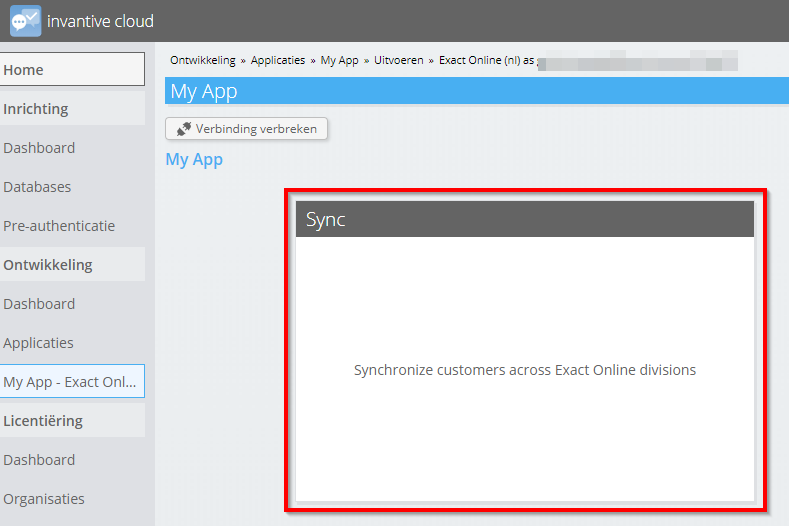
Después de un tiempo, los clientes habrán sido sincronizados.