この記事では、Invantive Cloudアプリケーションを使用して、複数のExact Online会社間で顧客を同期する方法を説明します。
手順
この記事は、Invantive Query ToolやInvantive Data Hubなどのオンプレミス製品でInvantive SQLを使用する顧客同期に関する別の記事を基にしています。
ただし、Invantive Cloudは「local define NAME VALUE」のようなInvantive Scriptステートメントをサポートしていません。また、Invantive Cloudにはアプリケーションモジュールという概念が追加されています。
まず、https://cloud.invantive.com/setup/databases/new/exactonline を使用して、1つまたは複数のExact OnlineサブスクリプションでExact Onlineデータベースを登録します。
次に、https://cloud.invantive.com/development/applications/new で「My App」という名前の新しいアプリケーションを作成します。
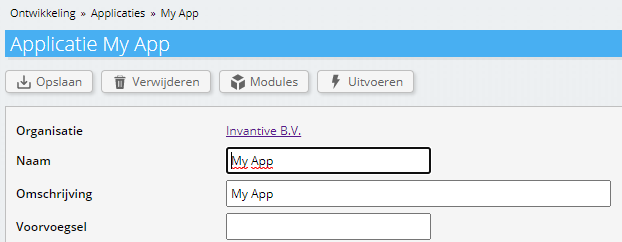
次のコードを使用して、Invantive PSQLによる実行可能モジュールをアプリケーションに追加します。
declare
  l_division pls_integer := 123;
  l_output varchar2;
begin
  create or replace table targetcompanies@inmemorystorage
  as
  --
  -- Select some companies.
  --
  select code
  from   systemdivisions@eol
  where
  code != l_division
  ;
  use select l_division, 'eol';
  --
  -- Create cartesian product of target companies and
  -- Exact Online accounts to load.
  --
  create or replace table accounts_soll@inmemorystorage
  as
  select tgt.code
         division
  ,      act.code
  ,      act.name
  ,      act.chamberofcommerce
  from   exactonlinerest..accountsbulk@eol act
  join   targetcompanies@inmemorystorage tgt
  where  act.division = l_division
  limit  50 /* Remove when tested. */
  ;
  --
  -- Focus on all selected target companies.
  --
  use select code, 'eol' from TARGETCOMPANIES@InMemoryStorage
  ;
  begin
    synchronize exactonlinerest..accounts@eol
    from        accounts_soll@inmemorystorage
    with        insert
                or
                update
    identified
    by          division
    ,           code
    continue on first 500 errors
    ;
    l_output := '<html><body>Synchronized customers ' || sqlrowcount || '.</body></html>';
  exception
    when others
    then
      l_output := '<html><body>Synchronizing customers failed with ' || sqlerrm || '.</body></html>';
  end;
  --
  cloud_http.set_body(l_output);
end;
再度アプリケーションに移動し、「Execute」を選択します。
先ほど作成したデータベースを選択します。
同期ボタンをクリックします。
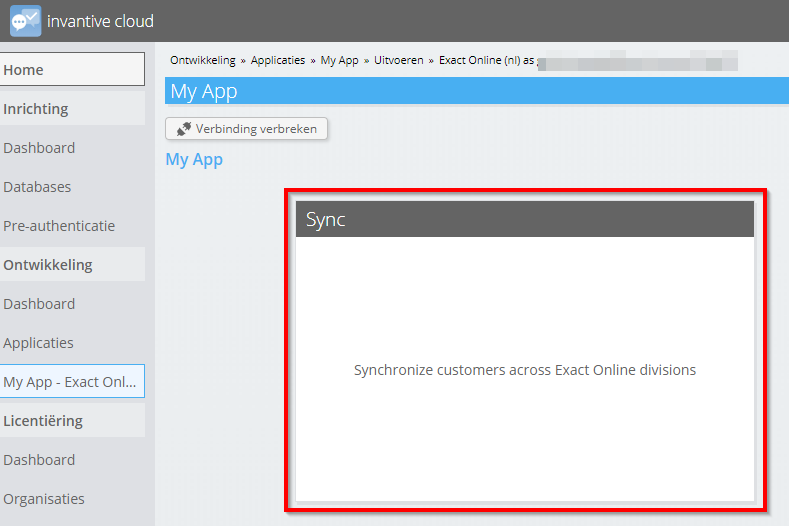
しばらくすると、顧客が同期されます。