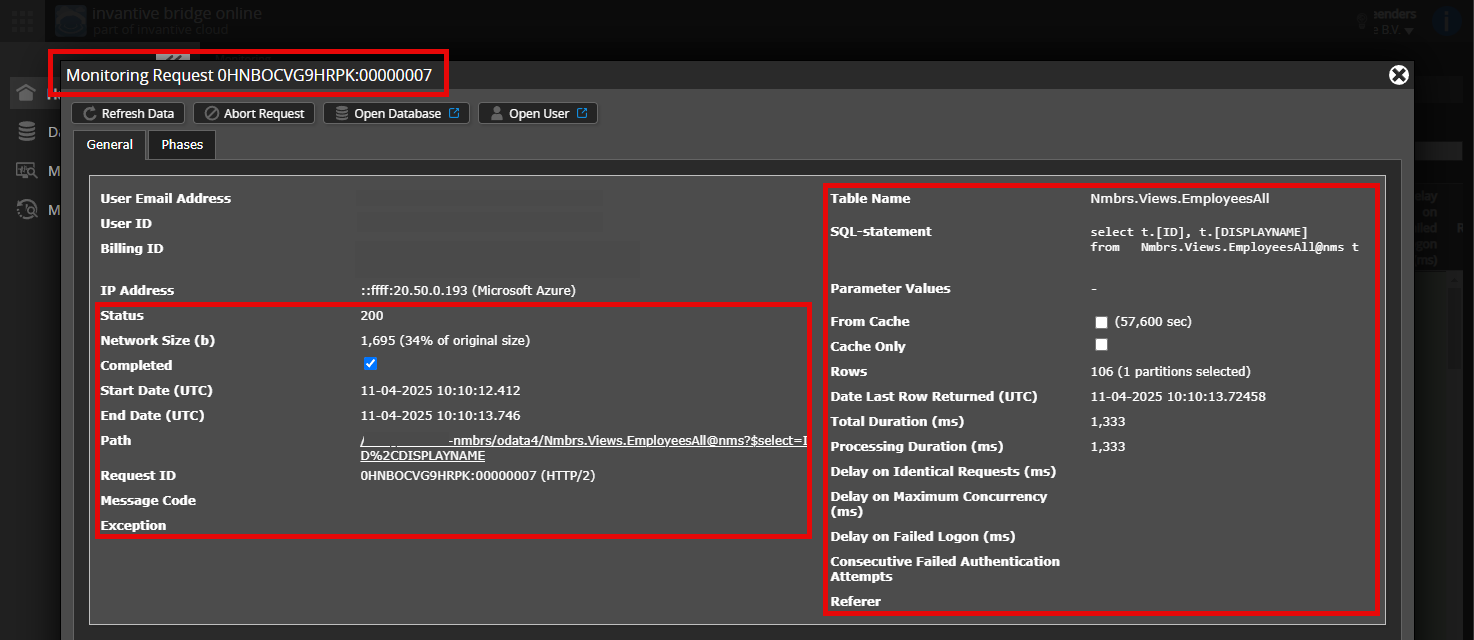
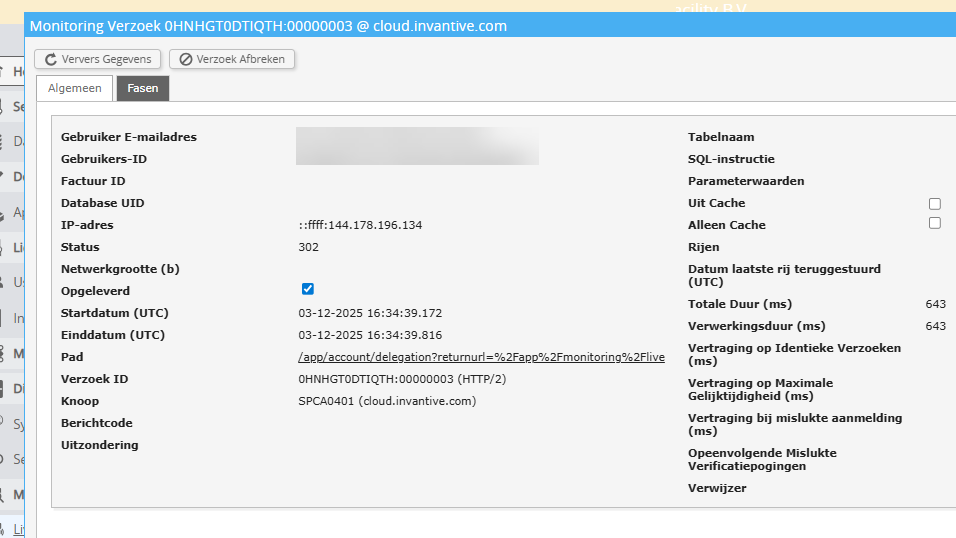
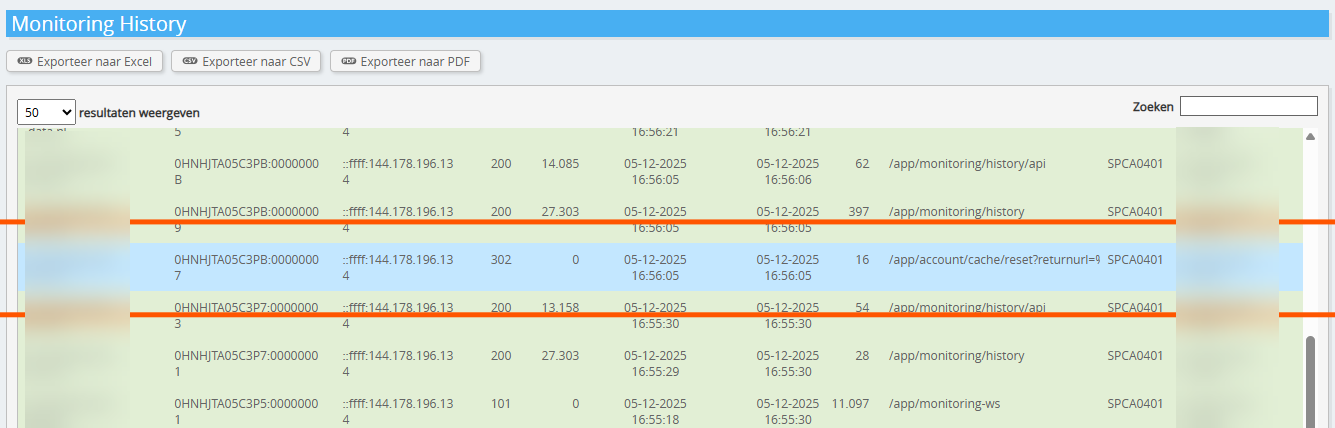
Would it be possible to add a (anonymised) screenshot of the details of the request in Invantive Bridge Online Monitoring, as described in Meer inzicht met nieuwe Online Monitoring?
You can find the details by clicking on the download request that represents the subject of this topic.
The download request usually has an SQL statement in which the table name is visible.
Please leave at least the following information visible in both columns:
the title bar with the request ID,
the status code, network size, path and timestamps in the left-hand column,
the error code and error message right at the bottom of the left-hand column,
the entire right-hand column, including the SQL statement, table name and parameter values.
Please check carefully that you are logging in to the Bridge Online website that is also used from Power BI, and with the same username. You will only see the requests of the Invantive Cloud user with which you log in to the website.
There are four servers in use:
bridge-online.cloud
app-online.cloud
bridge-online.invantive.com
app-online.invantive.com
You can see which server is being used in your script or the source code of your report.
Check the correct request and details
Make sure you select the request first in order to display the details. There should only be one request visible in the screenshot.
Also check carefully whether the request has a path containing odata4 or apps. Requests with other paths are generally not relevant for this purpose.
Error message and tips by email
In addition, if there is an error message in Power BI, Power Query, Azure Data Factory, Qlik or Tableau, the Invantive Cloud user who received the error message will usually receive an email at their email address containing an error message and tips.
We advise checking the spam folder of the user concerned for such emails sent from support@invantive.com.
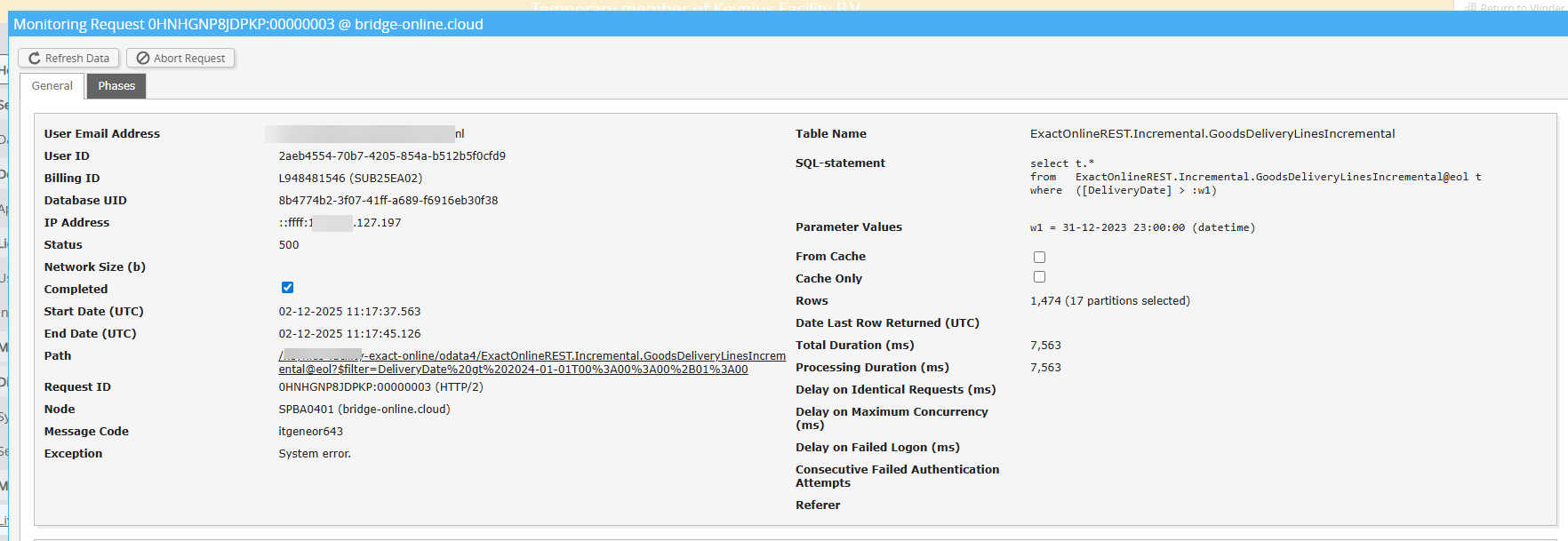
itgeneor643
Each row in ExactOnlineREST.Incremental.GoodsDeliveryLinesIncremental should have a unique ID.
The new row with ID ‘0ae4d633-f1e9-49ca-9ccd-18dd4985d70e’ from modifiedandnew was already included in one of the previous 123 rows.
This means that Exact Online is returning a duplicate row, which the internal consistency check rejects.
The advice is to check whether it helps to retrieve the dataset completely afresh as follows:
Log in to the server described behind SPBA0401 in the screenshot.
Ok, that could be it. The refresh happens from the user “RPT”. I don’t remember the password for that any more. But I don’t have an email box for that. I always log in with “ME”. I just see the error messages coming through in monitoring. Is it correct that I need to log in with “RPT” and then reset the cache?
If so, how do I get the password? And I assume the authenticator as well?
Our advice is not to post any traceable personal or company information on the public forum. This has now been removed.
Regarding the password and authenticator, we advise getting in touch with whoever uses the user account, or resetting the password once you’ve regained access to the mailbox.
I just want to make sure. I’ve been using Invantive in exactly the same way for two years now.
On Invantive Cloud, ACME has given me a delegation on “ME”.
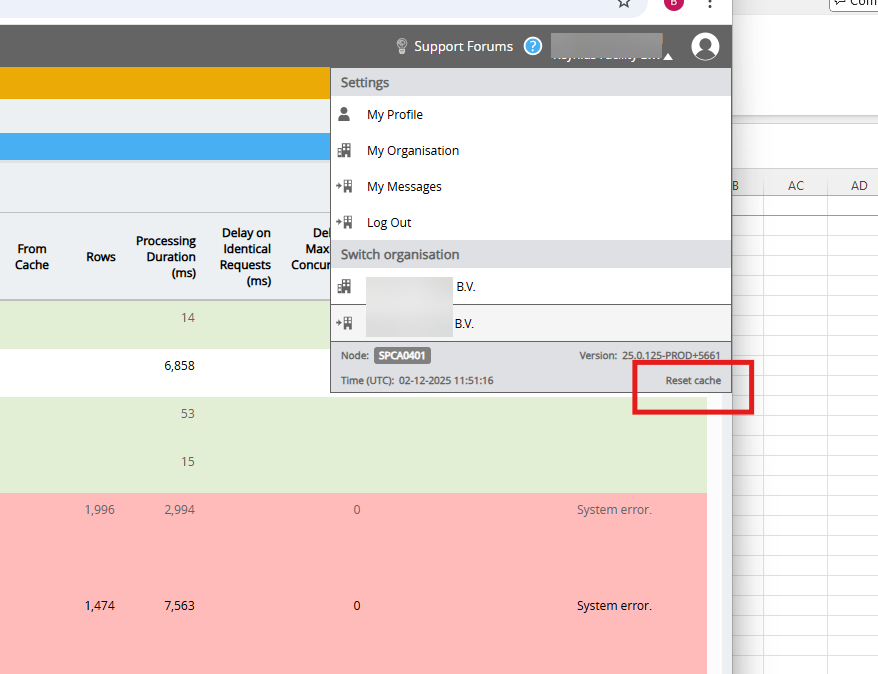
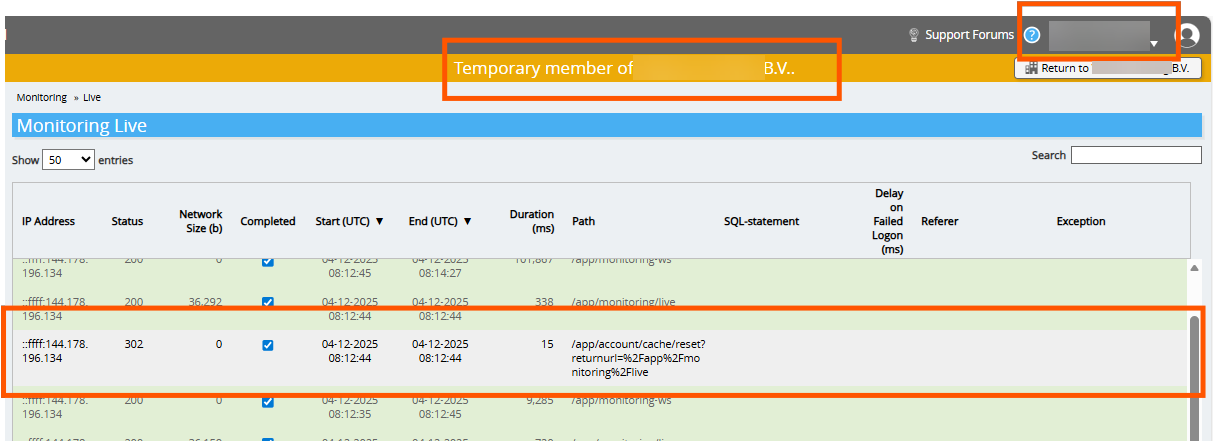
I have always used this, including to follow the monitor and reset the Cache. This has always worked. So now I can still log into Invantive and follow the Monitor, but apparently (according to you) I can’t reset the Cache? See the attached screenshot, which seems to suggest that this is indeed possible.
The “RPT” account was only used to set up the connection between the PowerBI service and Invantive. So it would be something new for me to have to use that. There’s also no active mailbox for it.
Is the cache indeed not being cleared? See screenshot. And do I now have to use “RPT” for the first time to log in? Can’t I do it the old, usual way?
The Reset Cache functionality has remained unchanged for several years. It only concerns the caches of the Invantive Cloud user who is logged in at the time.
A cache reset option is visible to every logged-in user via the menu at the top right, but it operates from within their own account and therefore has (virtually) no effect on other user accounts within the same environment.
Our advice is to log in with the “RPT” user after reconfiguration/resetting, and then reset the cache.
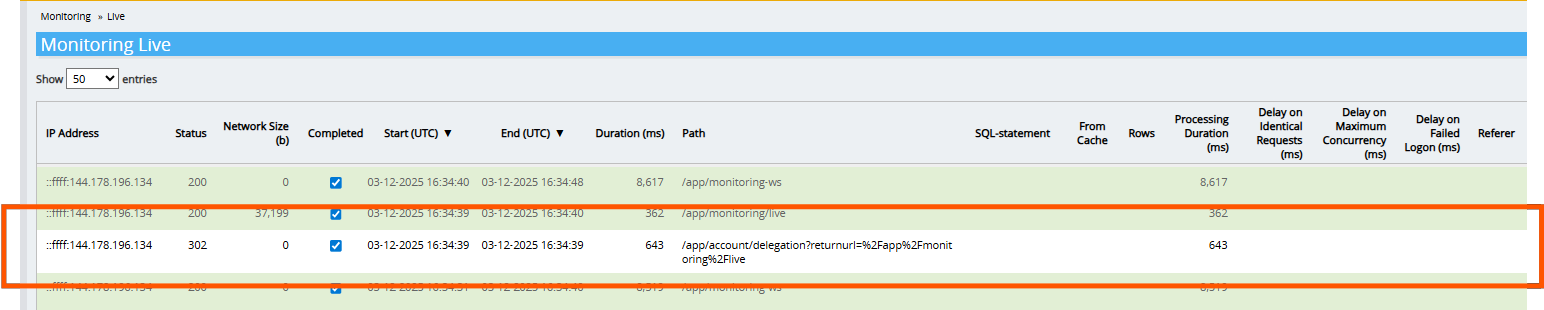
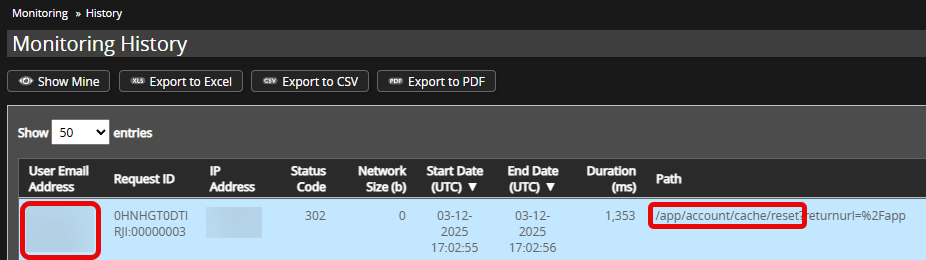
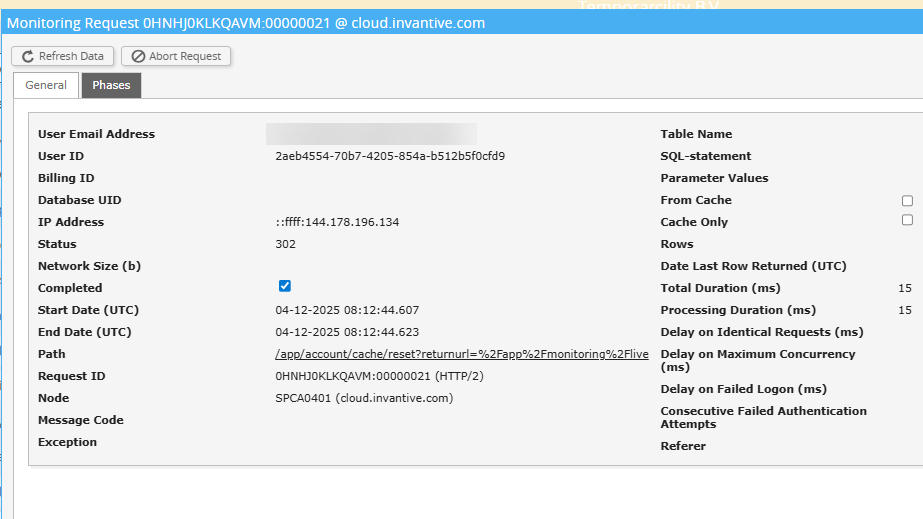
The URL with /delegation relates to opening a delegation screen. The application of a refresh cache for the current user (as included with the request) can be recognised by the path /app/account/cache/reset as shown below:
So this isn’t the method. I need to log in differently. You’re talking about the user RPT.
Does this mean I need to log in with a different email address? If so, which email address is that?
Or can the Customer log in to Invantive and upgrade my delegation account “ME” so that I can also clear the cache with this account?
Alternatively, you can schedule a short consultation via the chat in the bottom right-hand corner. A charge will be made for each commenced quarter of an hour.
I don’t quite understand why I should have to pay for this, the customer pays a monthly subscription fee and there’s no need for technical knowledge on your end. I’d just like to know who the RPT user is in this environment, or how I can find that out? Shouldn’t be too complicated a question for you, I’d have thought?
The advice is to follow the original advice to reset the cache in order to prevent the exchange from repeating. The username “RPT” is a placeholder used to remove the entered personally identifiable information (all information here is public).
See the previous advice and original advice. Only the cache of the connected user on the server it is connected to is cleared. In this case, that is the user “ME” instead of the user for the replication, and on the Invantive Cloud server instead of Invantive Bridge Online.