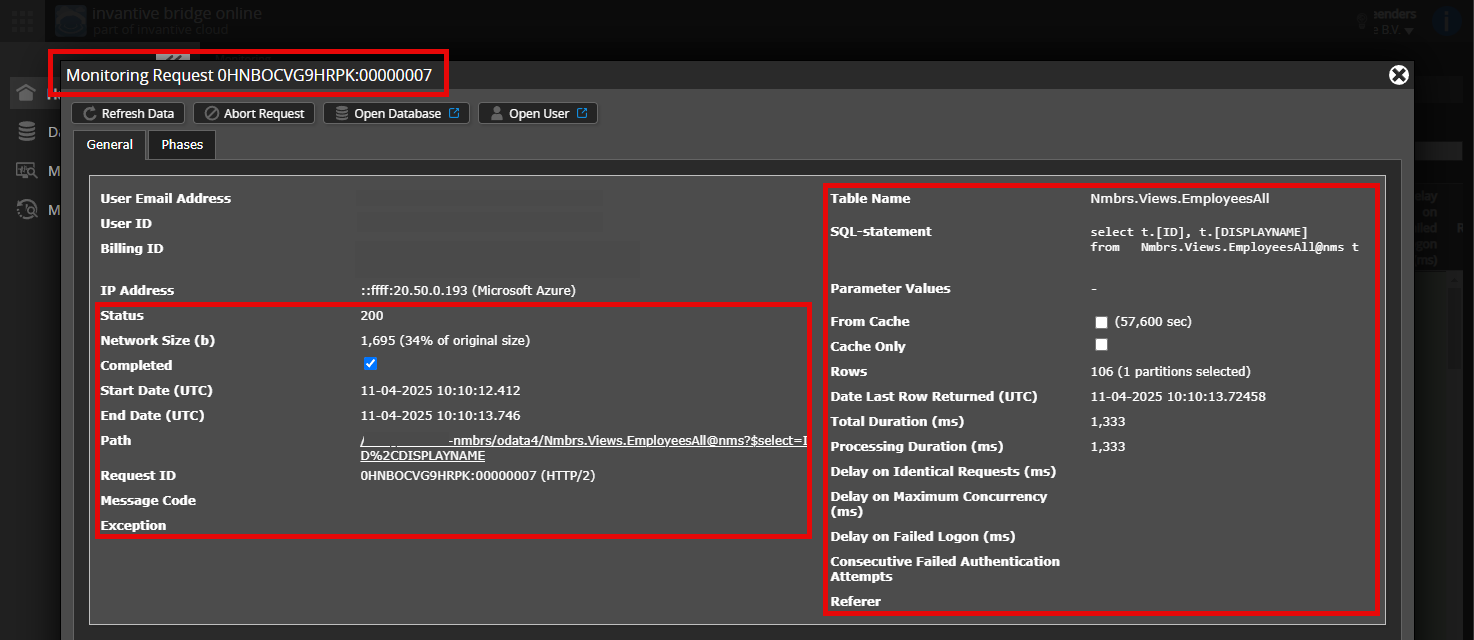
Since Sunday I’ve been receiving the following error message on my nightly refresh between Exact Online and PowerBI. I thought it might sort itself out, but it hasn’t.
I checked if it might be due to an expired token, meaning Invantive no longer has access to the Exact Online environment. I don’t see any notification of this in the Invantive Cloud environment and I also don’t see an option to renew the token. What stands out is that the connection was first made on 2 February 2026, exactly 6 months before the error message.
Do you know how I can get the connection working again?
Carefully check that you are logging in to the Bridge Online website also used from Power BI and with the same username. You will only see the requests from the Invantive Cloud user with whom you log in to the website.
There are four servers in use:
bridge-online.cloud
app-online.cloud
bridge-online.invantive.com
app-online.invantive.com
You can see the server used in your script or reporting source code.
Check Correct Request and Details
Ensure that you select the request first to display the details. Only one request should be visible in the screenshot.
Also carefully check whether the request has a path with odata4 or apps. Requests with other paths are generally not relevant for this purpose.
Error Message and Tips via Email
In addition, the Invantive Cloud user who has the error message will usually receive an email with an error message and tips if there is an error in Power BI, Power Query, Azure Data Factory, Qlik or Tableau.
The advice is to check the spam of the involved user for such emails sent from support@invantive.com.
Thank you, I indeed found it in the Bridge Online Monitor. When the Free Trial ended, a paid subscription was not automatically started, and the connection was terminated. I thought at the time that there would be a continuation of the subscription, I have now contacted sales regarding this.