Instabil laddning från Exact till Qlik?

Ofta kan jag inte ladda data från Exact. I Qlik har jag en app för att ladda data:

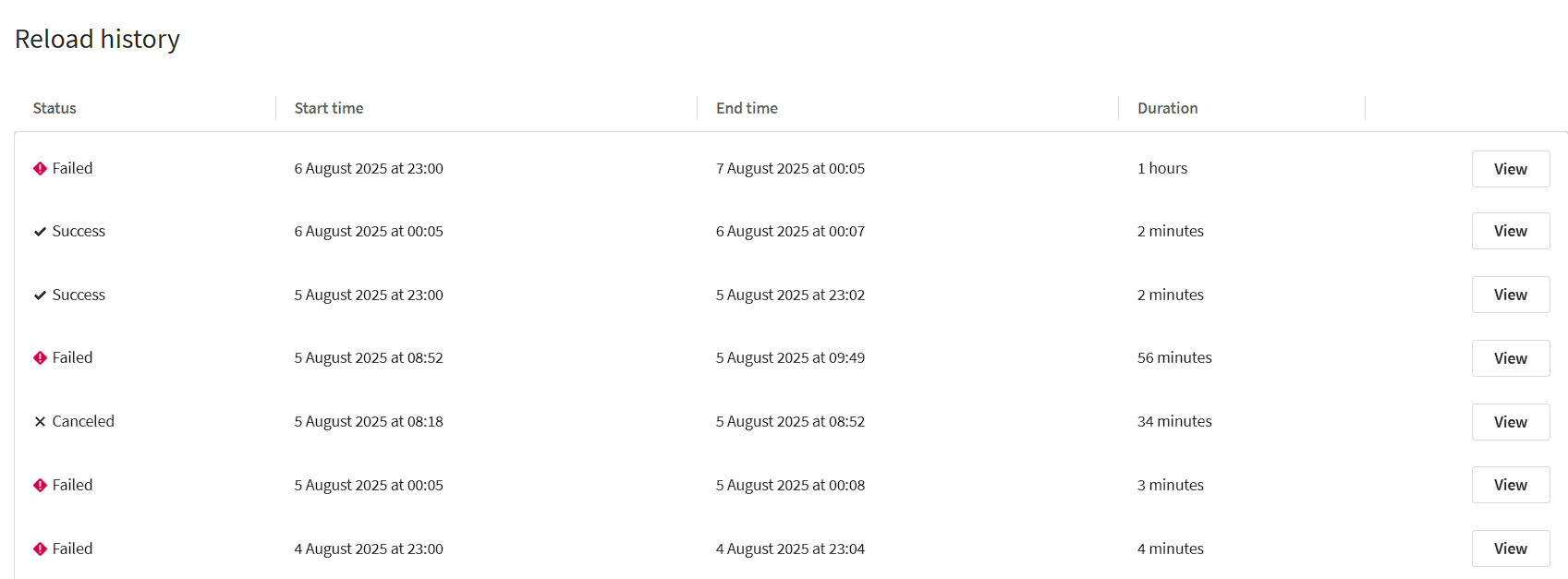
image

Som du kan se varierar laddningstiden från 2 minuter (framgångsrik) till 1 timme (misslyckad).

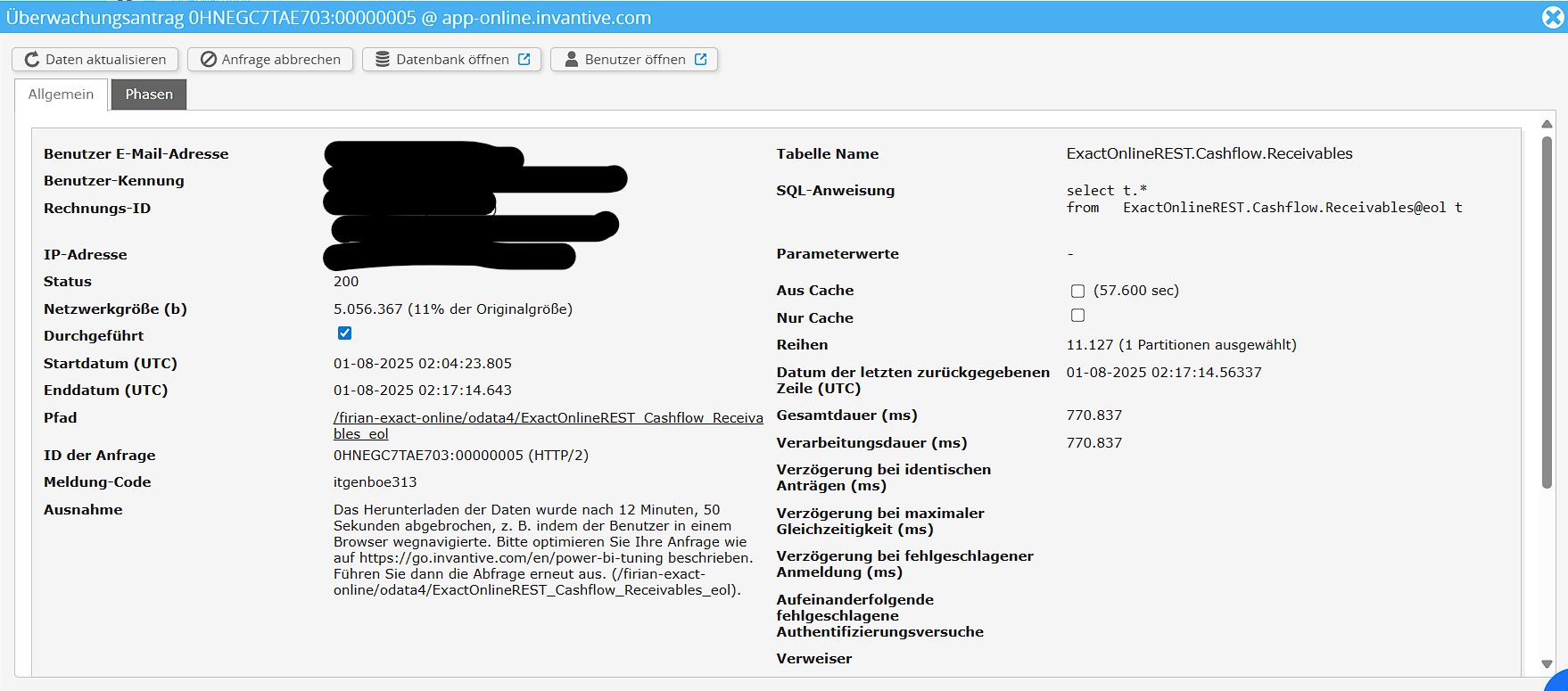
I övervakningen kan jag se följande fel:

image

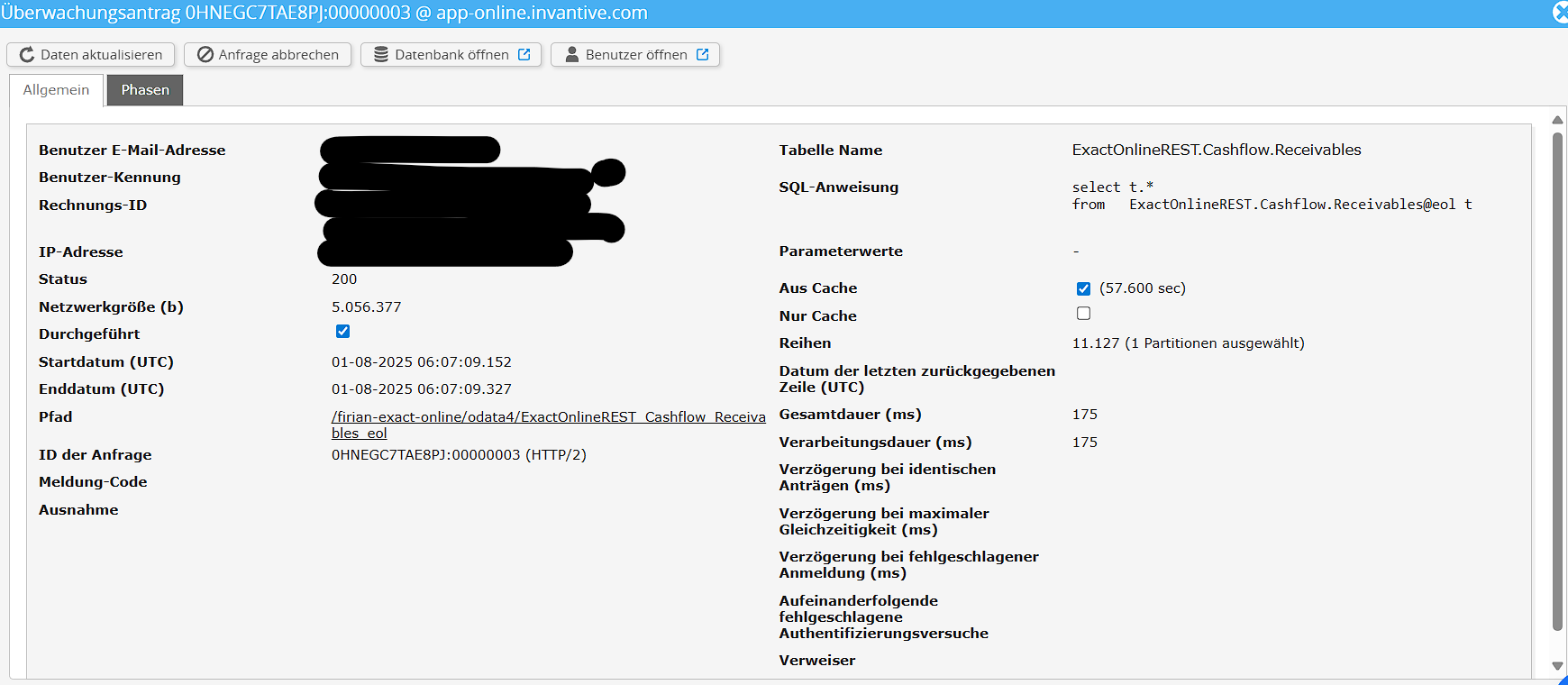
För jämförelse här är hämtningen där det lyckades:

image

Kan någon hjälpa till? Jag skulle vilja etablera en stabil anslutning, där jag hämtar data från Exact varje natt.

Även här är loggen från Qlik:

Accounts << JsonV4GetData 1,977 Lines fetched
Projects << JsonV4GetData 0 Lines fetched

Följande fel inträffade:
Internt fel. (Connector error: Failed on attempt 1 to GET. (Operationen har tidsbegränsats.))
Motorns felkod: Connector error:22013
Felet inträffade här:
SELECT *
	FROM JsonV4GetData
	WITH PROPERTIES (
	oDataResourcePath='ExactOnlineREST_Cashflow_Receivables_eol',
	oDataQueryOptions='',
	maxDepth='',
	maxResults=''
	)

Som du kan se, kan jag hämta från Exact framgångsrikt för Konton och Projekt, men inte för Fordringar.

Som en gissning: kan du försöka schemalägga om nedladdningen till utanför 00:00 - 06:00 UTC?

Den tyska miljön kan ha olika nedtider.

Tack, jag försökte det men jag får fortfarande ibland fel:

image

Complete information

Is it possible to add a (anonymized) screenshot of the request details in Invantive Bridge Online Monitoring as described in More insight with new Bridge Online Monitoring?

Details can be found by clicking on the download request which represents the issue discussed in this topic.

The download request typically has a SQL-statement with table name visible.

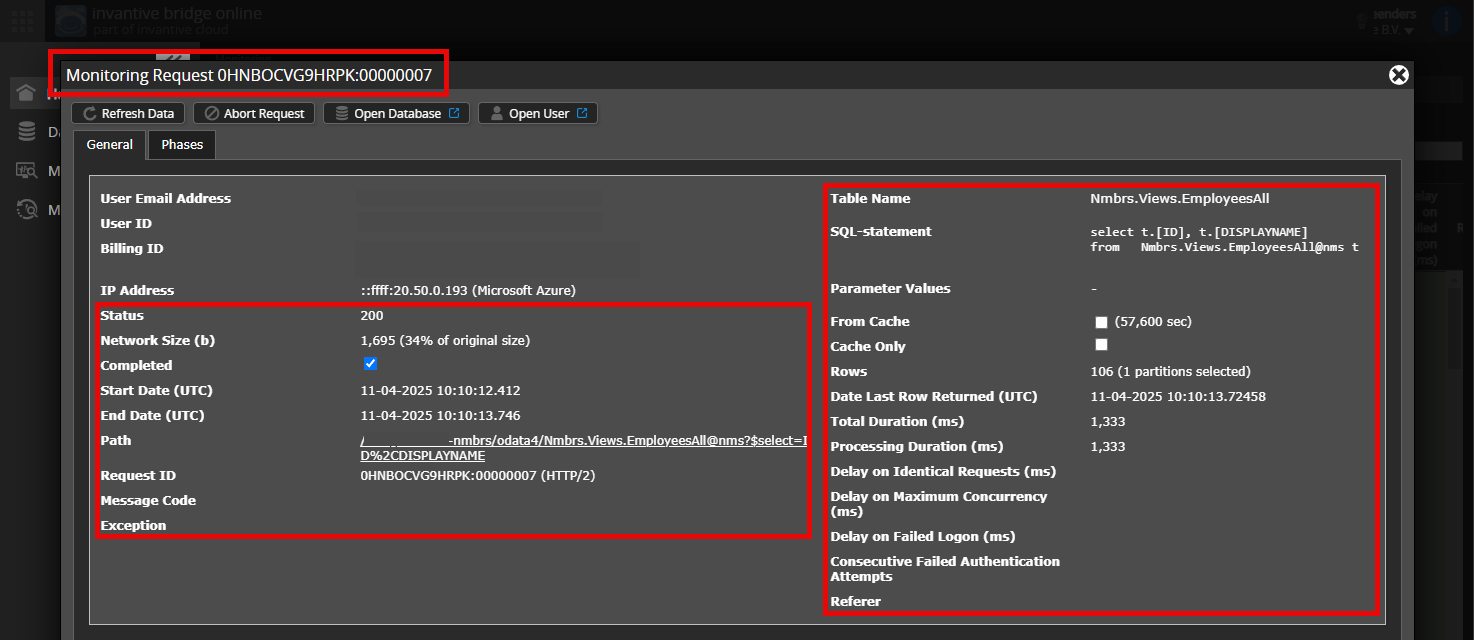
Please leave at least the following data visible from both columns:

  • the title bar with the request ID,
  • the status code, network size, path and times in the left column,
  • the error code and error message at the very bottom of the left column,
  • the entire right column including the SQL statement, table name and parameter values.

For example:

Verify correct server and user

Check carefully that you are logging into the Bridge Online website that is also used from Power BI and with the same user name. You will only see the requests from the Invantive Cloud user you are logging into the website with.

There are four servers in use:

  • bridge-online.cloud
  • app-online.cloud
  • bridge-online.invantive.com
  • app-online.invantive.com

You can see the server used in your script or source code of reporting.

Verify correct request and details

Please make sure to select the request to display the details. Only one single request should be visible in the screenshot.

Also check carefully that the request has a path with odata4 or apps. Other requests are in general non-relevant for this purpose.

Error message and tips per email

In addition, the Invantive Cloud user who has the error message will usually receive on his email address an email with an error message and tips if there is an error message in Power BI, Power Query, Azure Data Factory, Qlik or Tableau.

Advice is to check the affected user’s spam for such emails sent from support@invantive.com.

Jag kunde verifiera att anslutningen är korrekt upprättad, eftersom den ibland är framgångsrik.

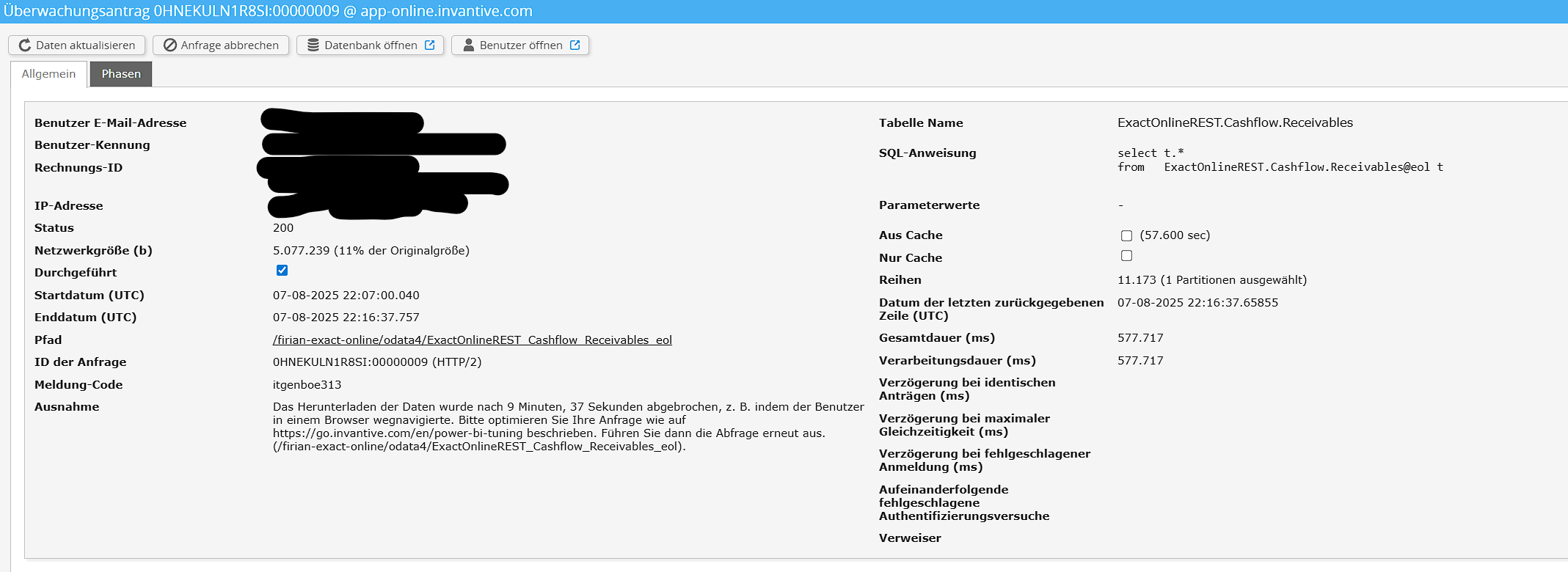
Här är de begärda skärmdumparna:

image

Om det är något mer jag bör ge dig för att lösa problemet, vänligen låt mig veta.

Please see How to resolve an itgenboe147 or itgenboe161 message: The data download was cancelled for help on this issue.

Denna fråga har automatiskt stängts efter 1 veckas inaktivitet. Det senaste givna svaret har markerats som lösning.

Vänligen ställ en ny fråga i ett separat ämne om problemet uppstår igen. Vänligen inkludera en länk till detta ämne i den nya frågan genom att klistra in dess URL i texten.