What does this error message mean and how can I resolve this?

Supplementary Information
Is it possible to add a (anonymized) screenshot of the request details in Invantive Bridge Online Monitoring as described in Meer inzicht met nieuwe Online Monitoring?
You will find the details by clicking on the download request which is the subject of this topic.
The download request usually contains a SQL statement in which the table name is visible.
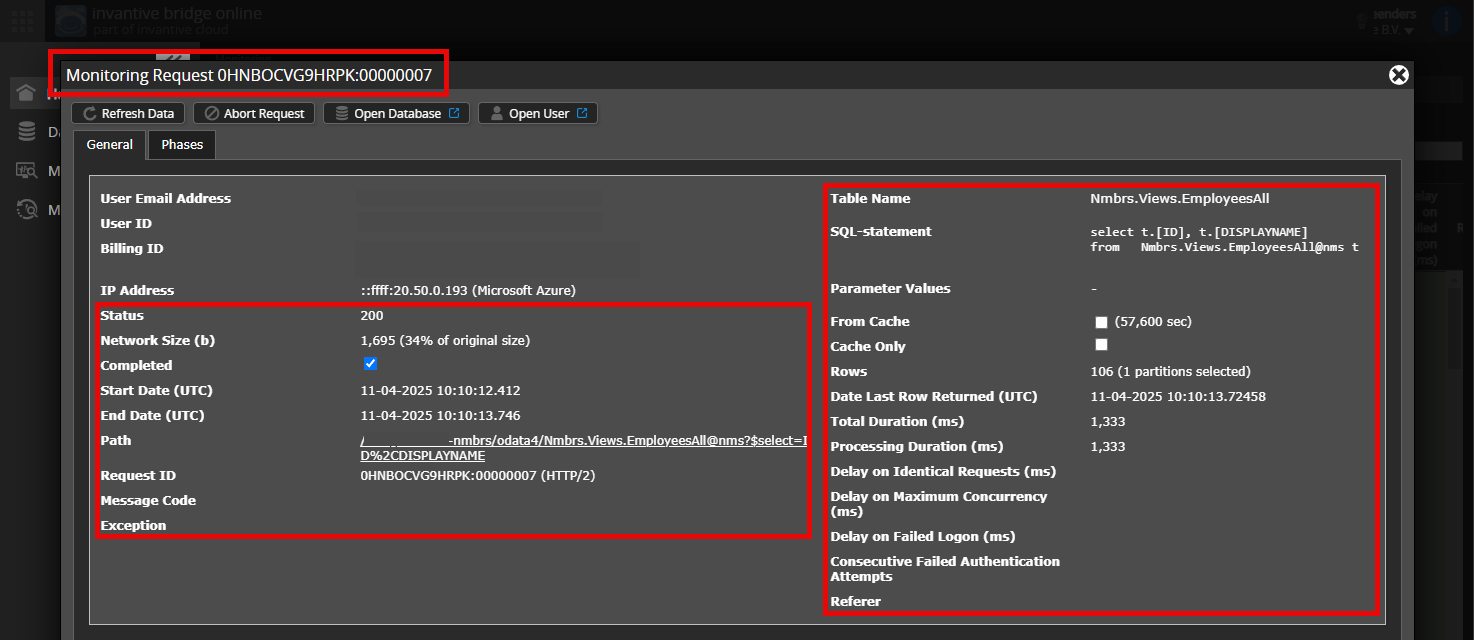
Please ensure at least the following data is visible from both columns:
- the title bar with the request ID,
- the status code, network size, path and times in the left column,
- the error code and error message at the very bottom of the left column,
- the entire right column including the SQL statement, table name, and parameter values.
For example:
Check the Correct Server and User
Carefully check that you log in to the Bridge Online website that is also used from Power BI and with the same username. You will only see requests from the Invantive Cloud user that you log in with on the website.
There are four servers in use:
bridge-online.cloudapp-online.cloudbridge-online.invantive.comapp-online.invantive.com
You will see the server used in your script or sourcing code from reporting.
Check the Correct Request and Details
Ensure that you select the request first to display the details. Only one request should be visible in the screenshot.
Also, carefully check whether the request has a path with odata4 or apps. Requests with other paths are generally not relevant for this purpose.
Error Message and Tips via Email
In addition, the Invantive Cloud user who received the error message will usually receive an email with an error message and tips in case of an error message in Power BI, Power Query, Azure Data Factory, Qlik or Tableau on their email address.
The advice is to check the spam of the user involved for such emails sent from support@invantive.com.
Thanks!
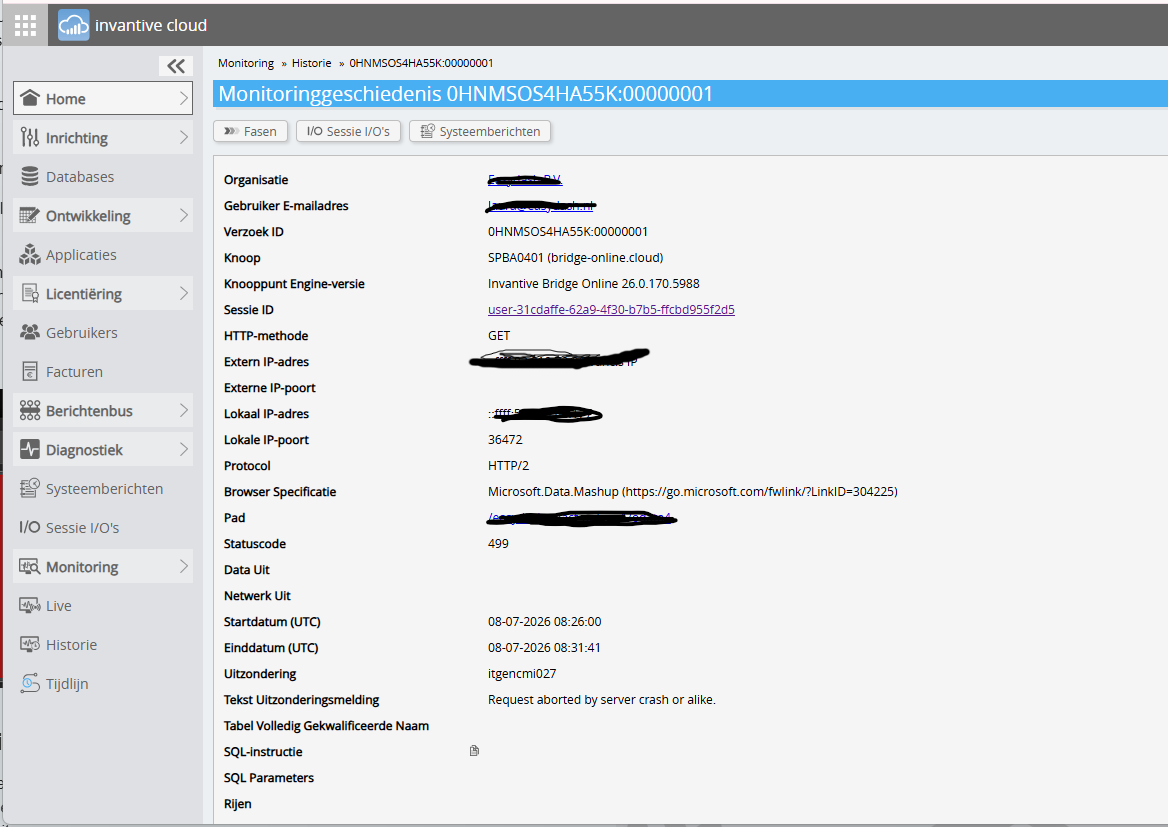
This morning, the service shown above was restarted to rule it out as the cause behind a major Exact Online outage that has been occurring since yesterday at 3:00 p.m. (see Extreme traagheid op Exact Online API's). As a result, all ongoing downloads were interrupted.
The advice is always to make a second attempt. During a restart, the services are briefly interrupted and are available again within a minute.

That’s right. A small fix was needed following the update that was rolled out yesterday (see Itgenecl024 foutmelding - 5 van forums).
Although we naturally want to prevent users’ processes from being interrupted, it was necessary to release a new version. Here, we weigh the continuity of current processes against the disruptions users experience in general.
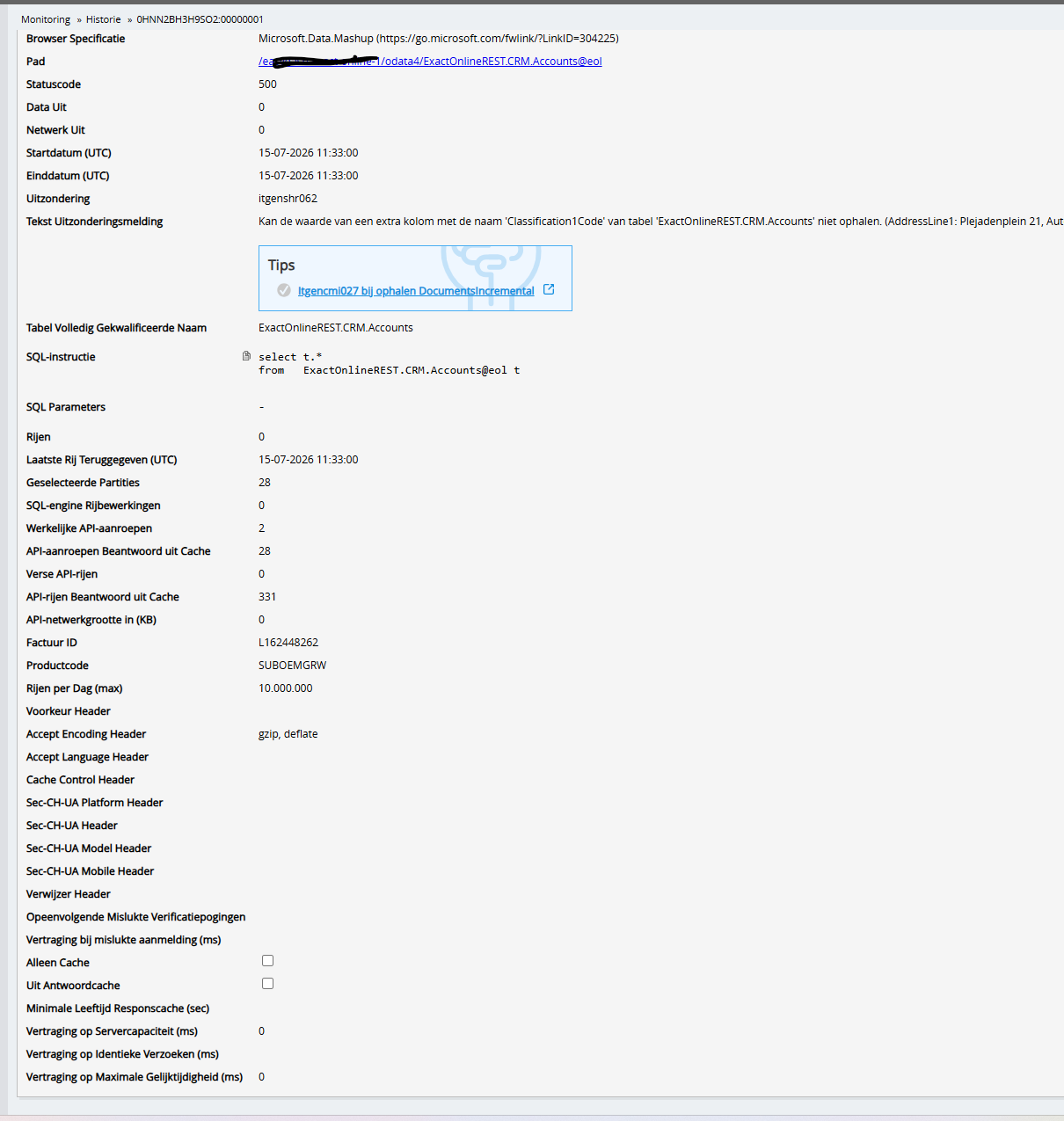
An analysis has been conducted for this issue. A new version of the software is being prepared to resolve the problem.
The reason for the error message is that during the first retrieval of the account classifications, the connection is interrupted by the user. On a subsequent attempt, the list of classifications is not rebuilt, leading to this error message.
Version 26.0.181 has been rolled out.
This question was automatically closed after 1 week of inactivity. The last given answer is marked as the solution.
Please create a new question in a separate topic if the issue occurs again. In the new question, please include a link to this topic by pasting its URL into the text.