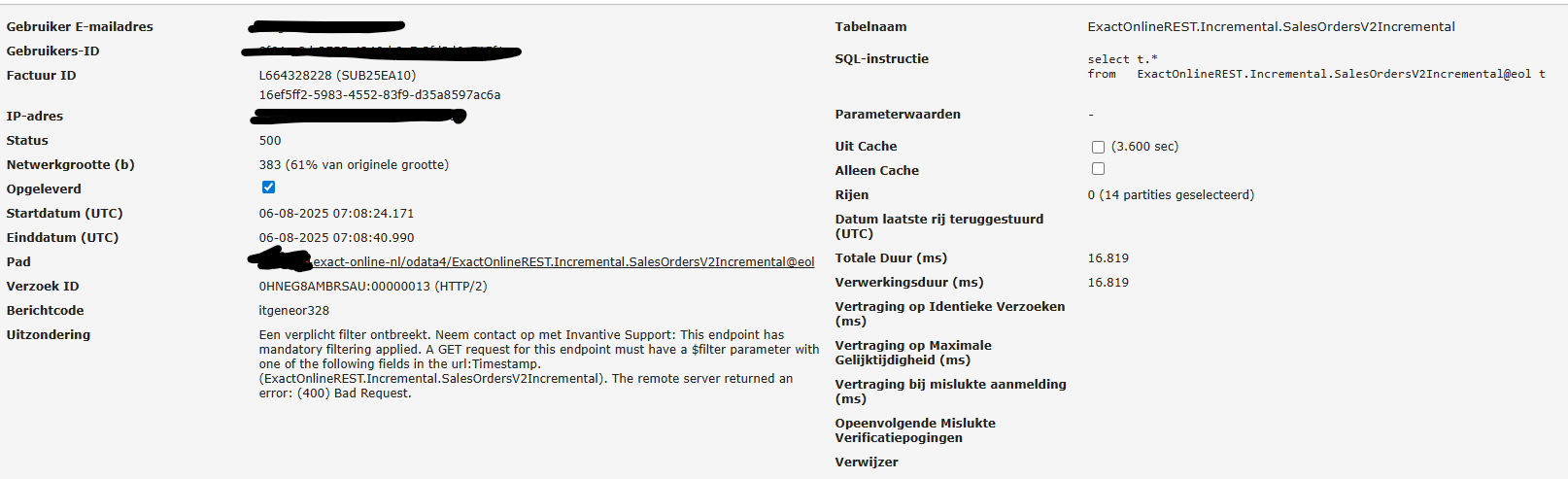
Itgeneor328 op Incremental.SalesOrdersV2Incremental

At Incremental.SalesOrdersV2Incremental, error code itgeneor328 repeatedly occurred:

image

itgeneor328
A required filter is missing.
Contact Invantive Support.
This endpoint has mandatory filtering applied.
A GET request for this endpoint must have a $filter parameter with one of the following fields in the URL: Timestamp.

This table is also present in other reports; these were updated earlier tonight without issues.

Sinds 6 augustus omstreeks 02:12 UTC treedt op veel Exact Online-omgevingen de volgende foutmelding op:

itgeneor328
Een verplicht filter ontbreekt.
The remote server returned an error:
(400) Bad Request.
Neem contact op met Invantive Support:
This endpoint has mandatory filtering applied.
A GET request for this endpoint must have a $filter parameter with one of the following fields in the url:Timestamp.

De foutmelding hangt niet samen met aanpassingen aan Invantive Cloud (uit stabiliteitsoverwegingen is er sprake van een zomerstop), maar waarschijnlijk een upgrade van Exact Online.

Het probleem lijkt alle Exact Online-omgevingen te raken, zowel on-premises als Invantive Cloud, Get My Report, Valuta Tools, App Online, Bridge Online als websites die zich baseren op Invantive-technologie en producten van partners.

Betrokken URLs, waarbij “123456” de divisiecode van een van uw Exact Online-administraties kan zijn:

  • https://start.exactonline.be/api/v1/123456/sync/CRM/Accounts?$orderby=Timestamp&$select=...
  • https://start.exactonline.be/api/v1/123456/sync/financial/TransactionLines?$orderby=Timestamp&$select=...
  • https://start.exactonline.be/api/v1/123456/sync/Financial/TransactionLines?$orderby=Timestamp&$select=...
  • https://start.exactonline.be/api/v1/123456/sync/purchaseorder/PurchaseOrders?$orderby=Timestamp&$select=...
  • https://start.exactonline.nl/api/v1/123456/sync/crm/Accounts?$orderby=Timestamp&$select=...
  • https://start.exactonline.nl/api/v1/123456/sync/CRM/Accounts?$orderby=Timestamp&$select=...
  • https://start.exactonline.nl/api/v1/123456/sync/CRM/Addresses?$orderby=Timestamp&$select=...
  • https://start.exactonline.nl/api/v1/123456/sync/Financial/GLAccounts?$orderby=Timestamp&$select=...
  • https://start.exactonline.nl/api/v1/123456/sync/Financial/GLClassifications?$orderby=Timestamp&$select=...
  • https://start.exactonline.nl/api/v1/123456/sync/financial/TransactionLines?$orderby=Timestamp&$select=...
  • https://start.exactonline.nl/api/v1/123456/sync/Financial/TransactionLines?$orderby=Timestamp&$select=...
  • https://start.exactonline.nl/api/v1/123456/sync/HRM/ScheduleEntries?$select=*
  • https://start.exactonline.nl/api/v1/123456/sync/logistics/Items?$orderby=Timestamp&$select=...
  • https://start.exactonline.nl/api/v1/123456/sync/Logistics/Items?$orderby=Timestamp&$select=...
  • https://start.exactonline.nl/api/v1/123456/sync/Logistics/SupplierItem?$orderby=Timestamp&$select=...
  • https://start.exactonline.nl/api/v1/123456/sync/project/TimeCostTransactions?$orderby=Timestamp&$select=...
  • https://start.exactonline.nl/api/v1/123456/sync/Project/TimeCostTransactions?$orderby=Timestamp&$select=...
  • https://start.exactonline.nl/api/v1/123456/sync/PurchaseOrder/PurchaseOrders?$orderby=Timestamp&$select=...
  • https://start.exactonline.nl/api/v1/123456/sync/salesinvoice/SalesInvoices?$orderby=Timestamp&$select=...
  • https://start.exactonline.nl/api/v1/123456/sync/SalesOrder/GoodsDeliveryLines?$orderby=Timestamp&$select=...
  • https://start.exactonline.nl/api/v1/123456/sync/salesorder/SalesOrderHeaders?$orderby=Timestamp&$select=...
  • https://start.exactonline.nl/api/v1/123456/sync/SalesOrder/SalesOrderHeaders?$orderby=Timestamp&$select=...
  • https://start.exactonline.nl/api/v1/123456/sync/salesorder/SalesOrderLines?$orderby=Timestamp&$select=...
  • https://start.exactonline.nl/api/v1/123456/sync/SalesOrder/SalesOrderLines?$orderby=Timestamp&$select=...
  • https://start.exactonline.nl/api/v1/123456/sync/Sales/SalesPriceListVolumeDiscounts?$orderby=Timestamp&$select=...
  • https://start.exactonline.nl/api/v1/123456/sync/Sales/SalesPriceListVolumeDiscounts?$select=
  • https://start.exactonline.nl/api/v1/123456/sync/Subscription/SubscriptionLines?$orderby=Timestamp&$select=...

We are also receiving the same error message here.

It concerns the following tables:

  • ExactOnlineREST.Incremental.TransactionLinesIncremental@eol
  • ExactOnlineREST.Incremental.GLClassificationsIncremental@eol

What is a solution for this?

SalesOrdersBulk works here.

However, in other tables, the same error itgeneor328 occurs again: Incremental.AddressesIncremental.

Incremental.AccountsIncremental also gives the same error message.

Solution or Workaround

There is currently no solution available. A request has been submitted to Exact Online to escalate the issue and/or reverse the breaking change.

For small tables, it may be possible to replace the *Incremental with the corresponding bulk table or much slower DDL tables. However, this can increase the load time by up to a factor of 1,000 and the number of required API calls by hundreds of thousands per day.

Invantive Development is working to see if a patch can be made. The rollout within Invantive Cloud will take place first. However, the rollout by administrators of partners and users may take much longer because a sometimes large version jump is required, which can lead to new issues.

Impact

It currently affects several hundred organisations, and this number is expected to rise further if the incremental cache needs to be reinitialised. This may never occur, but it can also occur in some environments after just a few hours.

The use of a previously unused table can also trigger this error message, so new users will immediately encounter issues when using it.

Update

As more information becomes available, this topic will be updated.

Update 14:10 6 August

Exact has indicated that the involved change will be rolled back during the night of 6 to 7 August. It will be reactivated at a later time, but with additional precautions to avoid a large-scale downtime situation.

Specifically for Invantive Cloud, a release is expected to be put into production during the course of 6 August that will no longer trigger the error message. For partners and on-premises users, there will also be a new release, but given the number of installations and the holiday period, the advice is to include this in an upgrade in due course, as the cause will disappear during the night of 6 to 7 August.

Update 09:45 on 7 August

Exact has apparently not or not completely reversed the change. An upgrade of Invantive Cloud has resolved most issues. The problem still occurs with:

  • on-premises installations of versions older than 24.0.0756
  • Invantive Cloud when directly accessing sync* tables

For the latter, the recommended workaround is to use the associated *Incremental table. There will also be a new version in which the Sync tables are adjusted.
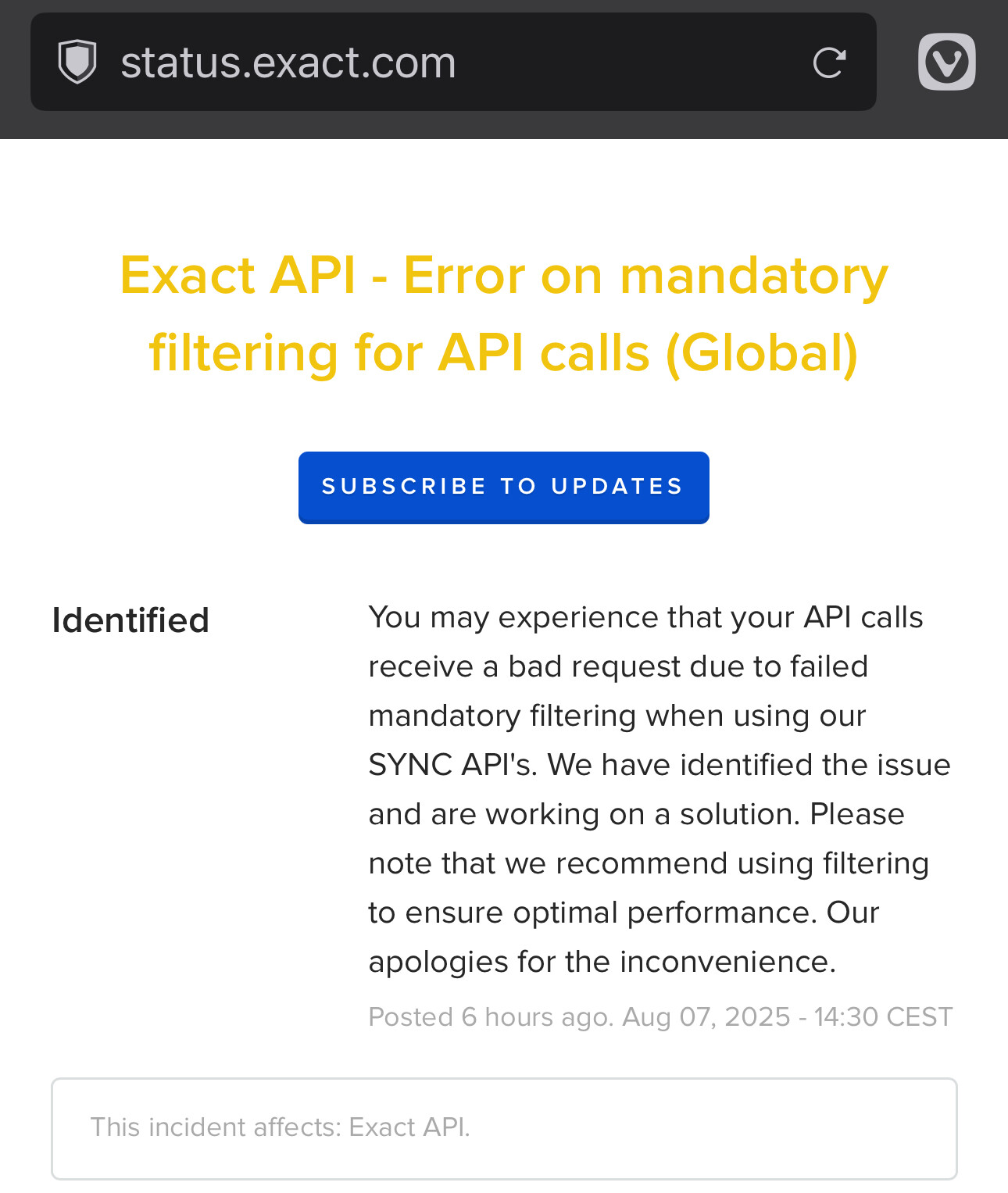
The issue has just been flagged on august 7th, 14:30 at Exact status page

In our case we updated our script by adding where Timestamp >0

create or replace table eol_rest_accountsbulk@sql
as 
select * 
from   syncAccounts@eol 
where  Timestamp >0 batchsize 50000;

Thx! Screenshot below. Adding filter is good workaround! It has no further impact besides being a workaround for older releases.

The suggestion to use filtering is a little weird given the design of the sync APIs :slight_smile:

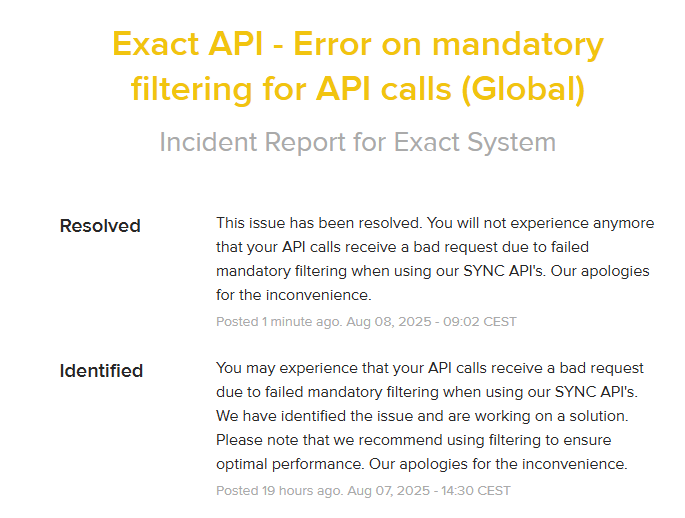
Just received a notification from Exact that it has been resolved: image

Exact Online has reversed the change that caused the problem.