Since a week after updating to the latest version, we get a notification when starting the Query Tool (also with last week’s release). The current release installed is 25.0.5-PROD+5516.
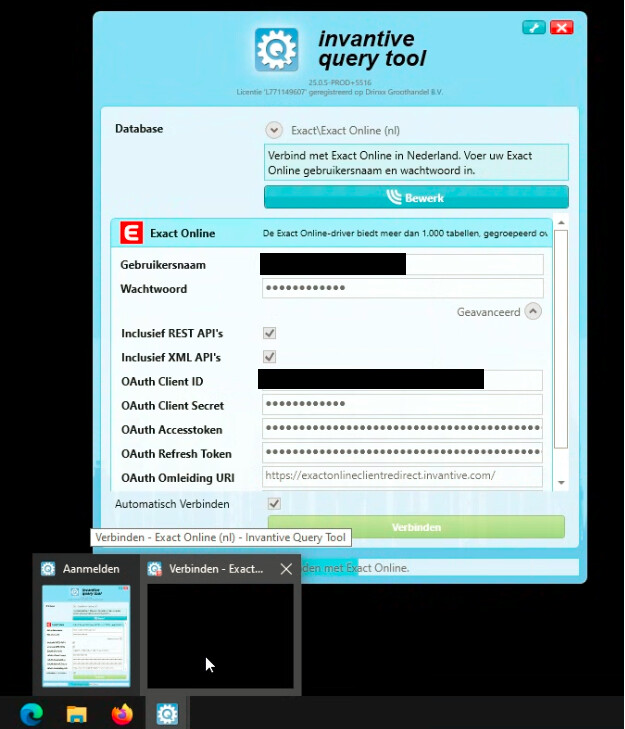
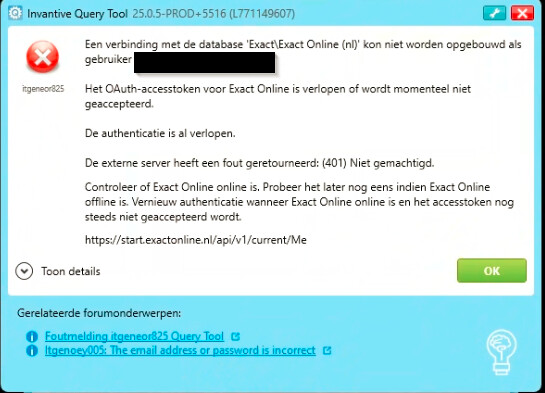
The login screen stays pending while connecting to Exact Online, without the application starting up. Then it becomes apparent that, in the menu bar, hovering over the Query Tool icon shows a black popup. As soon as this is closed, the error message appears as shown in the 2nd screenshot.
itgeneor825
A connection with the database … could not be established as user …
The OAuth access token has expired or is currently not accepted.
The authentication has already expired.
The remote server returned an error:
(401) Unauthorised.
The black screen is normal under release 25.0.5 when taking screenshots. Due to uncertainty about the functioning and correctness of Microsoft Recall, most screens are no longer visible in screenshots, Teamviewer or Microsoft Teams.
Excluding the screen content can be disabled for the duration of a session by unticking “Enable Privacy Mode” under Settings in the “Key” menu on the sign-in screen. At the next session, it will automatically be enabled again.
See also:
itgeneor825
The advice is to follow the suggestion from:
to first clear the OAuth access token field and try again.
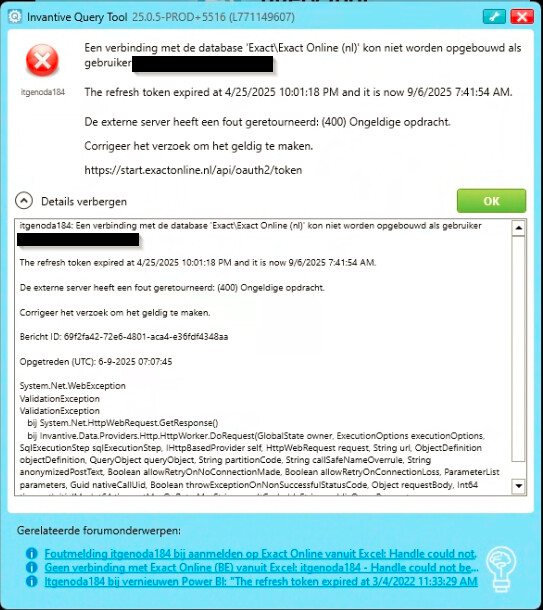
Followed the advice to remove the OAuth access token and reconnect. This again shows an empty pop-up. After closing this pop-up, the following error message appears:
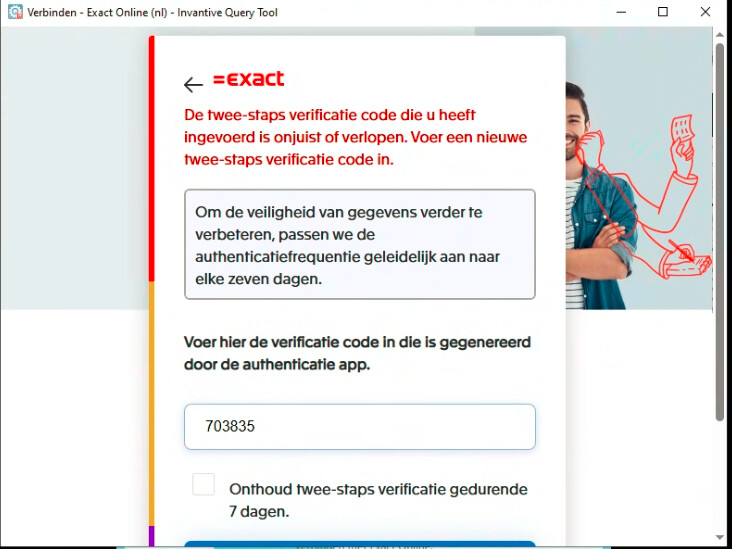
After turning off “Privacy mode” in Query Tool and making a new attempt to connect to Exactonline, the popup is now visible with the following message:
The advice is to check whether the Exact Online user in question still exists and has the appropriate permissions, for example by logging in to Exact Online. If that is the case, the advice is to enter the correct verification code.
The text The refresh token expired at 4/25/2025 10:01:18 PM and it is now 9/6/2025 7:41:54 AM. (error code itgenoda184 or itgeneor559) is returned verbatim as a response from the Exact Online API server.
The user can log in to Exact Online and has the correct permissions.
Cleared the access token again and disabled privacy mode. Manually entered the two-factor authentication and successfully logged in with it. But, as expected, it didn’t persist.
Finally, I updated to the latest version of Query Tool. And I was able to connect to ExactOnline again without any issues.