Power BI Desktop has recently been unable to refresh the tables from one of our Exact Online environments via Invantive Bridge Online. We want to restore the existing connection so that the Power BI reports can refresh again.
When I open the OData URL of the relevant environment in the browser and log in, I get error code itgenoda494.
The message indicates that the stored refresh token is outdated. According to the message, this can happen when an Exact Online user is linked twice with the same OAuth application. Invantive advises renewing the authorisation of data container eol.
What we have tried
- In Invantive Cloud, we looked up the existing database and data container
eoland checked which user was last listed against the container. - We tried to renew the authorisation with that Exact Online account. Exact then shows a message stating that the One Exact Identity account is set up for multiple users and that this is not supported for API connections. I’ve attached a screenshot of this.
- During an earlier authorisation attempt, we also received a message stating that the same single authentication ID already exists for another data container. We haven’t deleted any existing data containers.
- In Invantive Cloud, the relevant container does not have “Repair needed” ticked, even though the OData connection does return error code
itgenoda494.
We have two Exact Online environments that are used via Invantive for Power BI. We want to avoid restoring one connection breaking the other.
Our questions
- How can we determine which Exact Online account and which existing data container we should use to restore this connection?
- How can we restore the authorisation if the last-used One Exact Identity account is set up for multiple users?
- How can we find out which other data container uses the same authentication ID, and prevent the two connections from invalidating each other’s refresh token?
- Can the absence of a tick at Repair needed be explained, given that the OData URL does return
itgenoda494?
Environment
- Product: Invantive Bridge Online
- Version:
27.0.101-PROD+6516 - Source system: Exact Online
- Consumer: Power BI Desktop via OData
- Data container alias:
eol - Error code:
itgenoda494
Message
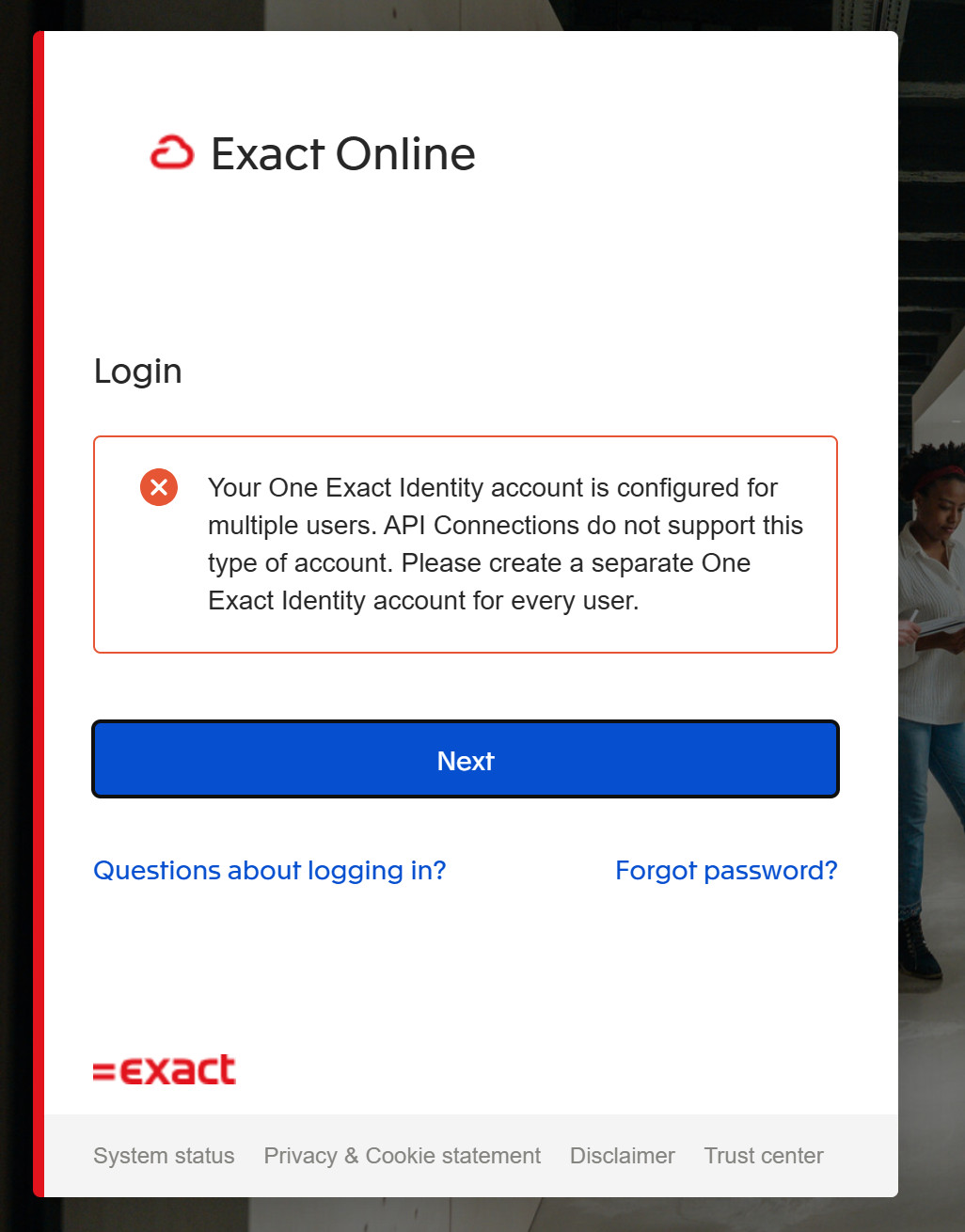
Login
Your One Exact identity account is configured for multiple users.
API Connections do not support this type of account.
Please create a separate One Exact identity account for every user.