XAF 3.2 to excel converter creates files and headers but not bringing transaction data into output files

I have switched Windows 11 laptops. The XAF 3.2 file still converts from XAF to excel ok on the old laptop running version 24.
But the new laptop has version 25 downloaded, and does not convert the same file as expected.
Folder paths appear ok on both laptops.
The usual 47 output filenames are produced, but they have run in seconds rather than 20+ minutes.
The column headers appear in each file but no further transaction data lines.

Any ideas gratefully accepted. I can add screenshots if useful?

Can you provide an error message and/or anonymized screenshot? It is not yet clear what the problem is.

2 x Word docs with notes and screenshots included. Old laptop where the XAF transaction data converts ok, and new laptop where they do not. Hope these assist.

Can you place the relevant information within the forums topic? It is not visible.

New laptop not working ok – Invantive Version 25.

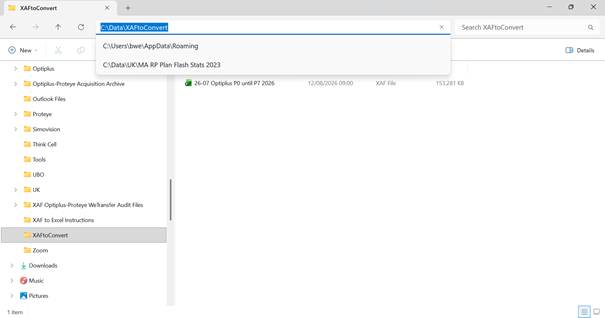
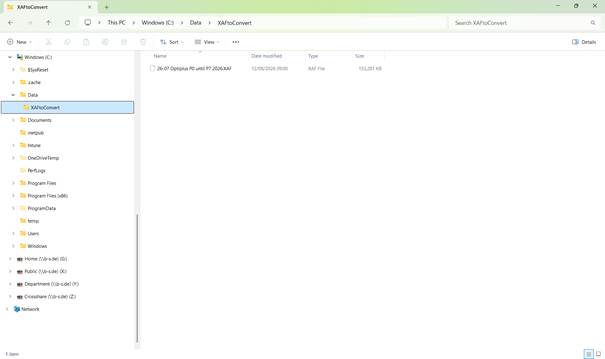
XAF file to be converted to excel folder location.

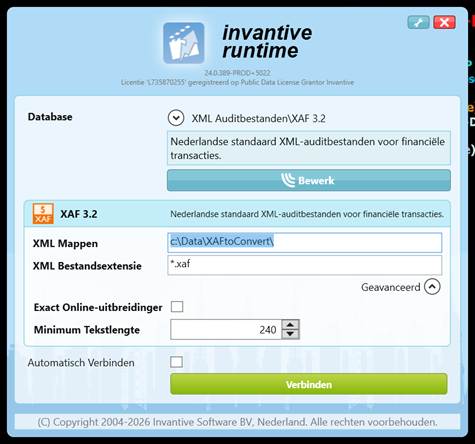
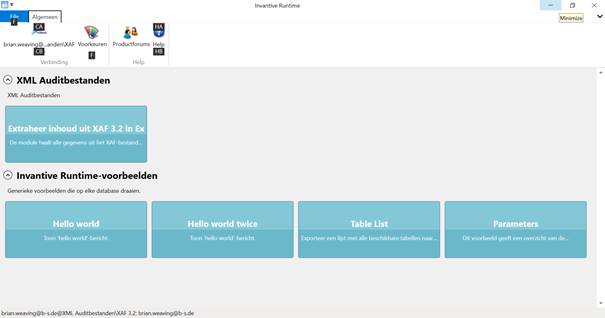
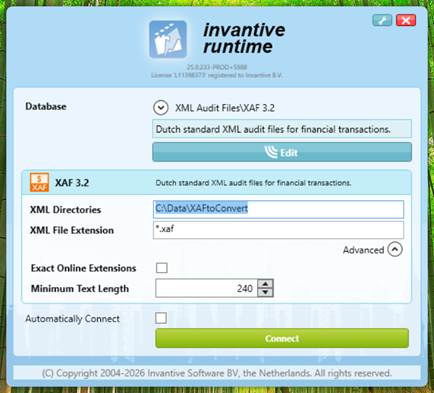
Version 25 > Click “Connect” > next popup to XML Audit Files sectio n >

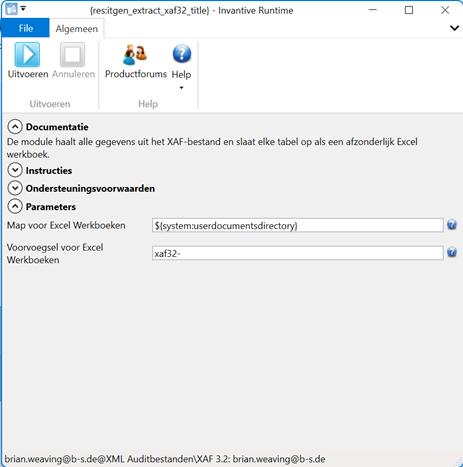
Click “Extract contents from XAF 3.2….” > next popup to {res:itgen_extract_xaf32_titl e} >

Click “Run” with parameters Folder for excel workbooks = ${system:userdocumentsdirec tory}

and Prefix for excel workbooks = xaf32-

“Executing” message only lasts a few seconds then returns popup “Done proce ssing”.

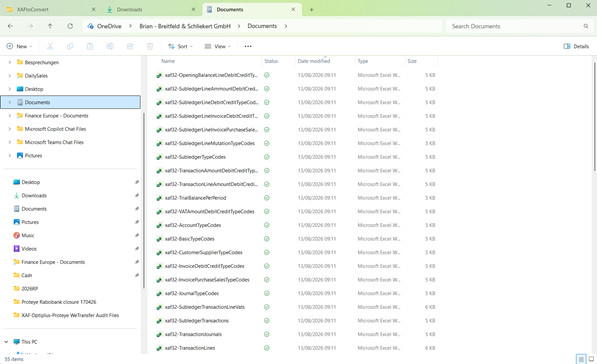
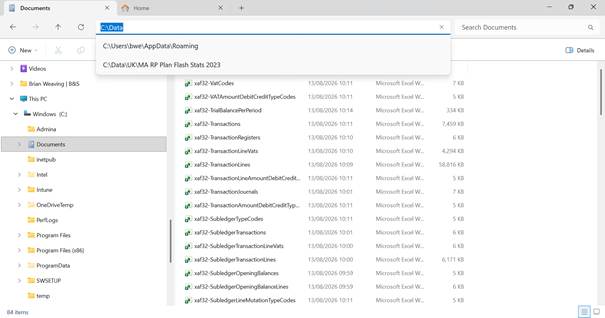
Excel output files have been created in Documents folder as below, but all files are small 5-6KB and contain header row s only .

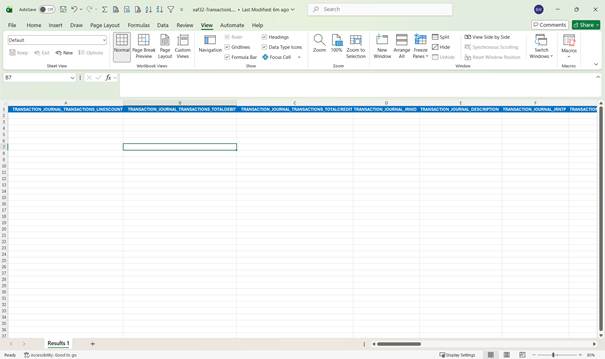
“Transaction lines” file is usually large with all transactional data; example output no transactio n da ta below.

The other 47 output files have the same issue. Header row but no other data.

Old laptop working ok – Invantive Version 24.

XAF file to be converted to excel folder location.

Version 24 > Click “Connect” > next popup to XML Audit Files sectio n >

Click “Extract contents [extraheer inhoud] from XAF 3.2” > next popup to {res:itgen_extract_xaf32_ti tle} >

Click “Run” with parameters Folder for excel workbooks = ${system:userdocumentsdir ectory}

and Prefix for excel workbooks = xaf3 2-

“Executing” message 20+ minutes then returns popup > “Done processing [Klaar met verw erken] ”.

[image]

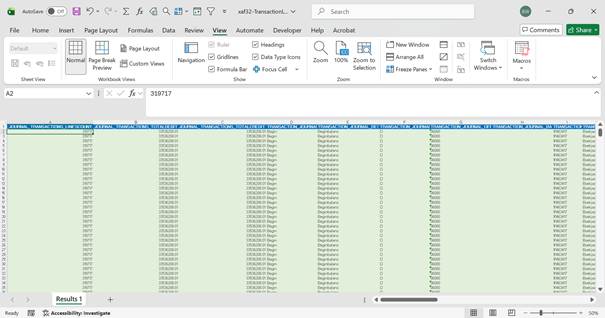
All 47 Excel output files have been created in Documents folder, and all files popula ted ok.

“Transaction lines” file is large with all transactional data; example of expected output trans action data below.

Hi

Any ideas on the issue above?

Cheers

Brian

Hi Joshua

No luck resolving this issue so far via the forum. Is it possible to set up a support call with one of your IT Technicians, to also include one of our company IT technicians. Please can you advise how to best go about this so we can find a suitable time slot to suit all parties in the different locations.
Many thanks

Brian