We have the ExactOnline REST API running via Python, which refreshes at set intervals and writes the data to a database. This works well for a week, and then the data container enters Repair Mode.
The logical result is the following message:
HTTPSConnectionPool(host='bridge-online.invantive.com', port=443): Max retries exceeded with url: /acme-exact-online/odata4/ExactOnlineXML.XML.GLAccountClassificationRelations@eol?$format=json
(Caused by ResponseError('too many 500 error responses'))
Looking at this forum and the Wiki, it seems that the solution must lie in “Auto Recovery” as described below. It seems that the authorisation expires.
Given that this solution requires you to store the TOTP secret, we don’t consider it an ideal solution, so we were wondering if there are alternative methods to keep the data container intact without using this method. It’s quite inconvenient to have to repair the container every 7 days.
Check carefully that you are logging into the Bridge Online website that is also used from Power BI and with the same user name. You will only see the requests from the Invantive Cloud user you are logging into the website with.
There are four servers in use:
bridge-online.cloud
app-online.cloud
bridge-online.invantive.com
app-online.invantive.com
You can see the server used in your script or source code of reporting.
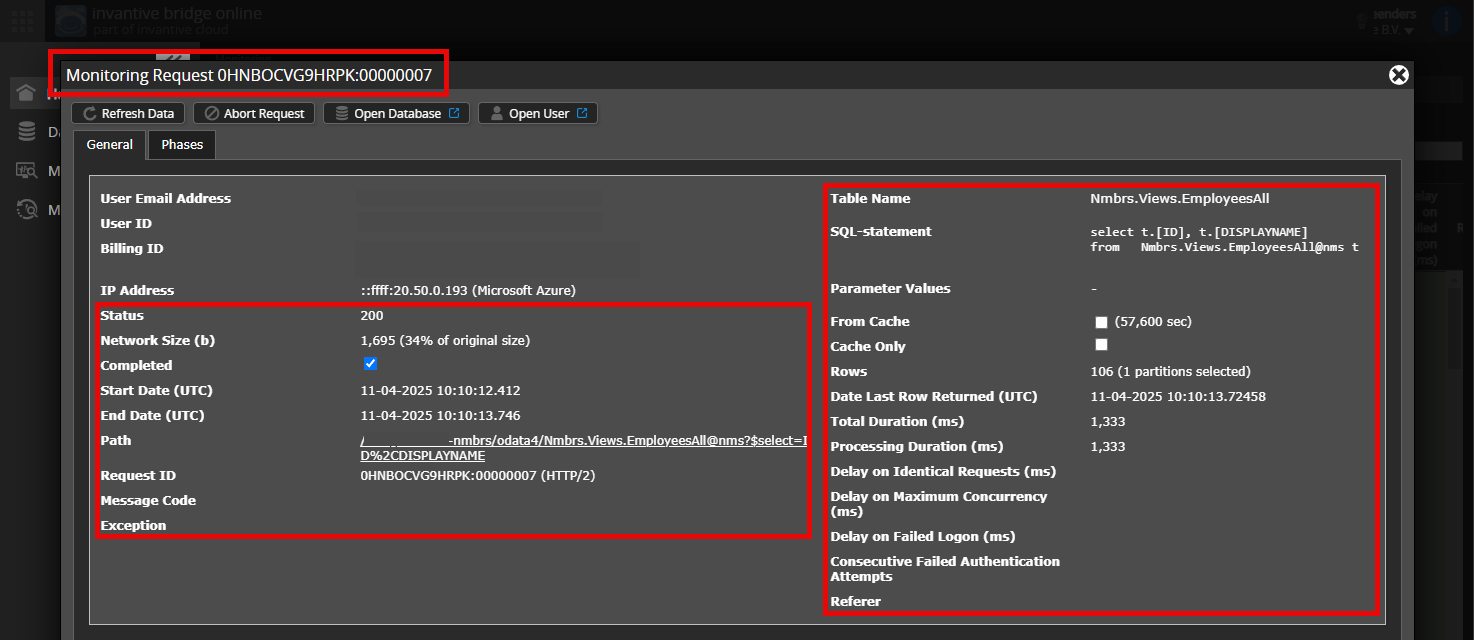
Verify correct request and details
Please make sure to select the request to display the details. Only one single request should be visible in the screenshot.
Also check carefully that the request has a path with odata4 or apps. Other requests are in general non-relevant for this purpose.
Error message and tips per email
In addition, the Invantive Cloud user who has the error message will usually receive on his email address an email with an error message and tips if there is an error message in Power BI, Power Query, Azure Data Factory, Qlik or Tableau.
Advice is to check the affected user’s spam for such emails sent from support@invantive.com.
This question has been automatically closed after 1 week of inactivity. The last given answer has been marked as the solution.
Please post a new question in a separate topic if the issue recurs. In the new question, please include a link to this topic by pasting the URL into the text.