Instabil indlæsning fra Exact til Qlik?

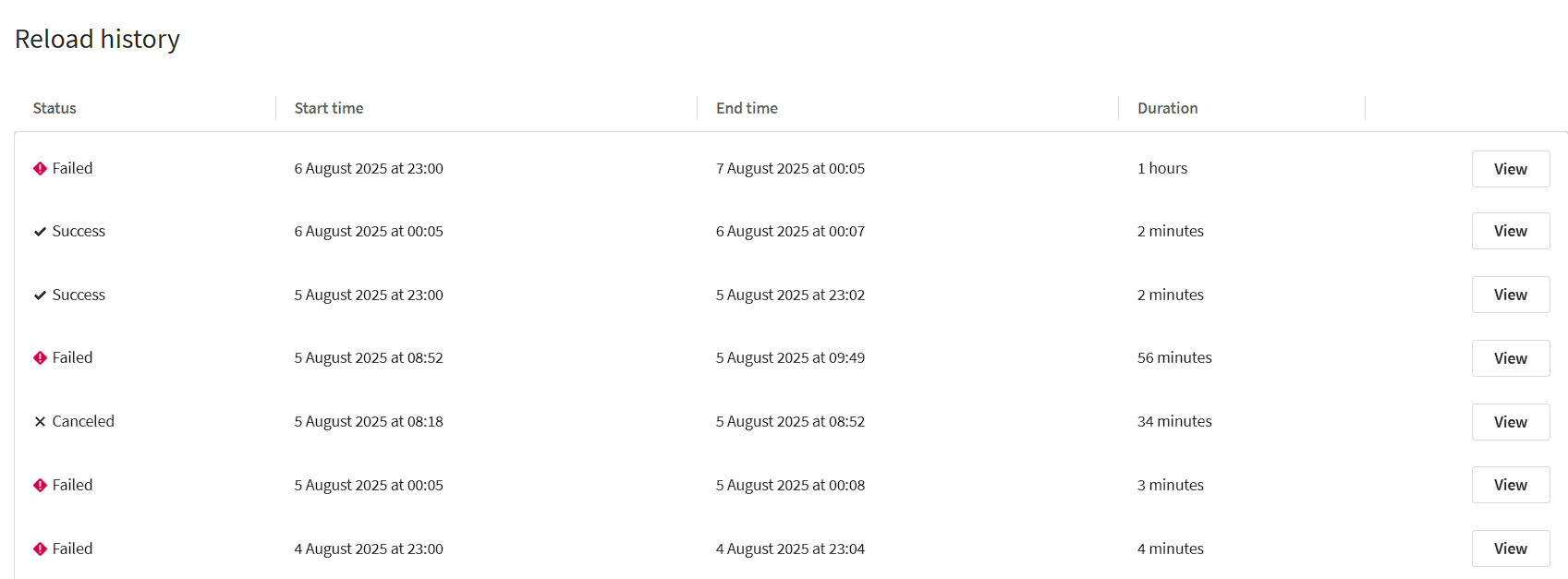
Unfrequently kan jeg ikke indlæse data fra Exact. I Qlik har jeg en app til at indlæse dataene:

image

Som du kan se, varierer indlæsningstiden fra 2 minutter (succesfuld) til 1 time (mislykket).

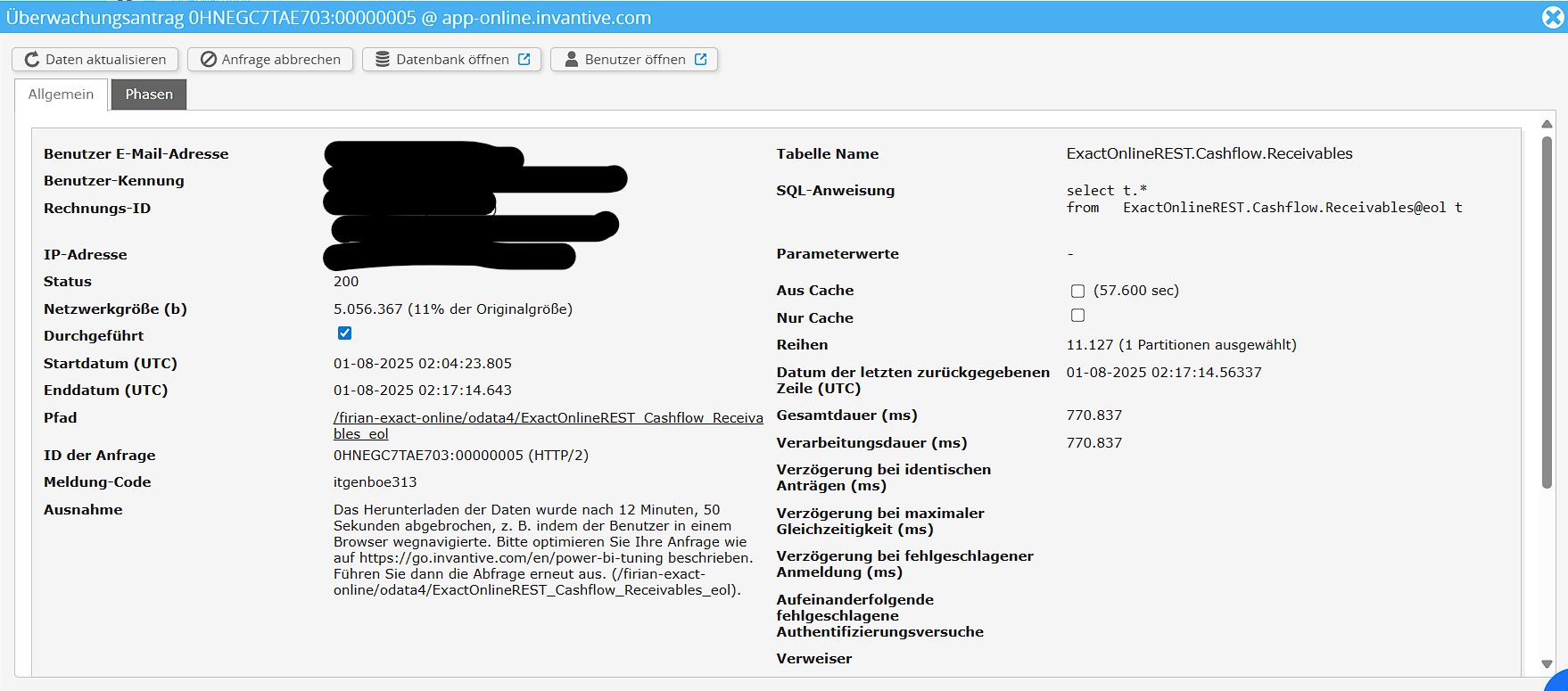
I overvågningen kan jeg se følgende fejl:

image

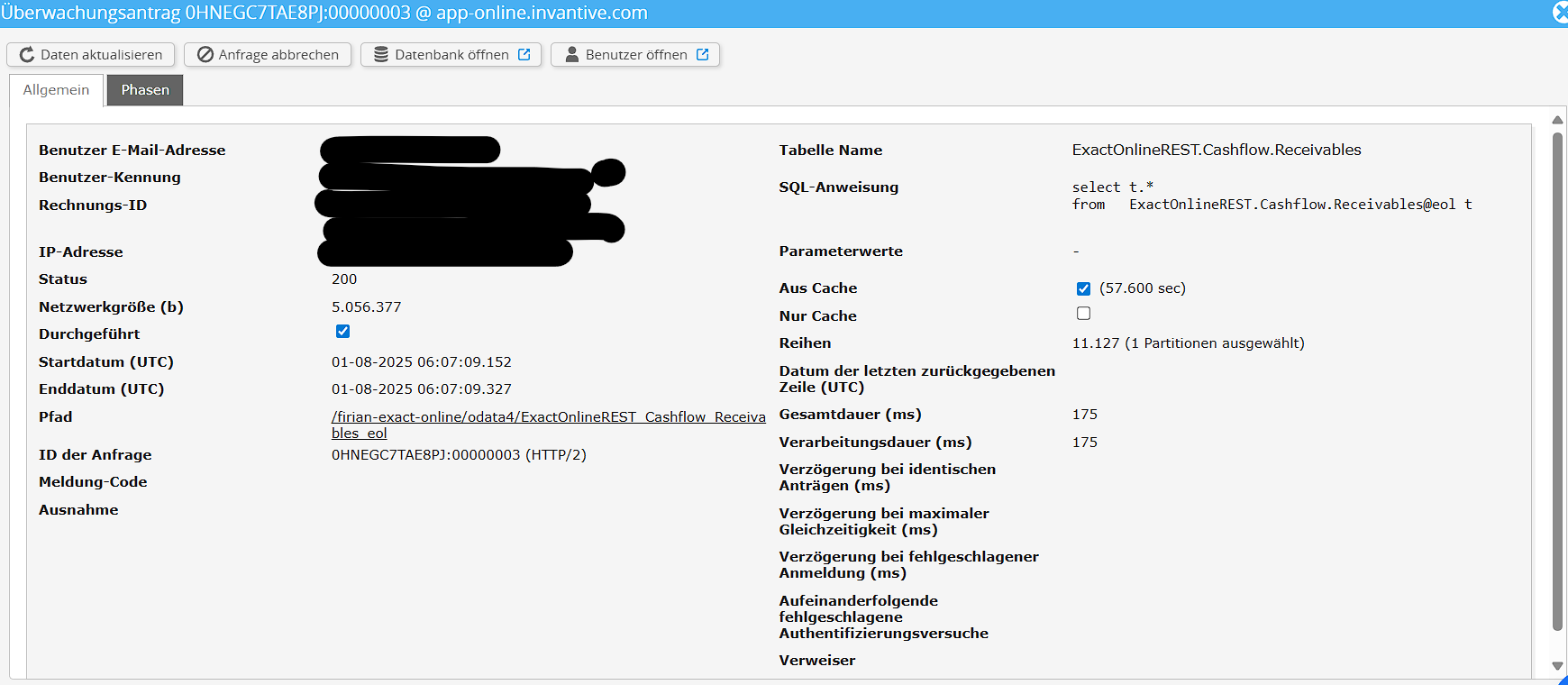
Til sammenligning her er hentningen, hvor det lykkedes:

image

Kan nogen hjælpe? Jeg vil gerne etablere en stabil forbindelse, hvor jeg henter data fra Exact hver nat.

Her er også loggen fra Qlik:

Accounts << JsonV4GetData 1,977 linjer hentet
Projects << JsonV4GetData 0 linjer hentet

Den følgende fejl opstod:
Intern fejl. (Connector-fejl: Mislykkedes ved forsøg 1 på at GET. (Operationen er udløbet.))
Motorfejlkode: Connector-fejl:22013
Fejlen opstod her:
SELECT *
	FROM JsonV4GetData
	WITH PROPERTIES (
	oDataResourcePath='ExactOnlineREST_Cashflow_Receivables_eol',
	oDataQueryOptions='',
	maxDepth='',
	maxResults=''
	)

Som du kan se, kan jeg hente fra Exact Accounts og Projects med succes, men ikke Receivables.

Som et gæt: kan du prøve at omlægge downloadet til uden for 00:00 - 06:00 UTC?

Det tyske miljø kan have forskellige nedetider.

Tak, jeg prøvede det, men jeg får stadig nogle gange fejl:

image

Complete information

Is it possible to add a (anonymized) screenshot of the request details in Invantive Bridge Online Monitoring as described in More insight with new Bridge Online Monitoring?

Details can be found by clicking on the download request which represents the issue discussed in this topic.

The download request typically has a SQL-statement with table name visible.

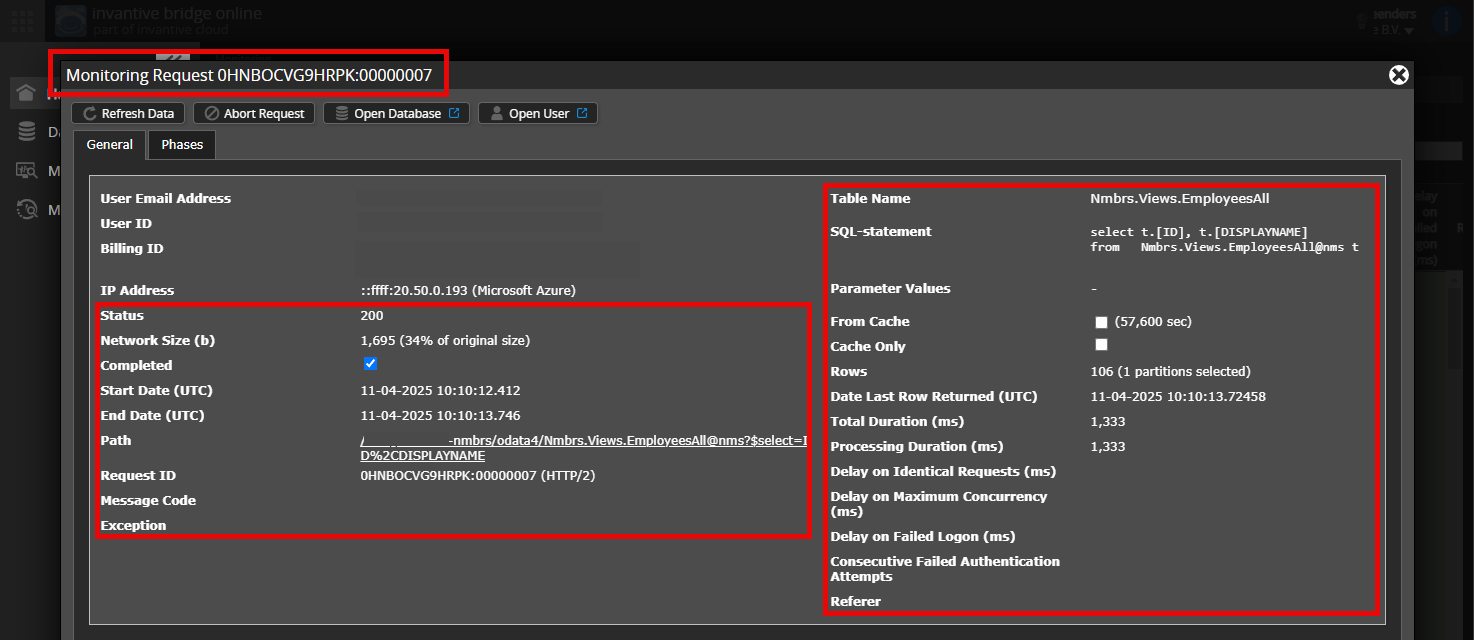
Please leave at least the following data visible from both columns:

  • the title bar with the request ID,
  • the status code, network size, path and times in the left column,
  • the error code and error message at the very bottom of the left column,
  • the entire right column including the SQL statement, table name and parameter values.

For example:

Verify correct server and user

Check carefully that you are logging into the Bridge Online website that is also used from Power BI and with the same user name. You will only see the requests from the Invantive Cloud user you are logging into the website with.

There are four servers in use:

  • bridge-online.cloud
  • app-online.cloud
  • bridge-online.invantive.com
  • app-online.invantive.com

You can see the server used in your script or source code of reporting.

Verify correct request and details

Please make sure to select the request to display the details. Only one single request should be visible in the screenshot.

Also check carefully that the request has a path with odata4 or apps. Other requests are in general non-relevant for this purpose.

Error message and tips per email

In addition, the Invantive Cloud user who has the error message will usually receive on his email address an email with an error message and tips if there is an error message in Power BI, Power Query, Azure Data Factory, Qlik or Tableau.

Advice is to check the affected user’s spam for such emails sent from support@invantive.com.

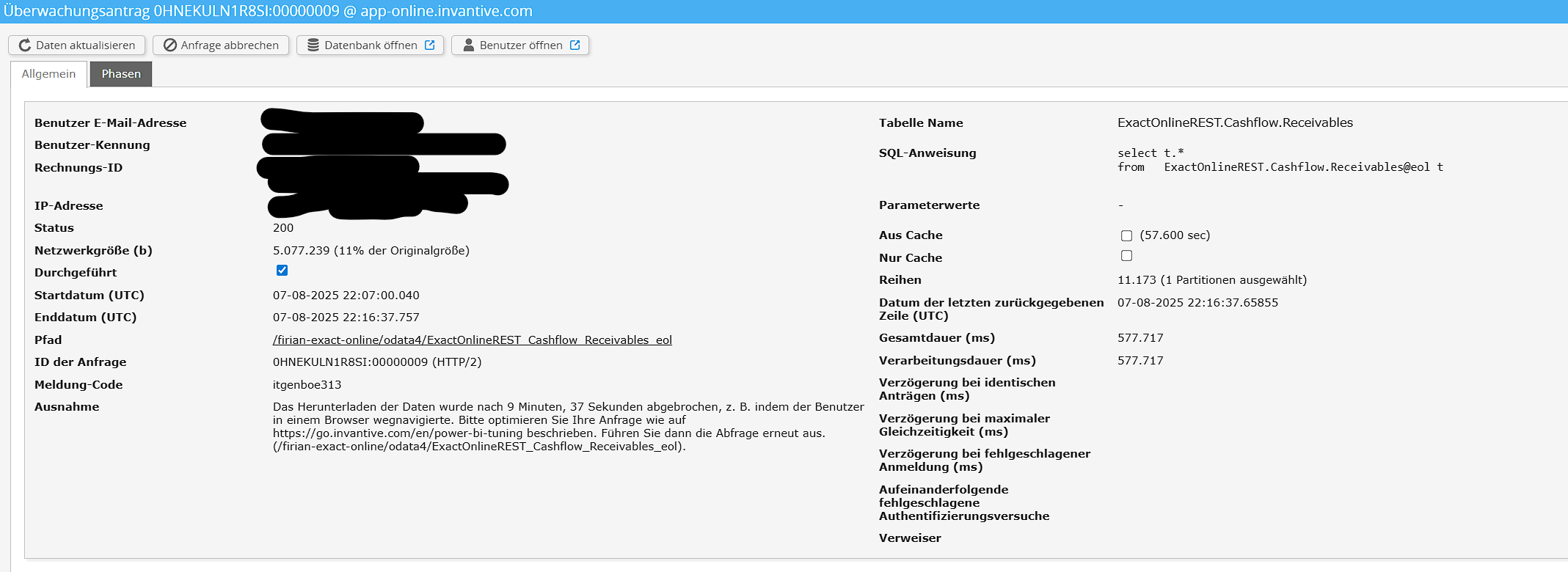
Jeg kunne bekræfte, at forbindelsen er opsat korrekt, da den nogle gange er vellykket.

Her er de ønskede skærmbilleder:

image

Hvis der er noget mere, jeg skal give dig for at løse problemet, så lad mig det vide.

Please see How to resolve an itgenboe147 or itgenboe161 message: The data download was cancelled for help on this issue.

Denne spørgsmål er automatisk lukket efter 1 uges inaktivitet. Det sidste givne svar er markeret som løsning.

Venligst opret et nyt spørgsmål i et separat emne, hvis problemet opstår igen. Inkluder venligst et link til dette emne i det nye spørgsmål ved at indsætte URL’en i teksten.