Since the migration from your former platform to your new platform, we have been experiencing regular problems with a number of datasets loading into Power BI. Over the last few months it has started to become unworkable, as the daily data loads keep failing. We then pull them manually into Power BI (using refresh dataset), and that works in about 50% of cases.
Immediately after the migration we also had this problem to an extreme extent, and reported it in this ticket:
Business data process:
Every day at 7am we retrieve the following Exact Online tables in Power BI for the dataset “Invoice data” from Invantive Cloud:
- SalesInvoiceLinesIncremental (filtered on invoicedate (last 15 days))
- AccountsIncremental (full table)
- ContactsIncremental (full table)
- GLAccounts (full table)
Load details PowerQuery for table:

Monitoring Invantive Cloud
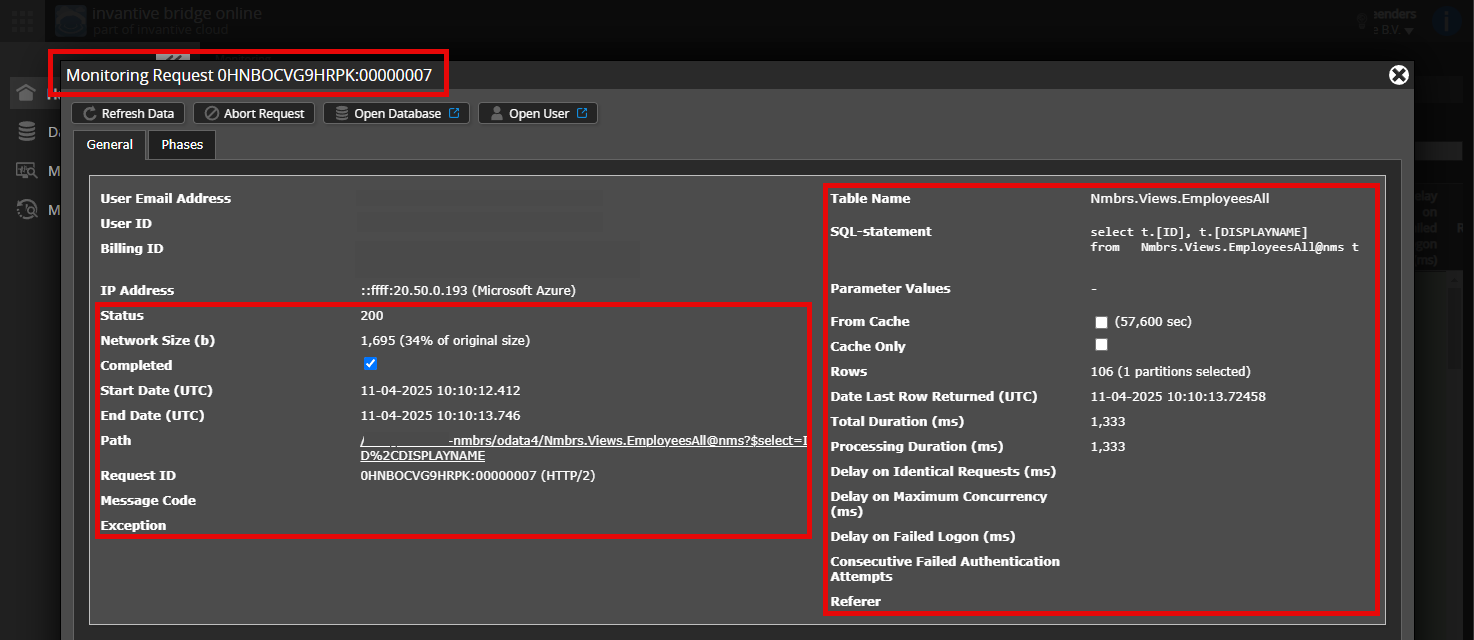
In the Invantive Cloud monitoring log I can find the following data. See below.
| Request ID | IP address | Status Code | Network size (b) | Start date (UTC) | End date (UTC) | Duration (ms) | Path | Node |
|---|---|---|---|---|---|---|---|---|
| 0HNH7MEBR4E8S:00000001 | ::ffff:68.219.160.18 | 500 | 0 | 20-11-2025 07:50:18 | 20-11-2025 08:44:15 | 3.236.999 | /<<>>/odata4/ExactOnlineREST.Incremental.SalesInvoiceLinesIncremental@eol | SPBA0401 |
| 0HNH7MEBR4E50:00000001 | ::ffff:68.219.160.18 | 500 | 708 | 20-11-2025 07:45:43 | 20-11-2025 08:13:43 | 1.680.318 | /<<>>/odata4/ExactOnlineREST.Incremental.SalesInvoiceLinesIncremental@eol | SPBA0401 |
| 0HNH7MEBR4DI1:00000003 | ::ffff:68.219.160.18 | 500 | 0 | 20-11-2025 07:21:57 | 20-11-2025 08:06:20 | 2.663.430 | /<<>>/odata4/ExactOnlineREST.Incremental.SalesInvoiceLinesIncremental@eol?$filter=Division%20eq%201483520%20and%20InvoiceDate%20ge%202025-11-05T00%3A00%3A00Z%20and%20Item%20ne%20null | SPBA0401 |
| 0HNH7MEBR4D8K:00000001 | ::ffff:68.219.160.18 | 500 | 0 | 20-11-2025 07:15:15 | 20-11-2025 07:44:37 | 1.761.651 | /<<>>/odata4/ExactOnlineREST.Incremental.SalesInvoiceLinesIncremental@eol | SPBA0401 |
| 0HNH7MEBR4D10:00000001 | ::ffff:68.219.160.18 | 500 | 0 | 20-11-2025 07:10:40 | 20-11-2025 07:59:01 | 2.901.500 | /<<>>/odata4/ExactOnlineREST.Incremental.SalesInvoiceLinesIncremental@eol | SPBA0401 |
| 0HNH7MEBR4C78:00000001 | ::ffff:68.219.160.18 | 500 | 708 | 20-11-2025 06:56:54 | 20-11-2025 07:51:51 | 3.296.716 | /<<>>/odata4/ExactOnlineREST.Incremental.SalesInvoiceLinesIncremental@eol?$filter=Division%20eq%201483520%20and%20InvoiceDate%20ge%202025-11-05T00%3A00%3A00Z%20and%20Item%20ne%20null | SPBA0401 |
| 0HNH7MEBR4C4B:00000001 | ::ffff:68.219.160.18 | 500 | 0 | 20-11-2025 06:52:20 | 20-11-2025 07:37:31 | 2.710.831 | /<<>>/odata4/ExactOnlineREST.Incremental.SalesInvoiceLinesIncremental@eol?$filter=Division%20eq%201483520%20and%20InvoiceDate%20ge%202025-11-05T00%3A00%3A00Z%20and%20Item%20ne%20null | SPBA0401 |
| 0HNH7MEBR4C3N:00000001 | ::ffff:68.219.160.18 | 500 | 708 | 20-11-2025 06:51:28 | 20-11-2025 07:22:52 | 1.883.770 | /<<>>/odata4/ExactOnlineREST.Incremental.SalesInvoiceLinesIncremental@eol?$filter=Division%20eq%201483520%20and%20InvoiceDate%20ge%202025-11-05T00%3A00%3A00Z%20and%20Item%20ne%20null | SPBA0401 |
| 0HNH7MEBR4BTV:00000003 | ::ffff:68.219.160.18 | 500 | 0 | 20-11-2025 06:42:18 | 20-11-2025 07:08:32 | 1.573.665 | /<<>>/odata4/ExactOnlineREST.Incremental.SalesInvoiceLinesIncremental@eol?$filter=Division%20eq%201483520%20and%20InvoiceDate%20ge%202025-11-05T00%3A00%3A00Z%20and%20Item%20ne%20null | SPBA0401 |
| 0HNH7MEBR4BJK:00000001 | ::ffff:68.219.160.18 | 500 | 0 | 20-11-2025 06:32:01 | 20-11-2025 07:01:24 | 1.763.265 | /<<>>/odata4/ExactOnlineREST.Incremental.SalesInvoiceLinesIncremental@eol | SPBA0401 |
| 0HNH7MEBR4BH0:00000001 | ::ffff:68.219.160.18 | 500 | 0 | 20-11-2025 06:27:26 | 20-11-2025 06:47:06 | 1.180.668 | /<<>>/odata4/ExactOnlineREST.Incremental.SalesInvoiceLinesIncremental@eol | SPBA0401 |
| 0HNH7MEBR4BB6:00000001 | ::ffff:68.219.160.18 | 500 | 0 | 20-11-2025 06:18:17 | 20-11-2025 06:54:24 | 2.167.549 | /<<>>/odata4/ExactOnlineREST.Incremental.SalesInvoiceLinesIncremental@eol?$filter=Division%20eq%201483520%20and%20InvoiceDate%20ge%202025-11-05T00%3A00%3A00Z%20and%20Item%20ne%20null | SPBA0401 |
| 0HNH7MEBR4B6A:00000001 | ::ffff:68.219.160.18 | 500 | 708 | 20-11-2025 06:13:41 | 20-11-2025 06:40:13 | 1.591.364 | /<<>>/odata4/ExactOnlineREST.Incremental.SalesInvoiceLinesIncremental@eol?$filter=Division%20eq%201483520%20and%20InvoiceDate%20ge%202025-11-05T00%3A00%3A00Z%20and%20Item%20ne%20null | SPBA0401 |
| 0HNH7MEBR4B48:00000001 | ::ffff:68.219.160.18 | 500 | 0 | 20-11-2025 06:12:49 | 20-11-2025 06:25:51 | 782,034 | /<<>>/odata4/ExactOnlineREST.Incremental.SalesInvoiceLinesIncremental@eol?$filter=Division%20eq%201483520%20and%20InvoiceDate%20ge%202025-11-05T00%3A00%3A00Z%20and%20Item%20ne%20null | SPBA0401 |
| 0HNH7MEBR4AT9:00000001 | ::ffff:68.219.160.18 | 500 | 0 | 20-11-2025 06:08:14 | 20-11-2025 06:18:29 | 614,974 | /<<>>/odata4/ExactOnlineREST.Incremental.SalesInvoiceLinesIncremental@eol?$filter=Division%20eq%201483520%20and%20InvoiceDate%20ge%202025-11-05T00%3A00%3A00Z%20and%20Item%20ne%20null | SPBA0401 |
| 0HNH7MEBR4AMC:0000000F | ::ffff:68.219.160.18 | 500 | 0 | 20-11-2025 06:03:39 | 20-11-2025 06:11:04 | 444,405 | /<<>>/odata4/ExactOnlineREST.Incremental.SalesInvoiceLinesIncremental@eol?$filter=Division%20eq%201483520%20and%20InvoiceDate%20ge%202025-11-05T00%3A00%3A00Z%20and%20Item%20ne%20null | SPBA0401 |
Errors from Power BI
The errors are reported for several Exact Online tables / Invantive Bridge endpoints that are queried within the Power BI dataset “Invoice data”. Two examples:

Other Power BI reports / data loads
We have dozens of datasets / reports active in Power BI based on the Exact Online data via Invantive Bridge. Only this dataset is currently experiencing issues on a daily basis. The other data loads run fairly smoothly, and are only refreshed on Monday mornings.