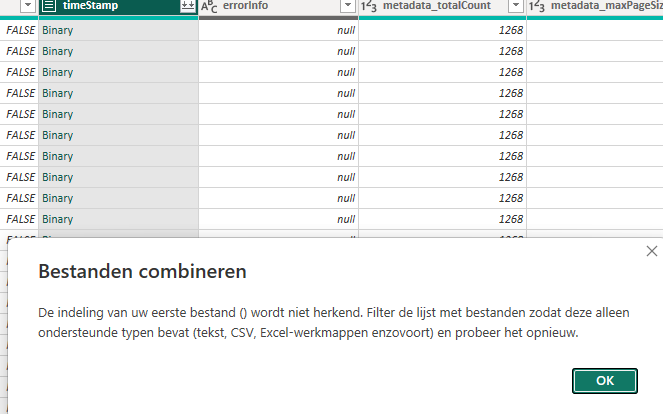
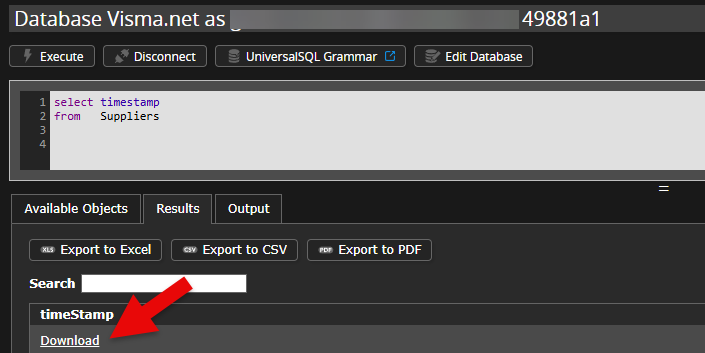
A while ago I have been getting the following error when calling the Visma.Supplier.Suppliers endpoint and the Visma.Supplier.SupplierAttributes endpoint, because of the timestamp column. This column is strangely configured, and I am getting this error when trying to connect via some apps like Azure Data Factory. Even via Power BI, this data is not interpretable.
Column: timeStamp,The data type ByteArray is not supported from the column named timeStamp.
This does not occur at other tables such as Customers or CustomerAttributes. Would it be possible for you to remove this column all together from the results from the call?
Bestanden combineren
De indeling van uw eerste bestand () wordt niet herkend.
Filter de lijst met bestanden zodat deze alleen ondersteunde typen bevat (tekst, CSV, Excel-werkmappen enzovoort) en probeer het opnieuw.
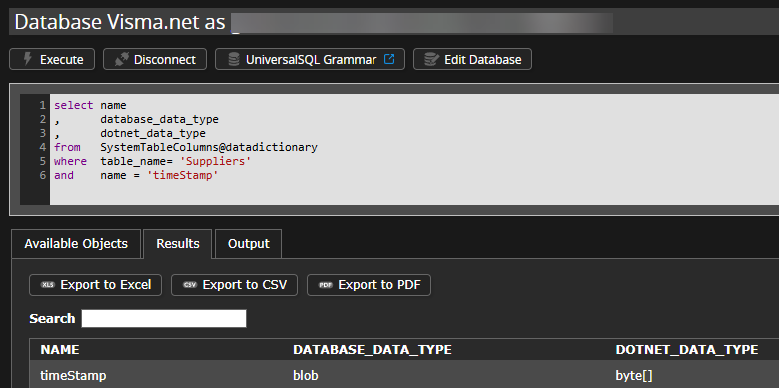
The Visma.net documentation specifies that the timestamp column is intended as binary data with specific functionality:
        "timeStamp": {
          "format": "byte",
          "description": "Identifier that represents a specific version of the resource.\r\nIt helps to prevent simultaneous updates of the resource from overwriting each other (by using ETags and If-Match headers)",
          "type": "string"
}
Starting points
From your description, it seems that Power BI seems to have problems handling the binary data format by default. The error is not considered a bug in the datamodel of Visma.net Financials, but a limitation of the product or use of the client product.
In general, it is preferred by Invantive to not change the data model functionally due to limitations of a client tool.
Recommendation
It is recommended to check whether the column can be excluded in the OData-query by removing it from the selection or searching for alternative solutions within Power BI.
Thanks for the info & suggestions. Would like to say I understand, but even Azure Data Factory doesn’t support it by default. You would have to go at length to be able to exclude the column as it also does not contain anything useful as far as I can tell.
This question was automatically closed after at least 1 week of inactivity after a possible solution was provided. The last answer given has been marked as a solution.
Please ask a new question via a separate topic if the problem occurs again. Please include a link to this topic in the new question by pasting its URL into the text.