Bij het gebruik van Invantive UniversalSQL Server on-premises in de Windows net 9.0 versie krijg ik bij het opstarten de volgende melding:
2025-09-19 11:56:46.707 itgenpgm094
2025-09-19 11:56:46.708 itgenpgm093 Start monitor on 127.0.0.1:5933 for 1 monitor users.
2025-09-19 11:56:46.709 itgenpgm063
2025-09-19 11:56:46.709 itgenpgm064 Press enter to end Invantive UniversalSQL Server.
20250919115717158 Log connection #531b1844-ac34-4ad7-9552-e8ce9ea8c8c5, category Text: itgenpgm072 Received connection request for a database server on 'big.data2improve.nl' from ::ffff:192.168.0.86:4525 on ::ffff:192.168.0.51:1433.
20250919115717240 Log connection #531b1844-ac34-4ad7-9552-e8ce9ea8c8c5, category Text: itgentcn013 Start TLS authentication.
Unsupported trace token type 'System.Security.Authentication.AuthenticationException':
20250919115717365 Received connection #531b1844-ac34-4ad7-9552-e8ce9ea8c8c5, category unknown: itgenusr019 System.Security.Authentication.AuthenticationException: Authentication failed because the platform does not support ephemeral keys.
 ---> System.ComponentModel.Win32Exception (0x8009030E): No credentials are available in the security package
   at System.Net.SSPIWrapper.AcquireCredentialsHandle(ISSPIInterface secModule, String package, CredentialUse intent, SCH_CREDENTIALS* scc)
   at System.Net.Security.SslStreamPal.AcquireCredentialsHandle(CredentialUse credUsage, SCH_CREDENTIALS* secureCredential)
   at System.Net.Security.SslStreamPal.AcquireCredentialsHandleSchCredentials(SslAuthenticationOptions authOptions)
   at System.Net.Security.SslStreamPal.AcquireCredentialsHandle(SslAuthenticationOptions sslAuthenticationOptions, Boolean newCredentialsRequested)
   --- End of inner exception stack trace ---
   at System.Net.Security.SslStreamPal.AcquireCredentialsHandle(SslAuthenticationOptions sslAuthenticationOptions, Boolean newCredentialsRequested)
   at System.Net.Security....Credentials(Byte[]& thumbPrint)
   at System.Net.Security.SslStream.GenerateToken(ReadOnlySpan`1 inputBuffer, Int32& consumed)
   at System.Net.Security.SslStream.NextMessage(ReadOnlySpan`1 incomingBuffer, Int32& consumed)
   at System.Net.Security.SslStream.ProcessTlsFrame(Int32 frameSize)
   at System.Net.Security.SslStream.ForceAuthenticationAsync[TIOAdapter](Boolean receiveFirst, Byte[] reAuthenticationData, CancellationToken cancellationToken)
   at Invantive.UniversalSQL.Server.IO.Connection.Tcp.TcpServerConnection.StartTLS(GlobalState owner, ExecutionOptions executionOptions, TdsVersion tdsVersion) in c:\smoke\ws-25.0\Invantive.UniversalSQL.Server\src\Invantive.UniversalSQL.Server\IO\Connection\Tcp\TcpServerConnection.cs:line 182
   at Invantive.UniversalSQL.Server.TdsServer.Run(GlobalState owner, ExecutionOptions executionOptions, CancellationToken cancellationToken) in c:\smoke\ws-25.0\Invantive.UniversalSQL.Server\src\Invantive.UniversalSQL.Server\TdsServer.cs:line 352
20250919115717372 Log connection #531b1844-ac34-4ad7-9552-e8ce9ea8c8c5, category Text: itgenpgm075 Disconnected connection.
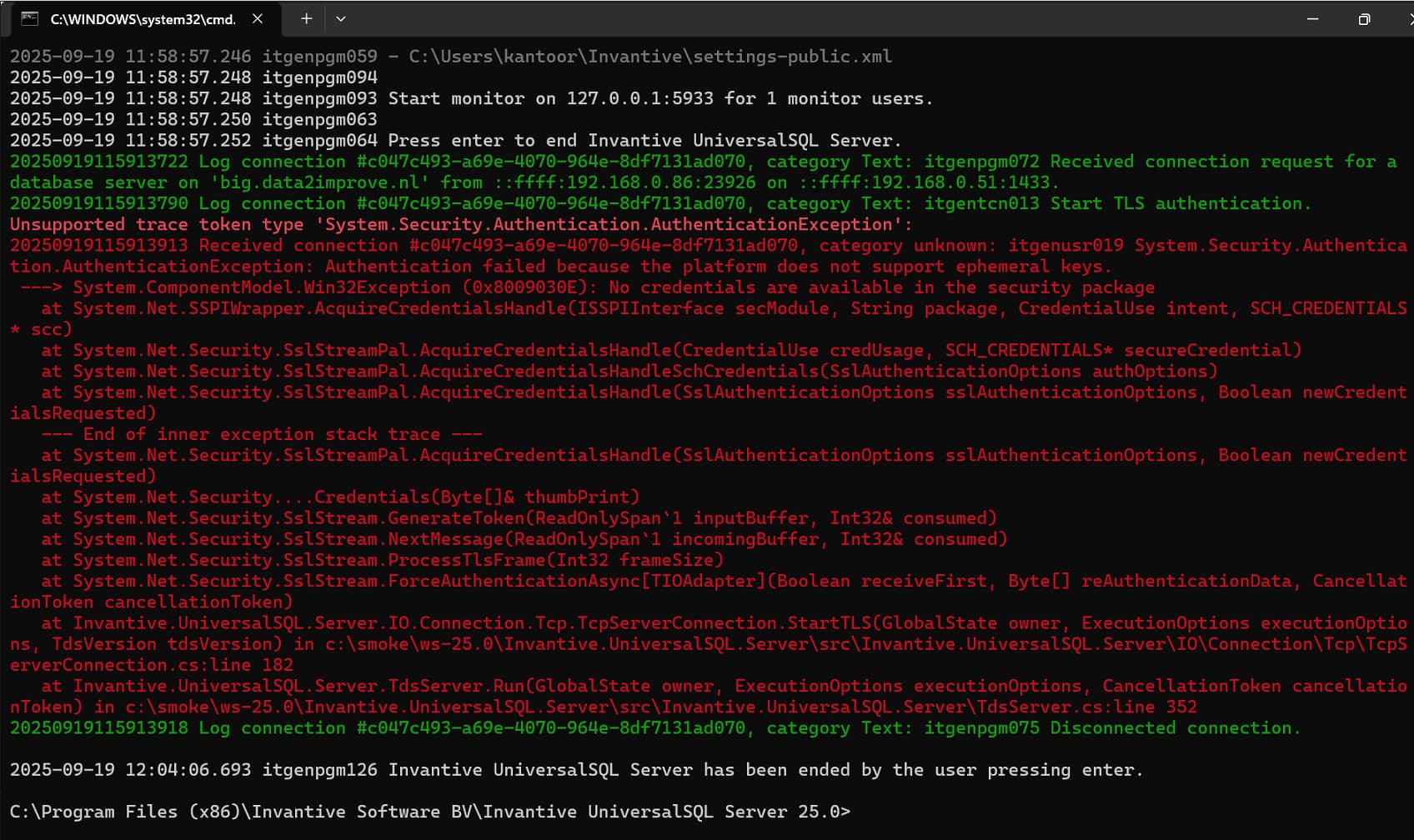
Ik gebruik een self-signed certificaat op een Windows 11 Pro-machine met 16 GB geheugen. Certificaat heeft looptijd van 36 maanden en is gemaakt met:
Import-Module -Name C:\Windows\System32\WindowsPowerShell\v1.0\Modules\PKI\pki.psd1

$Certificate = New-SelfSignedCertificate -DNSName "acme.nl" -CertStoreLocation Cert:\CurrentUser\My -Type CodeSigningCert -Subject "CN=ACME B.V., OU=TEMPORARY, O=ACME B.V., S=Gelderland, C=NL" -NotAfter (Get-Date).AddMonths(12) -KeyExportPolicy Exportable -Provider "Microsoft Enhanced RSA and AES Cryptographic Provider"
$CertPassword = ConvertTo-SecureString -String '...password...' -Force -AsPlainText
$NewCertExportParameters = @{
Cert = "Cert:\CurrentUser\My\$($Certificate.Thumbprint)"
    FilePath = "c:\temp\file.pfx"
    Password = $CertPassword
}
Export-PfxCertificate @NewCertExportParameters | Out-Null
Hoe los ik dit op?