Do you know why there is no “Export SAVE AS” option when I run the Query tool from Invantive Control?

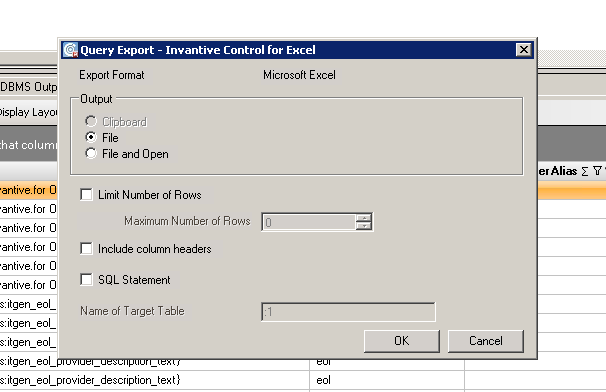
After I clicked the Export Excel and there is no save option in next screen (where I can click include header).
I don’t know how to insert the picture in this forum.
I did not use Query Tool separately; the Query Tool is in Invantive Control.
A reproduction scenario or image is needed to understand your issue.
A reproduction scenario can be added by listing all individual actions from the startup of Excel, such that someone can reproduce it in another environment.
An image as an alternative can be inserted by Copy & Paste or using the Upload button above.

Il font visibile assomiglia a una resa di un font cinese con caratteri europei.
Le limitazioni di Windows Forms su display ad alta risoluzione e font speciali rendono quasi impossibile costruire questa visualizzazione.
Prova di nuovo con un font Unicode solo europeo e - se ancora non funziona - non utilizzare un display ad alta risoluzione ma 1920x1200.
In alternativa, usa AltO per premere il pulsante OK:
In alternativa, usa un’istruzione di Invantive Script per esportare in Excel come illustrato in Export all Outstanding Items (AP and AR) from Exact Online Companies e documentato in:
This question was automatically closed after at least 2 weeks of inactivity after a possible solution was provided. The last answer given has been marked as a solution.
Please ask a new question via a separate topic if the problem occurs again. Please include a link to this topic in the new question by pasting its URL into the text.
Si noti che l’esportazione scriptata in Excel è possibile anche utilizzando Invantive Script, ad esempio:
local export results as "${system:userdocumentsdirectory}\probably-unmatched.xlsx" format xlsx include headers
Per maggiori informazioni: