On selected platforms, including Exact Online and Twinfield, Invantive Cloud offers the option to complete the OAuth authorisation outside of Invantive Cloud. The resulting credentials can then be used (later) to register an Invantive Cloud database for the relevant platform.
On Exact Online, until release 25.0.147, this was only possible based on the OAuth authorisation code. However, an OAuth authorisation code usually expires after a limited time, depending on the platform, varying between a few seconds and a few minutes.
The short maximum duration for creating the Invantive Cloud database is not a problem if the user himself – possibly together with the end user – performs the pre-authentication with the [matching Invantive Cloud module](https://forums. invantive.com/t/oauth-access-and-refresh-tokens-generate-with-invantive-cloud/6298).
However, OEM partners would like to be able to perform authentication entirely outside Invantive Cloud, for example by using their own web application with matching branding, and also disconnected in time, so that the database is only created hours or days later.
From release 25.0.147 onwards, it is possible for Exact Online developers to generate an access token and/or refresh token outside Invantive Cloud, record it and still use it days later to create an Invantive Cloud database on Exact Online.
In this way, OEM partners can better help their customers by combining Invantive SQL technology with their own applications.
How do I register an Exact Online database with an access/refresh token?
Follow these steps to create a new Exact Online database based on a previously acquired access/refresh token:
- Acquire an Exact Online access token and related refresh token via your own web application, Invantive Cloud pre-authentication or another method.
- Go to adding a database in Invantive Cloud via
https://cloud.invantive.com/app/setup/databases/new/exactonline. - Select the desired country:
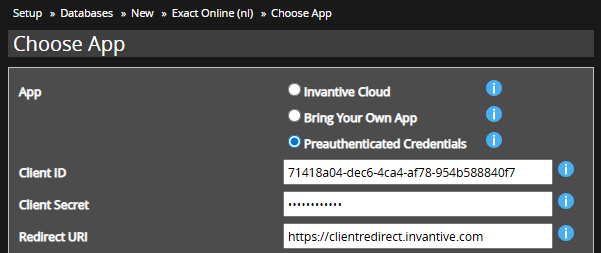
- Choose “Preauthenticated Credentials”.
- Enter the client ID, client secret and redirect URL used:
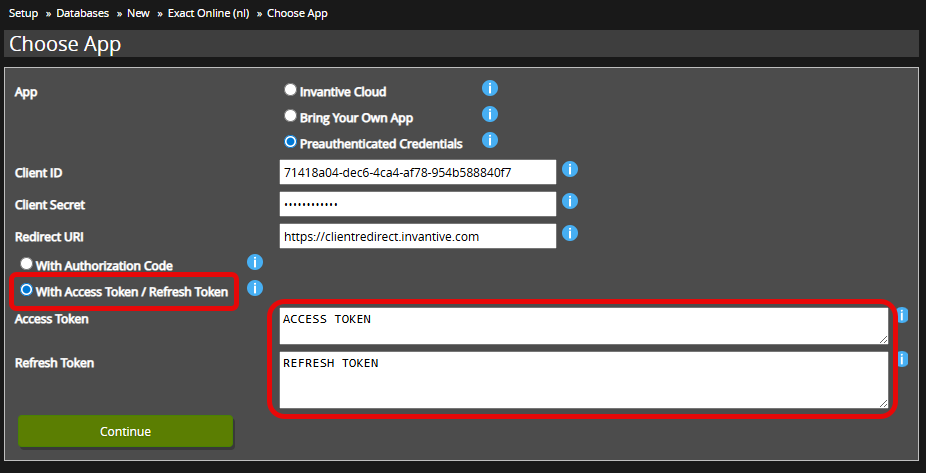
- Select authorisation code (as before) or access token / refresh token:
- Enter the Exact Online access token and refresh token.
- Select “Continue”.
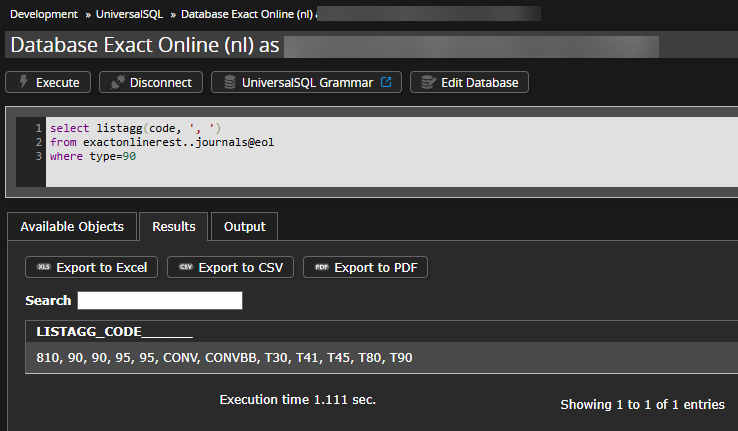
- The database has been created and is ready for use:

Attention 1! Please note that an access token on Exact Online is valid for a maximum of 10 minutes, and a refresh token for a maximum of 30 days. The entire OAuth authentication flow must be repeated if the refresh token has not been used within 30 days to create the Invantive Cloud database.
Attention 2! Please also note that a refresh token can only be exchanged once for a new access and refresh token. Exact implemented this change in 2022, and it differs from many other OAuth-based platforms. Has a refresh token already been used to retrieve a new access token and refresh token? Then it is no longer usable.