In the “Databases” screen on Invantive Cloud, three links are now visible for connecting to a cloud database:
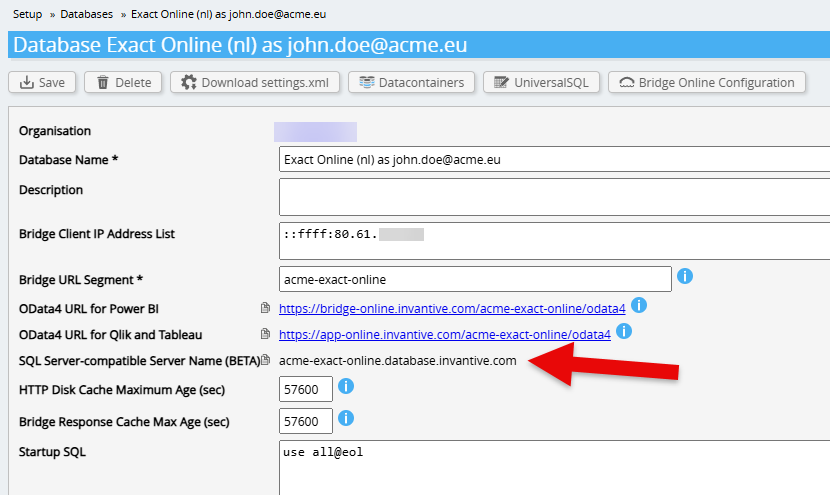
The first two links are for use with Power BI, Qlik, and Tableau. The third and new link is the name to use when connecting based on the SQL Server network protocol. In the example above, that is:
acme-exact-online.database.invantive.com
Login from SQL Server-programs
When logging in via SQL Server, enter this name in the “Server name” field, as shown in this example for SQL Server Management Studio:
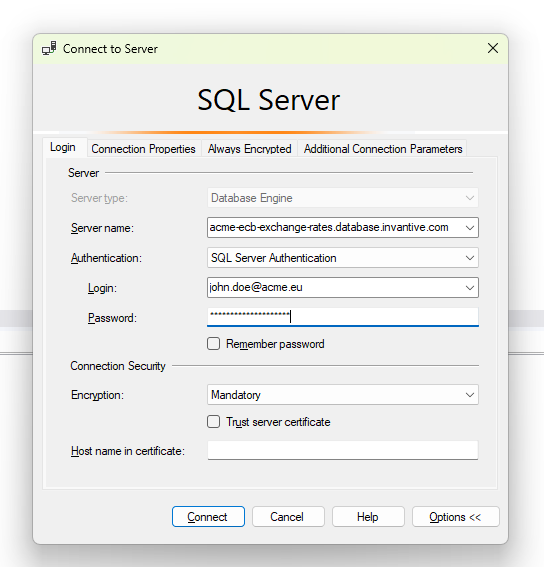
Under “Encryption” you can choose “Mandatory” or “Optional”. The server certificate of the Invantive database server is checked automatically. You can leave “Trust server certificate” unchecked.
SQL Server Management Studio
Many features are available after logging in from SQL Server Management Studio:
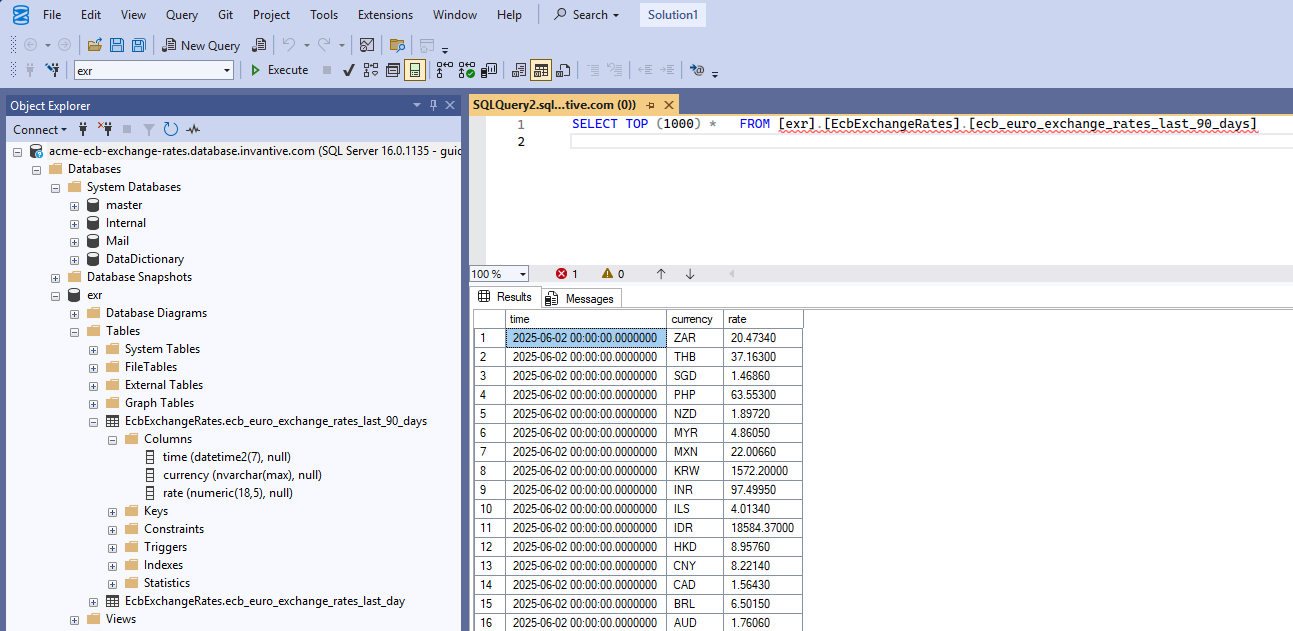
The service providers of an Invantive UniversalSQL database can be found under “System Databases”. All other providers (such as the online ECB exchange rates in the example above) are listed as regular databases. Items such as column names can also be easily expanded.
Note that there is a red snake under the table name of the ECB table. SQL Server Management Studio attempts to interpret statements according to SQL Server syntax in order to detect typing errors at an early stage. However, Invantive UniversalSQL uses notation that SQL Server does not handle and vice versa. It is therefore not surprising that some parts are underlined in red.
Procedures and functions for use in the procedural extension of Invantive UniversalSQL can be found under “Stored Procedures” such as this one for deleting Group ID Access Requests on GitLab:
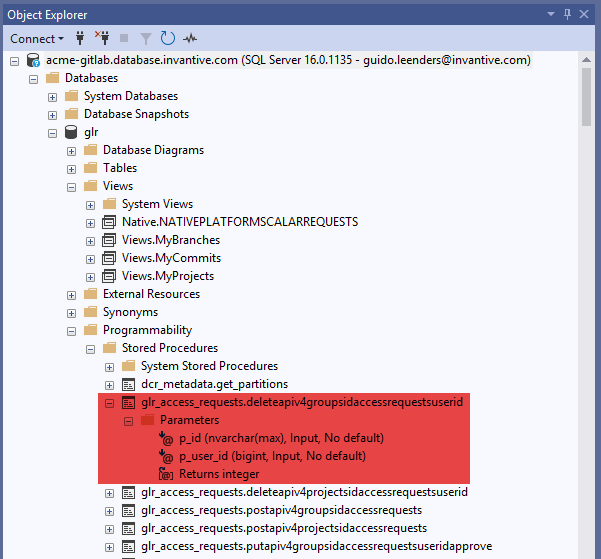
The list of stored procedures may be empty or very long, depending on what the relevant Cloud package offers.
Views
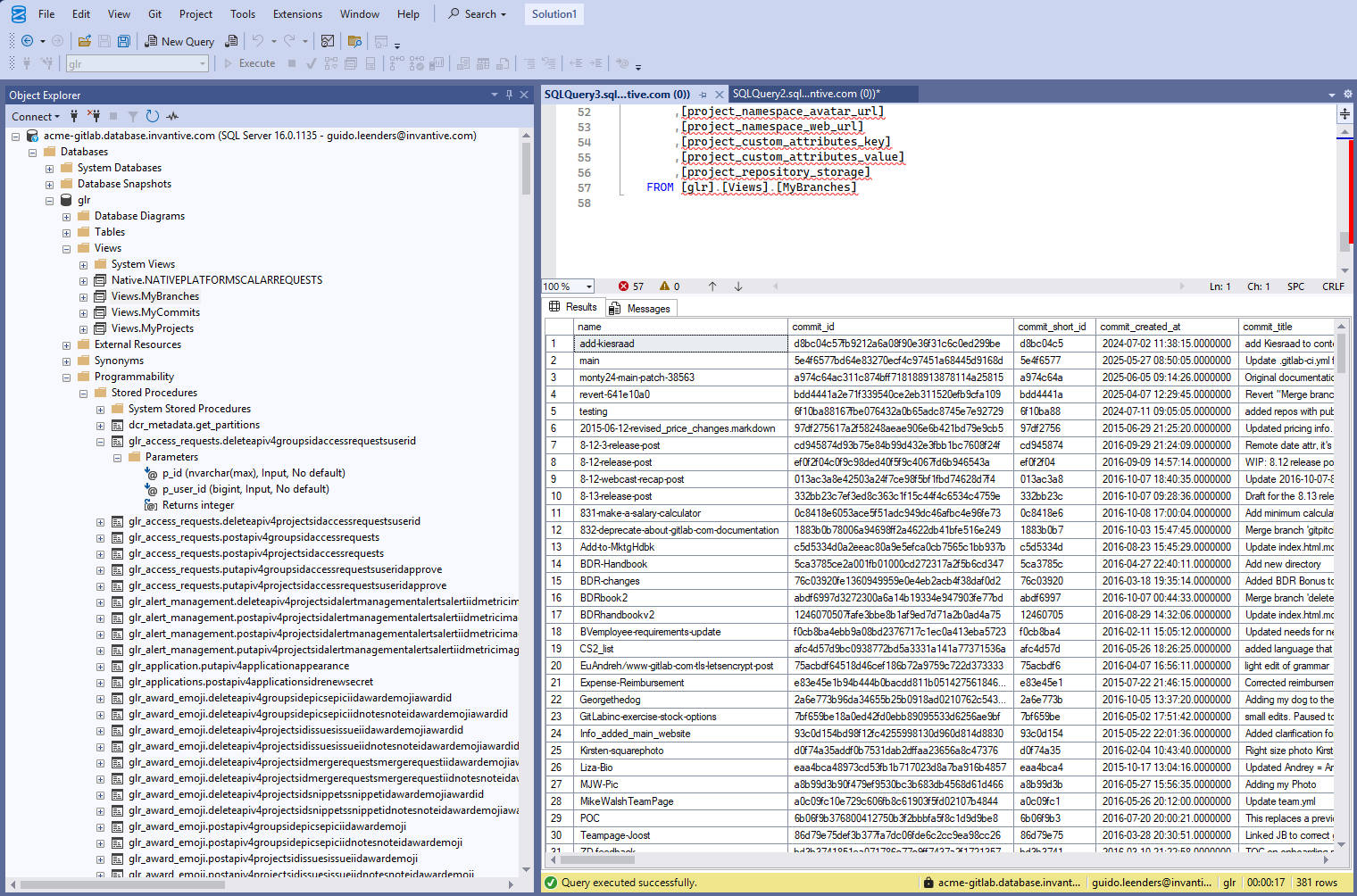
Views are also accessible from SQL Server products such as branches here of a GitLab user:
Sumatra
For use with Sumatra the use of Sumatra caches is recommended.
Microsoft Power BI and Microsoft Excel Power Query
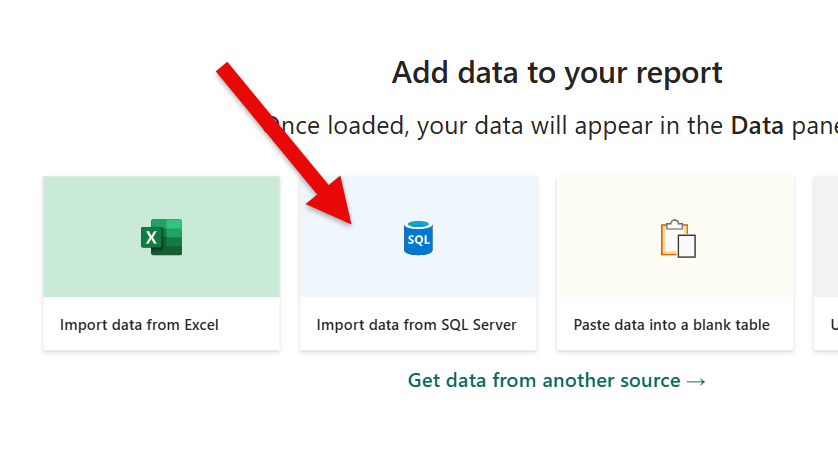
For Power BI and Power Query, select SQL Server:
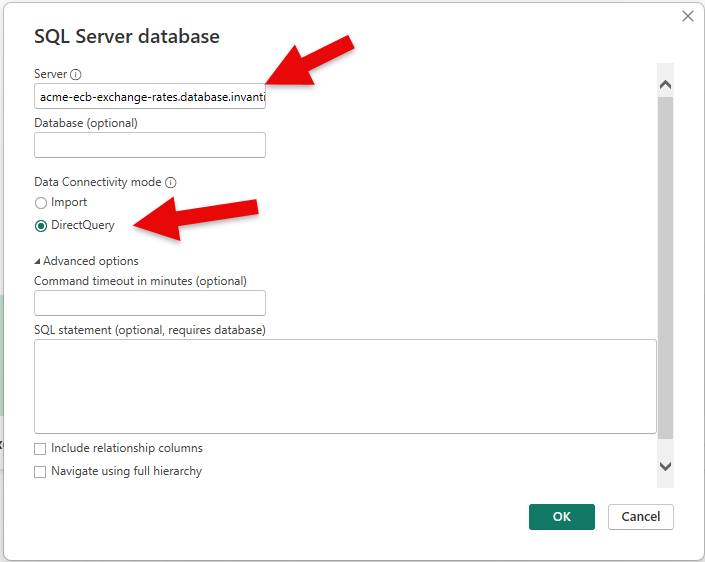
Enter the server name and select DirectQuery if required:
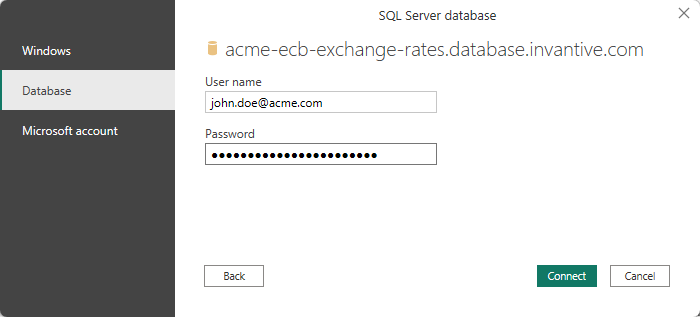
Select ‘Database’ on the left-hand side and then enter the Invantive Cloud username and password:
After which the tables appear such as:
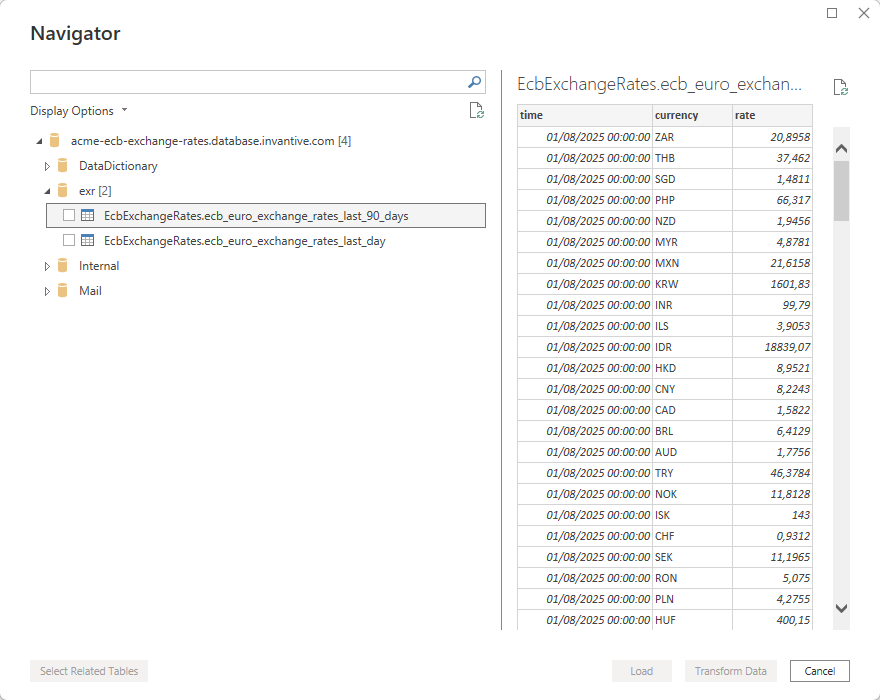
List of Available Databases
As elsewhere in Invantive products, entering an incorrect name will result in a suggestion for what the correct name should be, limited to a maximum number of (for example) eight. In the case of SQL Server:
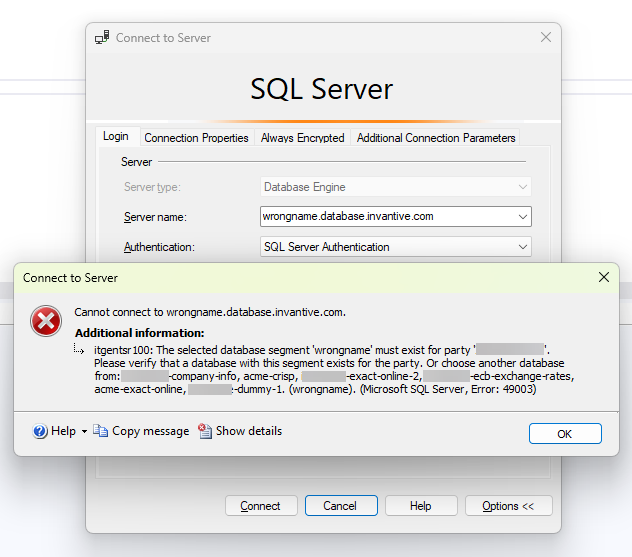
itgentsr100
The selected database segment ‘wrongname’ must exist for party ‘…’.
Please verify that a database with this segment exists for the party.
Or choose another database from: …
The full documentation is available on: