It is now also possible to use your own app registration with Twinfield in combination with Invantive Cloud. Previously, only the Invantive app registration could be used.
This concept, called “Bring Your Own App,” allows you to register your own app with Twinfield Partner Management and use both the data transfer of Invantive Cloud with it and the authentication capabilities of Invantive Cloud for short-lived refresh tokens on Twinfield.
All confidential login data is kept secure and encrypted just like for Invantive Cloud. The refresh tokens on Twinfield cannot be retrieved, even by on-premises software.
The steps for using Bring Your Own App are:
- Register an Twinfield app as with Twinfield Partner Management (costs apply).
- Make sure the redirect URI is the same as
https://cloud.invantive.com/app/setup/databases/new/twinfield/token. - Choose “Databases.”
- Choose “New”.
- Choose new database on Twinfield.
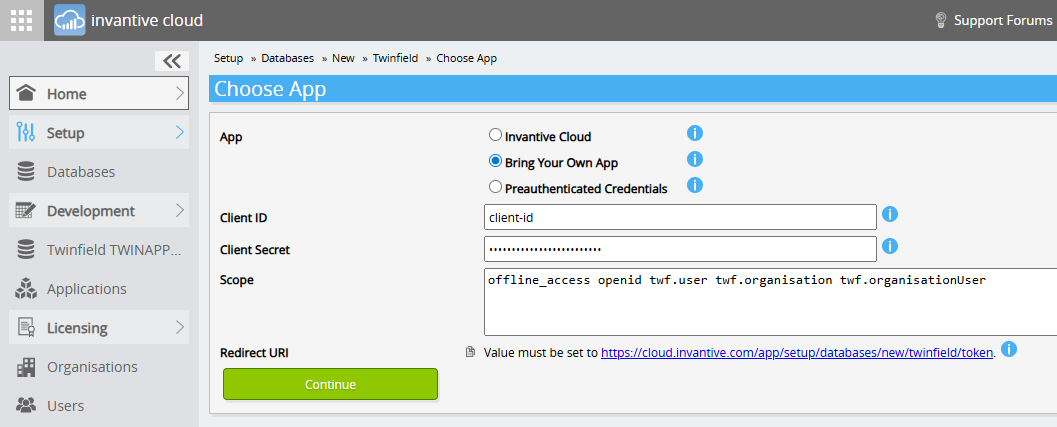
- In the new additional step, choose “Using own OAuth” and enter the client ID and client secret:
- Continue to register the database as usual.
That’s all; Invantive Cloud takes care of updating and rotating access and refresh tokens automatically.