When refreshing the data, I get the following error message:

What can I do to fix this? We use Exact Online for our administration.
Thanks in advance!
itgenpmr046, itgenboe161, itgenboe161
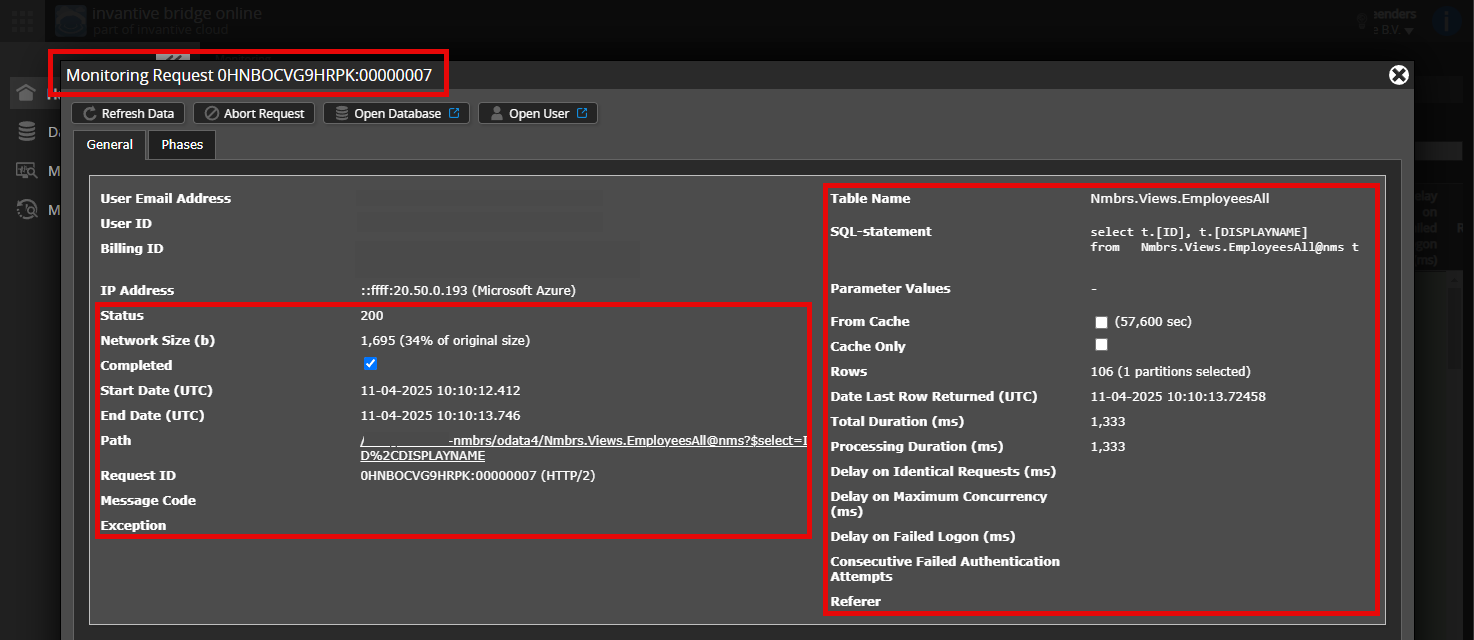
Is it possible to add an (anonymised) screenshot of the request details in Invantive Bridge Online Monitoring as described in Meer inzicht met nieuwe Bridge Online Monitoring?
You can find the details by clicking on the download request that is the subject of this topic.
The download request usually contains a SQL statement in which the table name is visible.
Please ensure at least the following data is visible from both columns:
For example:
Make sure to log in carefully on the Bridge Online website that is also used from Power BI and with the same username. You will only see the requests of the Invantive Cloud user you log in with on the website.
There are four servers in use:
bridge-online.cloudapp-online.cloudbridge-online.invantive.comapp-online.invantive.comYou can see the server used in your script or reporting source code.
Ensure that you select the request first to display the details. Only one request should be visible in the screenshot.
Also, check carefully whether the request has a path with odata4 or apps. Requests with other paths are generally not relevant for this purpose.
In addition, the Invantive Cloud user who has the error message on their email address will usually receive an email with an error message and tips if there is an error in Power BI, Power Query, Azure Data Factory, Qlik, or Tableau.
It is advised to check the spam of the involved user for such emails sent from support@invantive.com.
Excuses voor de trage beantwoording. De processen rondom support zijn aangepast om de kans daarop te verkleinen.
In dit geval gaat het om een SUBBOLFR-abonnement: Free Exact Online Plan. Deze kent een limiet van 100.000 rijen per dag.
Advies is om de query te optimaliseren of over te stappen op een Invantive Office-abonnement.