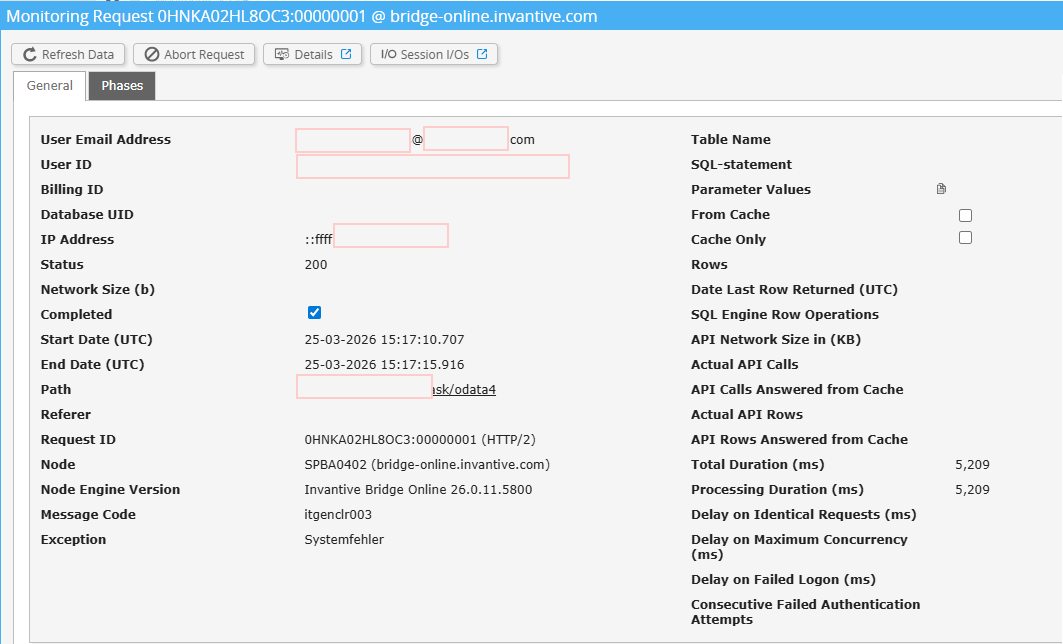
Since yesterday morning the automatic Power BI Data Refresh failed.
We are using the Exact Online connector via the Invantive Cloud service with OData.
We tried to start the refresh manually (Invantive Bridge Online, Username, Password) but received the same error message:
Fehler beim Aktualisieren der Datenquellen-Anmeldeinformationen:
Microsoft.Mashup.Engine1.Library.Resources.HttpResource: Request failed:
OData Version: 3 and 4,
Error: The remote server returned an error:
(500) Internal Server Error. (An internal error of type ‘B4FA1F’ occurred.
Please contact your supplier. (itgenclr003, 0adf7856-4fda-41a9-a7f1-59976d331b44))
In the last Month there have not been any changes in Invantive cloud service, nor in the Exact App.
I can see in the monitoring section of Invantive Cloud that there are good amount of Errors Reported at OData4 (Systemfehler → System failure)
Check carefully that you are logging into the Bridge Online website that is also used from Power BI and with the same user name. You will only see the requests from the Invantive Cloud user you are logging into the website with.
There are four servers in use:
bridge-online.cloud
app-online.cloud
bridge-online.invantive.com
app-online.invantive.com
You can see the server used in your script or source code of reporting.
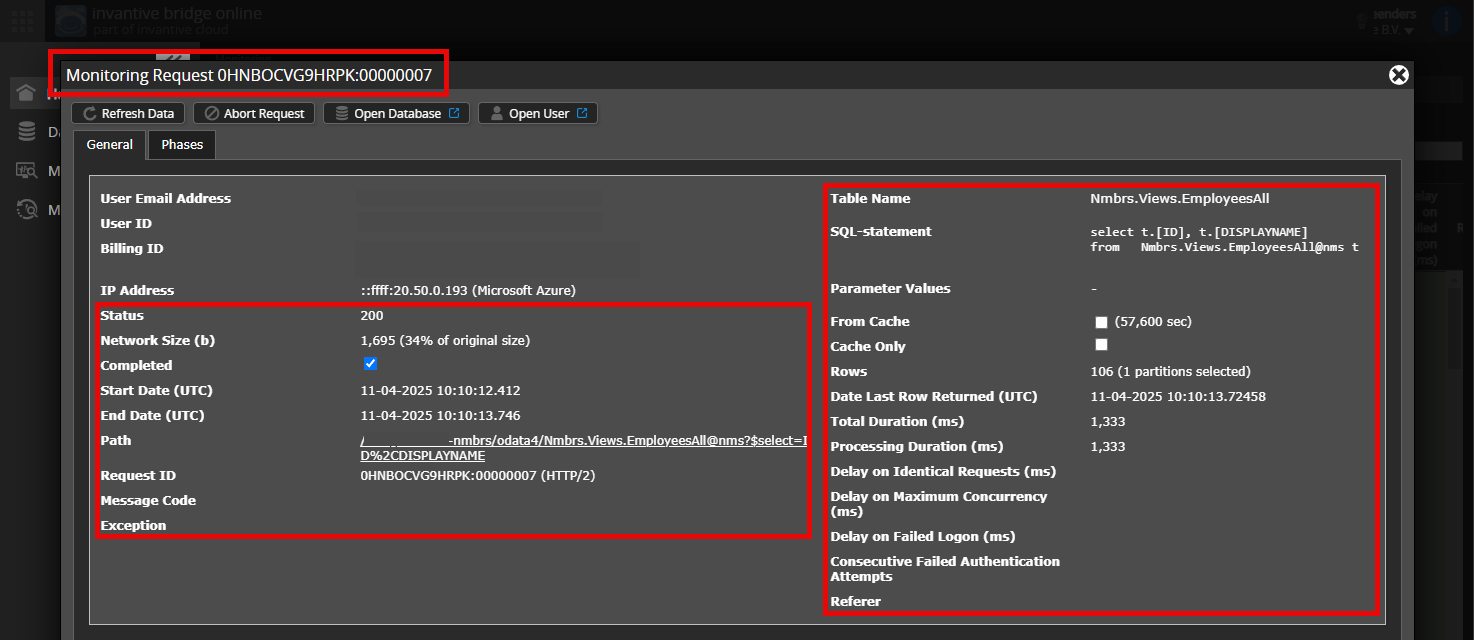
Verify correct request and details
Please make sure to select the request to display the details. Only one single request should be visible in the screenshot.
Also check carefully that the request has a path with odata4 or apps. Other requests are in general non-relevant for this purpose.
Error message and tips per email
In addition, the Invantive Cloud user who has the error message will usually receive on his email address an email with an error message and tips if there is an error message in Power BI, Power Query, Azure Data Factory, Qlik or Tableau.
Advice is to check the affected user’s spam for such emails sent from support@invantive.com.
The new release 26.0.15 has been deployed on Invantive Cloud. This will resolve some of the itgenclr003 errors, but not all of them. For the remaining itgenclr003 errors, analytical data will be collected from this release onwards to determine the cause.
The itgenclr003 seems to occur on German environments, since a specific HTTP field on release 26.0 contains text like “26 März 26” instead of the according to specification required English text.
Release 26.0 has significantly improved internationalization features over release 25.0, where text that was previously English is now correctly set to the requested language. And it seems sometimes incorrectly translated.
A new release has been made available that should solve this issue. The necessary changes are available with all releases after 26.0.16 and with all future BETA versions.
This new release has been/will be taken into production on Invantive Cloud, expected for today.
For more information see:
It is recommended to try again as soon as it reads 26.0.16 in the top right menu.