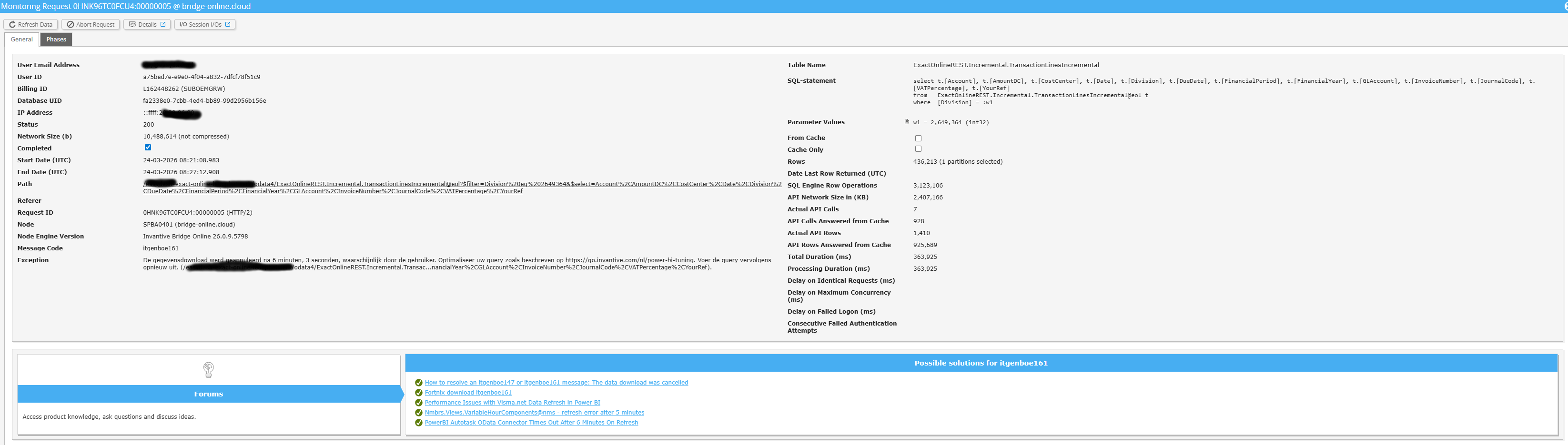
Ik heb momenteel te maken met vernieuwingsproblemen in de PowerBI-service. Ik krijg de volgende foutmelding en kan de bron van het probleem niet vinden:
Fout in de gegevensbron
DataSource.Error:
OData:
Request failed:
The underlying connection was closed:
An unexpected error occurred on a receive.
Microsoft.Data.Mashup.ErrorCode = 10122.
Microsoft.Data.Mashup.ValueError.DataSourceKind = OData.
DataSourcePath = https://bridge-online.cloud/acme/odata/ExactOnlineREST.Incremental.TransactionLinesIncremental@eol.
The exception was raised by the IDbCommand interface.
De gegevenscontainer hoeft niet gerepareerd te worden, ik heb ook de autorisatie vernieuwd en geprobeerd de verbinding vanuit de Power BI-service met bridge-online.cloud tot stand te brengen. Wanneer ik het dashboard in Power BI Desktop vernieuw, werkt het wel.
Controleer zorgvuldig of je inlogt op de Bridge Online-website die ook vanuit Power BI wordt gebruikt, en met dezelfde gebruikersnaam. Je ziet alleen de aanvragen van de Invantive Cloud-gebruiker waarmee je op de website inlogt.
Er zijn vier servers in gebruik:
bridge-online.cloud
app-online.cloud
bridge-online.invantive.com
app-online.invantive.com
Je kunt de gebruikte server terugvinden in je script of in de broncode van de rapportage.
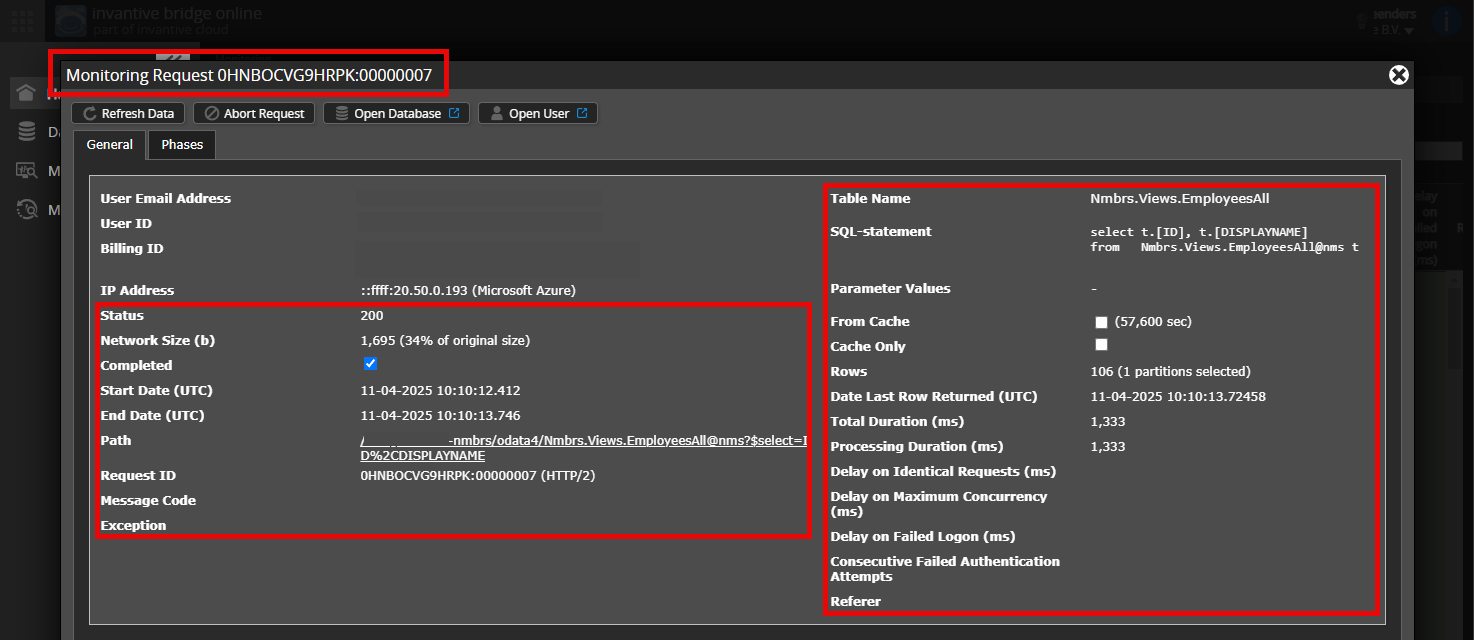
Controleer de juiste aanvraag en details
Zorg ervoor dat je de juiste aanvraag selecteert om de details weer te geven. In de schermafbeelding mag slechts één aanvraag zichtbaar zijn.
Controleer ook zorgvuldig of de aanvraag een pad heeft met odata4 of apps. Andere aanvragen zijn over het algemeen niet relevant voor dit doel.
Foutmelding en tips per e-mail
Daarnaast ontvangt de Invantive Cloud-gebruiker met de foutmelding meestal op zijn e-mailadres een bericht met een foutmelding en tips, als er een foutmelding is in Power BI, Power Query, Azure Data Factory, Qlik of Tableau.
Het advies is om de spammap van de betreffende gebruiker te controleren op dergelijke e-mails die zijn verzonden vanaf support@invantive.com.
Deze vraag is automatisch gesloten na minstens 1 week inactiviteit nadat er een mogelijke oplossing was gegeven. Het laatst gegeven antwoord is als oplossing gemarkeerd.
Stel een nieuwe vraag via een apart topic als het probleem opnieuw optreedt. Voeg in de nieuwe vraag een link naar dit topic toe door de URL ervan in de tekst te plakken.