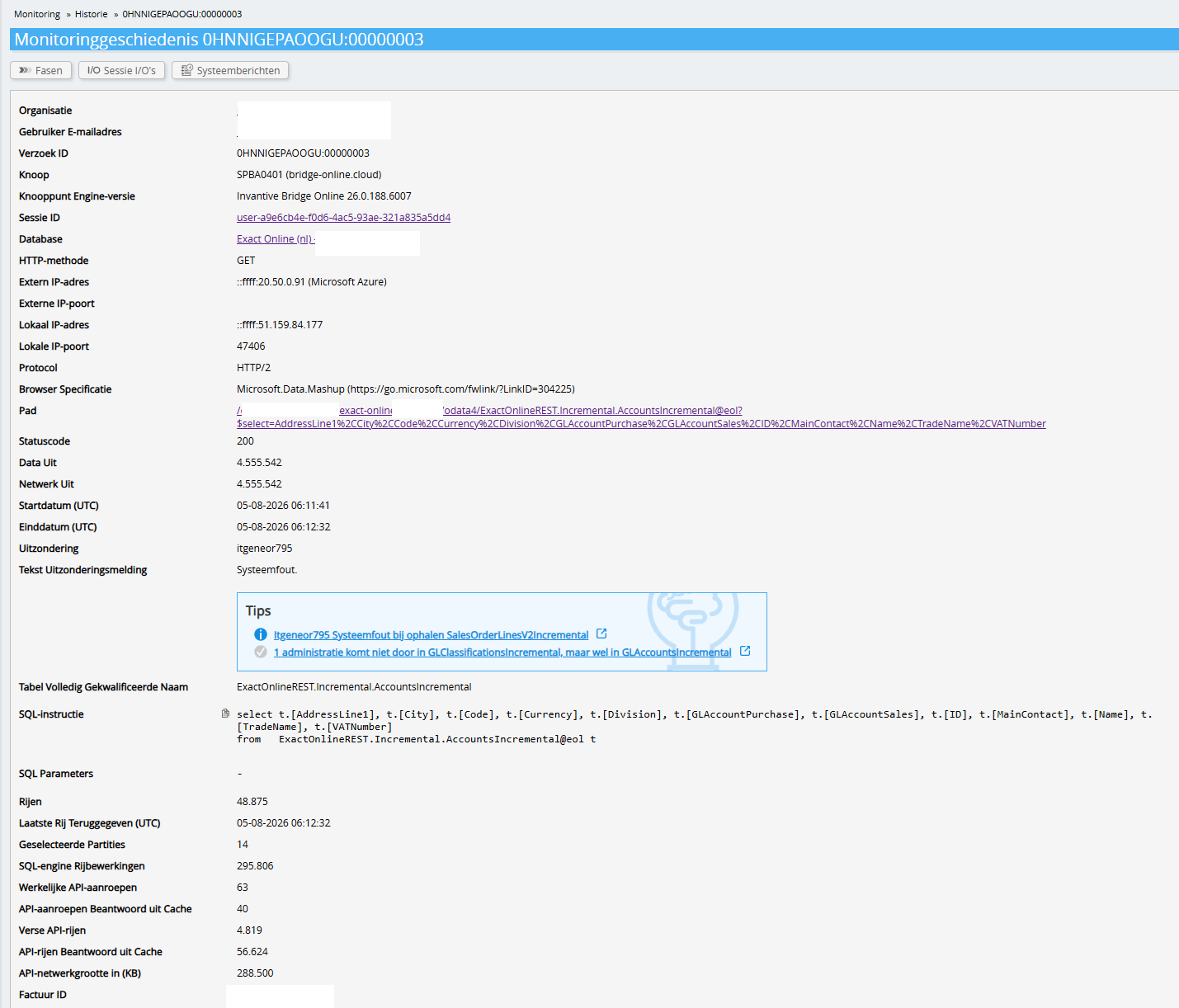
When refreshing our Power BI data flow, we receive an HTTP 500 error from Invantive Bridge Online. The following message appears in the Invantive log:
Expected 41,615 old rows to be in cache, but 41,627 were found.
There are no existing cache files to delete.
Details:
Database: acme-exact-online
Table: ExactOnlineREST.Incremental.AccountsIncremental@eol
Error code: itgeneor795
Date and time: 5 August 2026 at 06:12:32
The refresh has been attempted multiple times, but the same error persists.
Carefully ensure that you log in to the Bridge Online website that is also used from Power BI and with the same username. You will only see requests from the Invantive Cloud user you logged in with on the website.
There are four servers in use:
bridge-online.cloud
app-online.cloud
bridge-online.invantive.com
app-online.invantive.com
You can see the server used in your script or reporting source code.
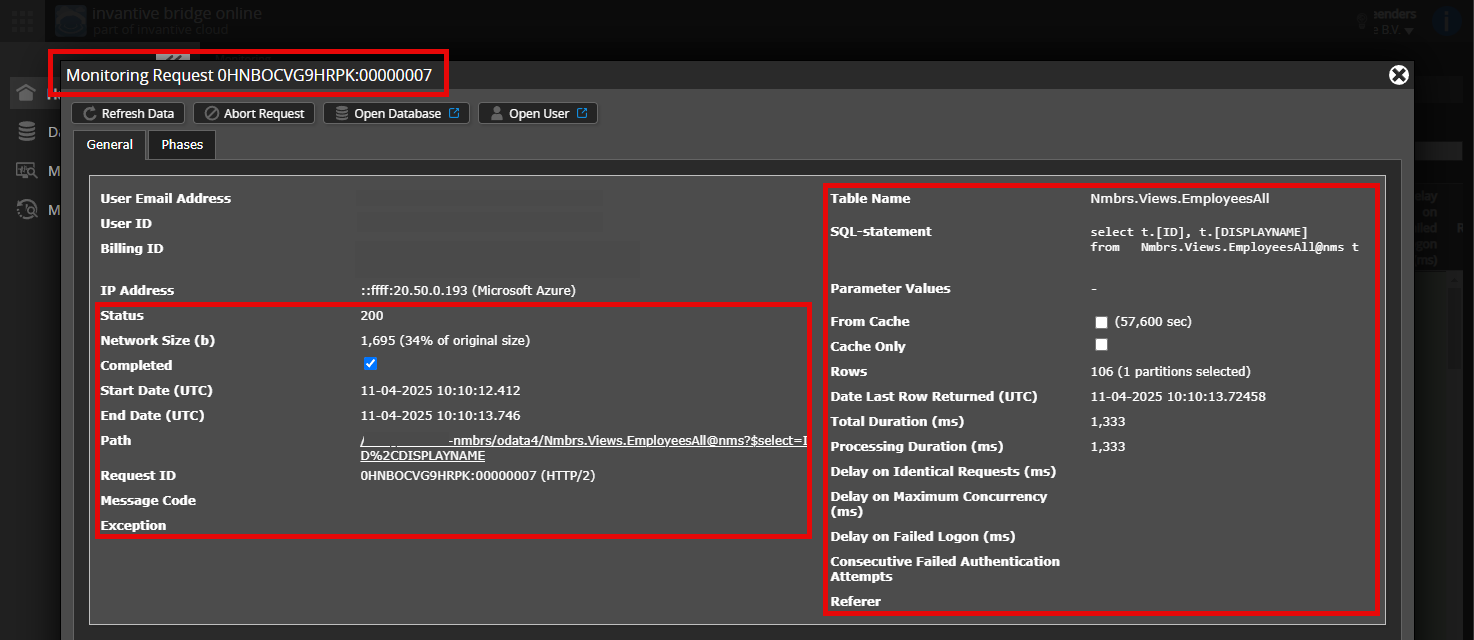
Check Correct Request and Details
Ensure that you select the request first to display the details. There should only be one request visible in the screenshot.
Also, carefully check whether the request has a path with odata4 or apps. Requests with other paths are generally not relevant for this purpose.
Error Message and Tips via Email
Moreover, the Invantive Cloud user who receives the error message will often receive an email with an error message and tips if there is an error message in Power BI, Power Query, Azure Data Factory, Qlik, or Tableau.
It is advisable to check the spam of the involved user for such emails sent from support@invantive.com.
This involves an environment with 14 administrations. Given the number of API calls and the duration, some of the administrations were successfully retrieved and some were not.
A recent error message itgeneor795 has not been observed anymore.
This question was automatically closed after 1 week of inactivity. The last given answer has been marked as the solution.
Please ask a new question in a separate topic if the issue occurs again. Please include a link to this topic in the new question by pasting the URL into the text.