Wat wil ik bereiken: Ik wil de dagelijkse refresh van mijn Power BI semantisch model laten slagen. Deze refresh haalt data op via een OData-koppeling in Invantive Bridge Online naar Exact Online, maar loopt vast op een interne serverfout.
Waar loop ik tegenaan:
De refresh van mijn semantisch model in Power BI mislukt met een HTTP 500 Internal Server Error op de OData-endpoint van mijn Bridge Online omgeving. De foutmelding geeft aan dat het om een interne service-fout gaat die normaal tijdelijk is, maar de fout blijft optreden bij herhaalde refreshpogingen.
Concreet voorbeeld:
Foutmelding uit Power BI:
An error occurred while processing the data in the semantic model. Refresh failed: het semantisch model heeft de refresh niet kunnen voltooien. Failure details: The last refresh attempt failed because of an internal service error. This is usually a transient issue. If you try again later and still see this message, contact support.
DataSource.Error: Microsoft.Mashup.Engine1.Library.Resources.HttpResource: Request failed: OData Version: 3 and 4, Error: The remote server returned an error: (500) Internal Server Error. OData Version: 4, Error: The remote server returned an error: (500) Internal Server Error. OData Version: 3, Error: The remote server returned an error: (500) Internal Server Error.. Microsoft.Data.Mashup.ErrorCode = 10122. Microsoft.Data.Mashup.ValueError.DataSourceKind = OData. DataSourcePath = https://bridge-online.invantive.com/[omgevingsnaam]/odata4
De eerstvolgende geplande refresh na deze fout stond gepland op 18 augustus 2026, 6:00 UTC.
Wat ik al geprobeerd heb:
In eerdere, vergelijkbare gevallen bleek deze foutmelding samen te hangen met een verlopen OAuth-token voor de onderliggende Exact Online koppeling, waarna herauthenticatie in het Invantive Cloud portal het probleem oploste. Ik heb nog niet kunnen verifiëren of dit ook nu de oorzaak is, en heb nog geen herauthenticatie uitgevoerd omdat ik eerst wil laten bevestigen of dit inderdaad de oorzaak is voordat ik de koppeling opnieuw autoriseer.
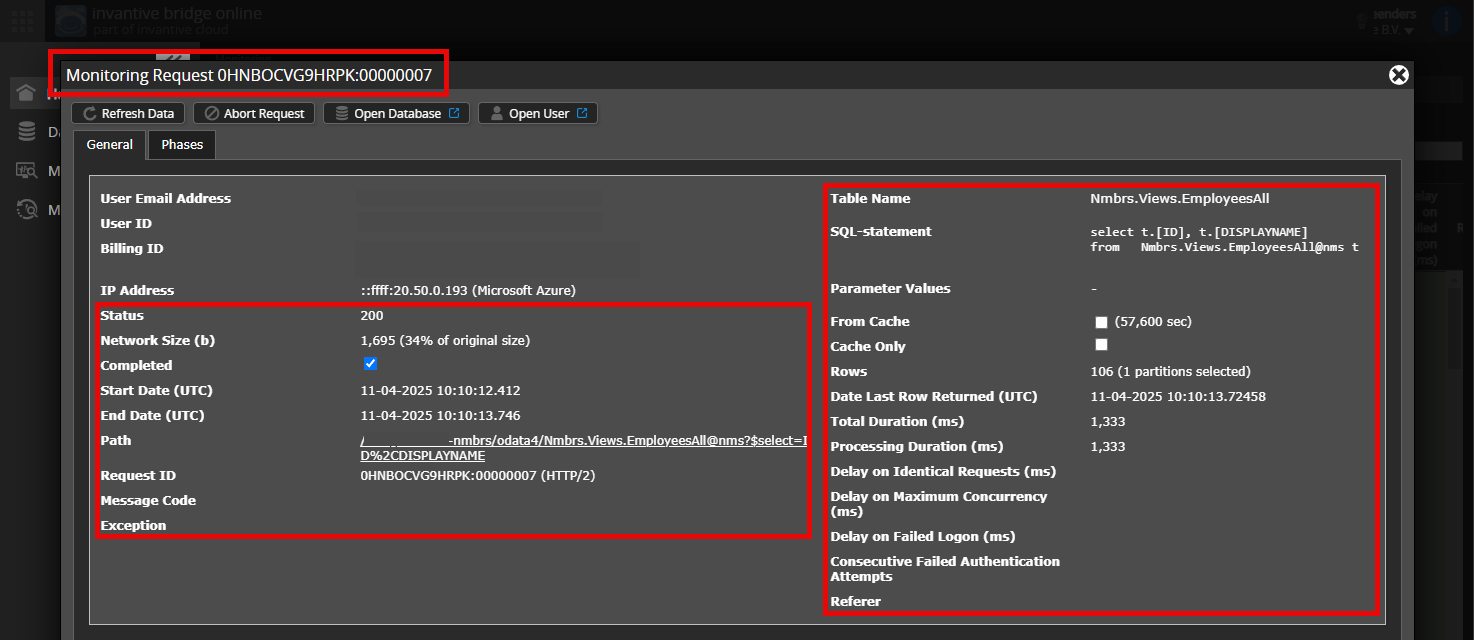
Is het mogelijk om een (geanonimiseerde) schermafdruk van de details van het verzoek in Invantive Bridge Online Monitoring toe te voegen zoals beschreven in Meer inzicht met nieuwe Bridge Online Monitoring?
De details vindt u door te klikken op het downloadverzoek welke het onderwerp van dit onderwerp representeert.
Het downloadverzoek heeft meestal een SQL-statement waarin de tabelnaam zichtbaar is.
Gelieve tenminste de volgende gegevens zichtbaar te laten van beide kolommen:
de titelbalk met de request ID,
de statuscode, netwerkgrootte, pad en tijdstippen in de linkerkolom,
de foutcode en foutmelding helemaal onderaan in de linkerkolom,
de gehele rechterkolom inclusief het SQL statement, tabelnaam en parameterwaardes.
Controleer zorgvuldig dat u zich aanmeldt op de Bridge Online-website die ook gebruikt wordt vanuit Power BI en met dezelfde gebruikersnaam. U ziet alleen de verzoeken van de Invantive Cloud-gebruiker waarmee u zich aanmeldt op de website.
Er zijn vier servers in gebruik:
bridge-online.cloud
app-online.cloud
bridge-online.invantive.com
app-online.invantive.com
De gebruikte server ziet u in uw script of broncode van rapportage.
Controleer juiste aanvraag en details
Zorg ervoor dat u het verzoek eerst selecteert om de details weer te geven. Er hoort maar één verzoek zichtbaar zijn in de schermafbeelding.
Controleer ook zorgvuldig of het verzoek een pad heeft met odata4 of apps. Verzoeken met andere paden zijn over het algemeen niet relevant voor dit doel.
Foutmelding en tips per e-mail
Daarnaast zal de Invantive Cloud-gebruiker die de foutmelding heeft op zijn e-mailadres veelal een e-mail ontvangen met een foutmelding en tips als er sprake is van een foutmelding in Power BI, Power Query, Azure Data Factory, Qlik of Tableau.
Advies is om de spam van de betrokken gebruiker te controleren op dergelijke e-mails verzonden vanaf support@invantive.com.
Ik heb het geprobeerd op alle vier de servers bridge-online.cloud, app-online.cloud, bridge-online.invantive.com, app-online.invantive.com en krijg op elk van de vier dezelfde foutmelding itgenboe646 (Systeemfout) bij het openen van Monitoring. Het lijkt dus niet gebonden aan één specifieke server, maar een generieke fout bij het benaderen van Monitoring vanuit mijn account.
Dit maakt het mij niet mogelijk om de gevraagde schermafdruk van de verzoekdetails aan te leveren zoals gevraagd. Kunnen jullie nagaan of dit een bekend probleem is, of dat er iets mis is met de rechten of configuratie van mijn Invantive Cloud-gebruiker waardoor Monitoring niet toegankelijk is.
Excuses voor het ongemak! Onze reactie was incorrect en is gecorrigeerd voor toekomstig gebruik. Ook het bijbehorende artikel is bijgesteld voor de nieuwe functionaliteit.
De monitoring zal alleen beschikbaar zijn via Invantive Cloud. Zie ook:
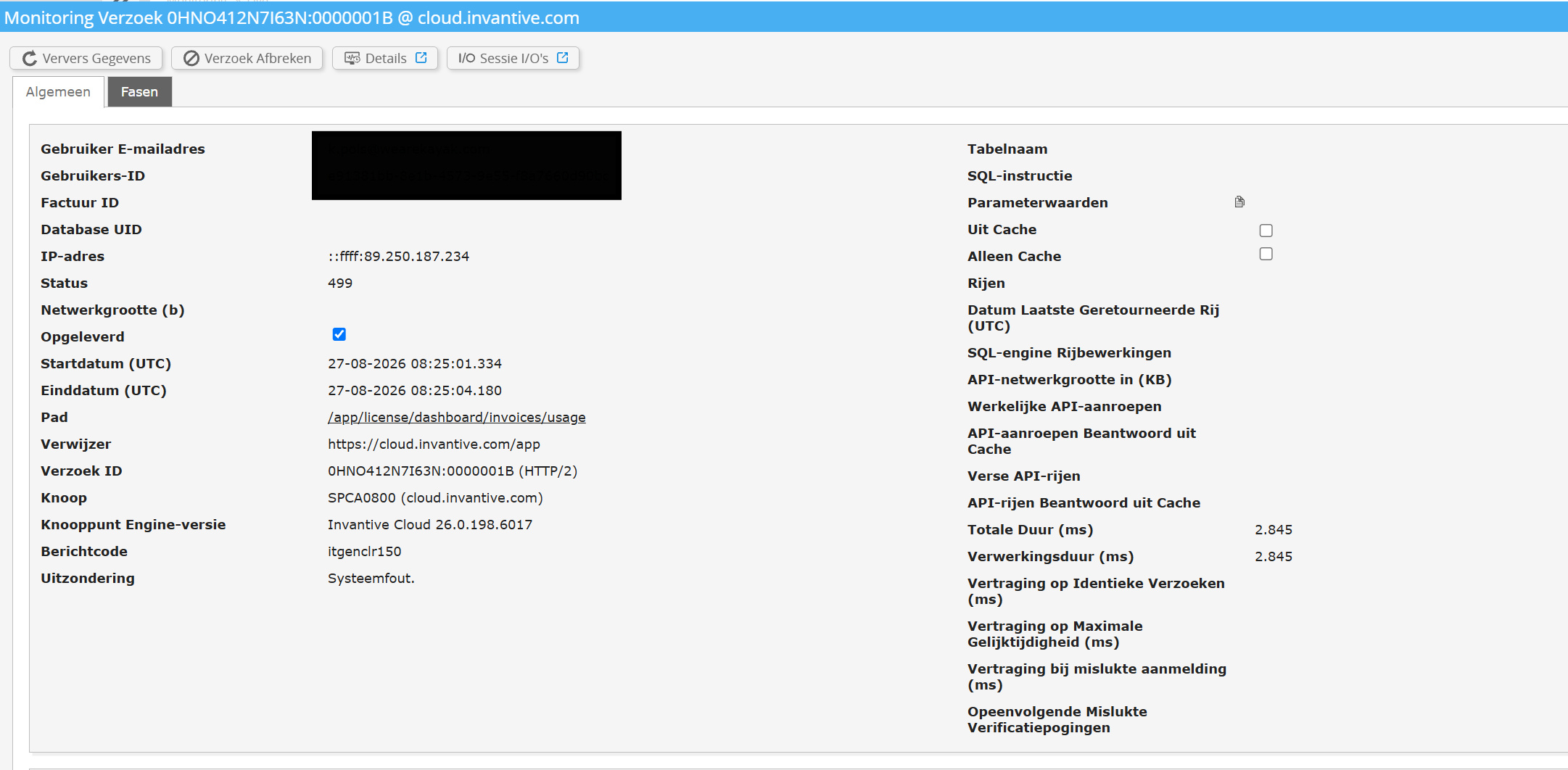
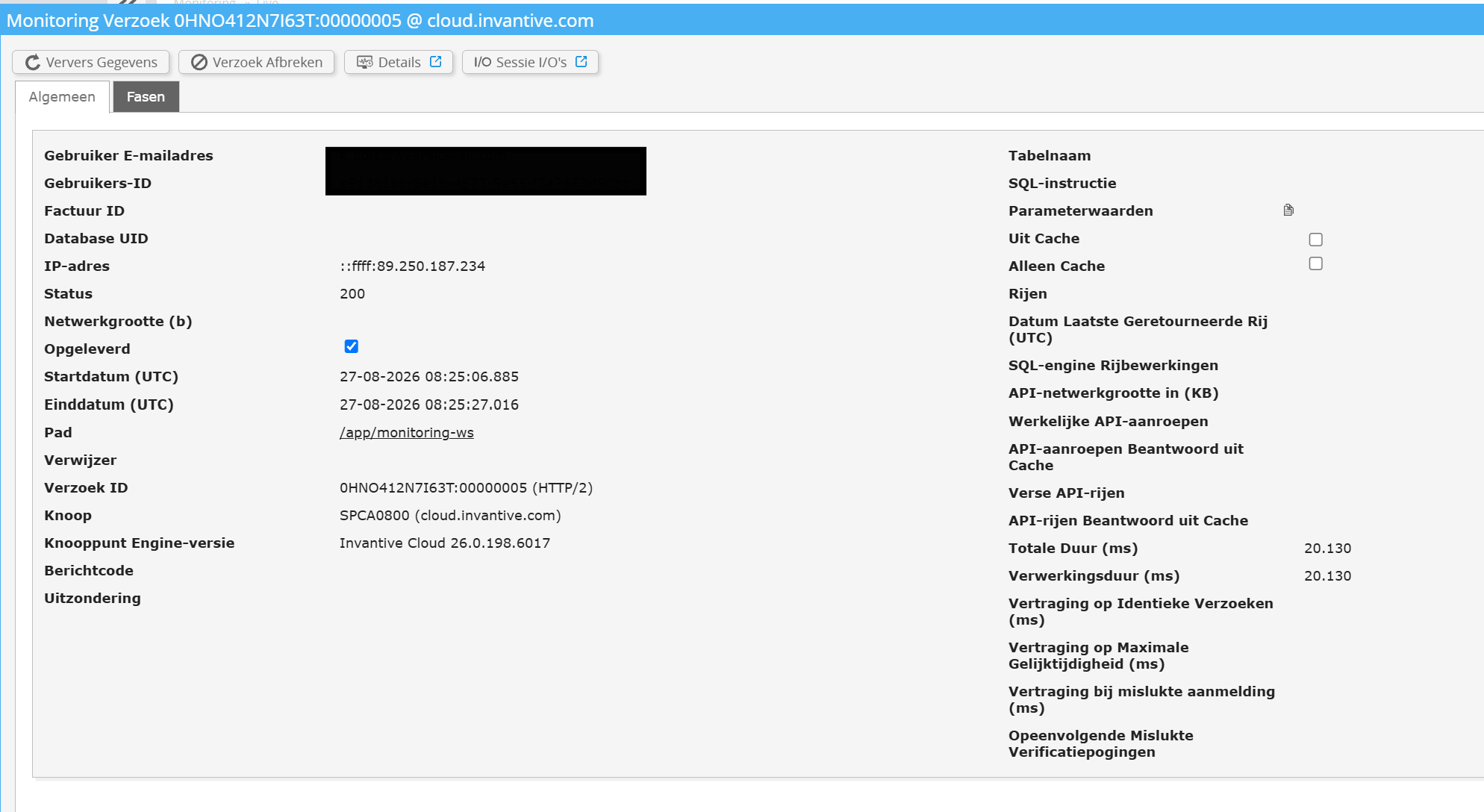
Ik hoor graag wat ik kan doen, ik hoop dat deze monitoring screenshots helpen. Ik heb nog een aantal andere statussen en foutmeldingen in het overzicht.
Advies is om een screenshot toe te voegen van het daadwerkelijke verzoek dat een foutmelding geeft in Power BI. De hier opgenomen screenshots gaan over facturen inzien en monitoring scherm openen. Zie instructies in:
Deze vraag is automatisch gesloten na 1 week inactiviteit. Het laatste gegeven antwoord is gemarkeerd als oplossing.
Gelieve een nieuwe vraag te stellen via een apart topic als het probleem opnieuw optreedt. Gelieve in de nieuwe vraag een link naar dit topic op te nemen door de URL er van in de tekst te plakken.