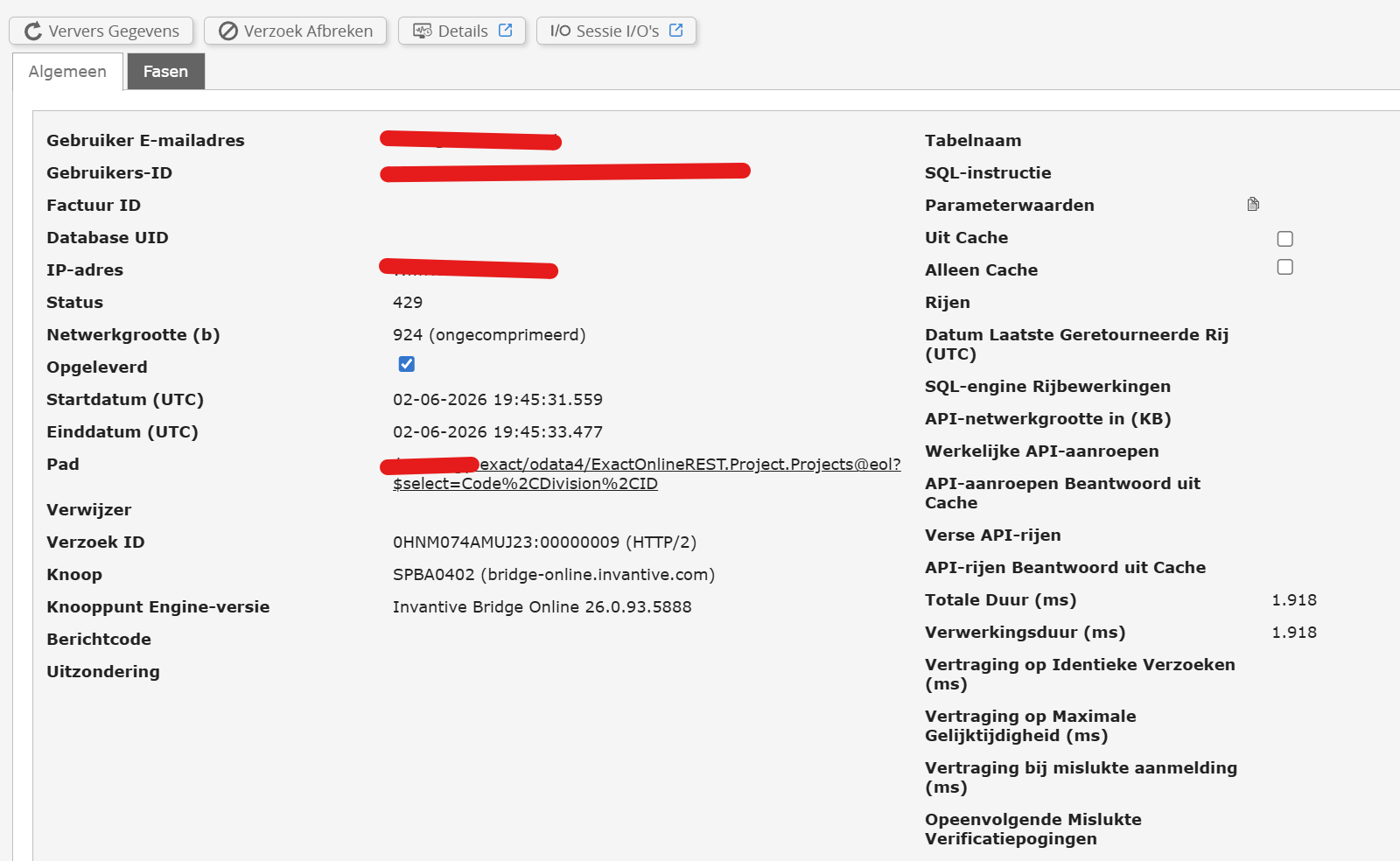
Er zijn verschillende topics al aangemaakt omtrent de 429, maar de verklaringen verschillen. Vandaar dat ik even een separaat topic aanmaak voor mijn eigen situatie.
Ik zit op een instroom OEM-account en kamp de afgelopen dagen regelmatig met de 429 foutmeldingen, voor meerdere databases.
Kunnen jullie inzien of er iets mis is in mijn configuratie, of wellicht account?
Ik heb toevallig deze week mijn eerste factuur ontvangen, ik weet niet of dat met iets te maken kan hebben?
Bedankt voor de snelle reactie. Mijn live en historie monitoring is compleet leeg (ook al zijn er activiteiten uitgevoerd overigens, en ook als ik meerdere entries per pagina selecteer) dus ik kan bovenstaande niet uitvoeren.
Dat is voor mij ook nieuw overigens; normaal kwam hier de historie prima in terug.
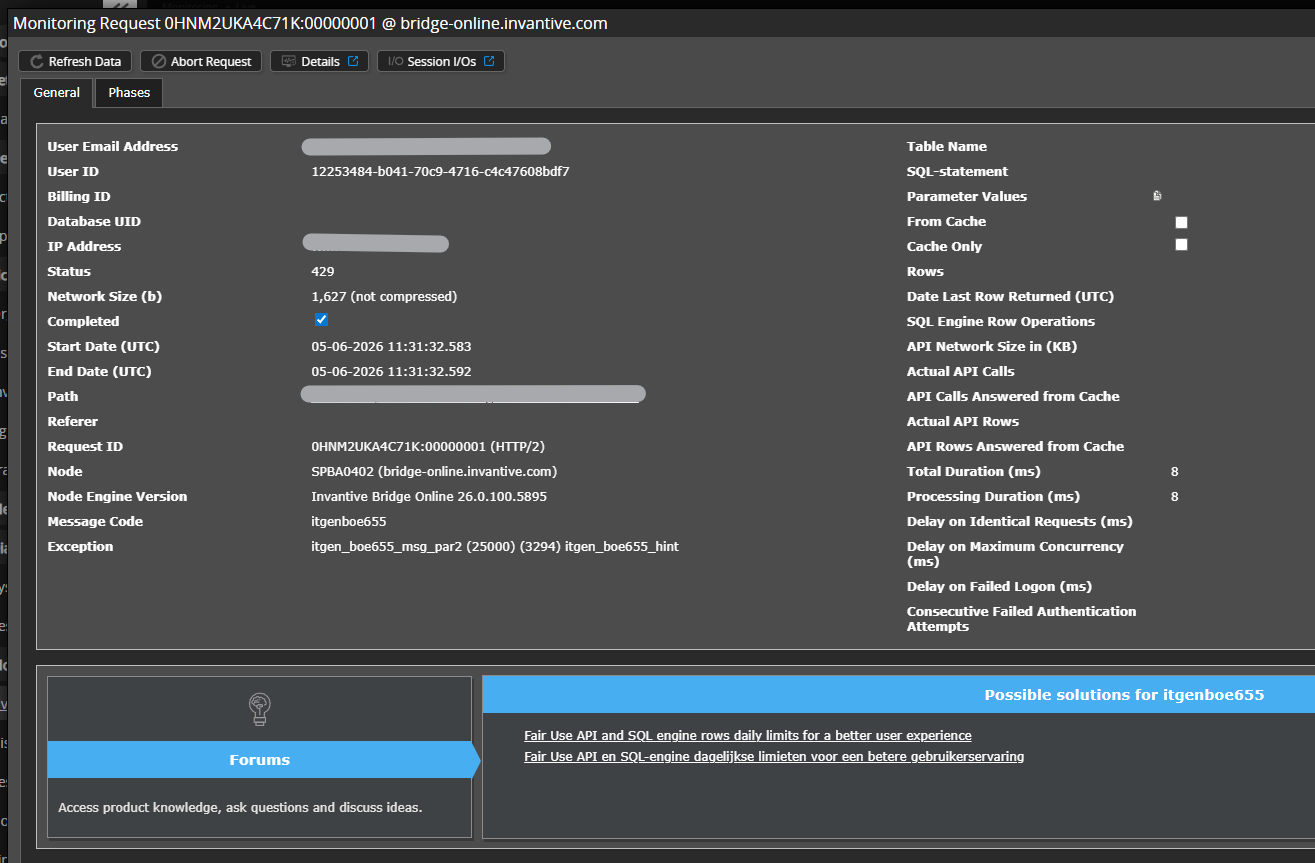
De itgenboe405 geeft aan dat de totale duur per dag overschreden is (TotalDurationMsPerDay).
Advies is om de totale duur van alle verzoeken te optimaliseren. De toegestane duur binnen deze vorm is 1 uur, maar er is grofweg 4 uur doorlopende activiteit geweest.
Een overzicht van alle foutcodes die leiden tot een 429 zijn te vinden op:
Overigens vind ik de duur zelf ook erg lang, vooral gezien mijn klanten een aantal tabellen hebben van c. 400k (2 à 3) en de rest allemaal kleine dimensies. Refreshtijden op full load duren zo’n 30-45 minuten.
Is er aan de configuratiekant van de database iets te doen om dit te versnellen? Paginagroottes bijvoorbeeld?
Ok, aantal API calls per dag dus zie ik. Geldt dit echter wel per database? Of wordt de limiet toegepast op alle databases zodra deze ergens overschreden is?
Alle limieten gelden over alle activiteiten heen van een omgeving, dus ook over databases heen.
De limieten zijn in het algemeen bijzonder ruim gedimensioneerd. Mocht u er toch tegenaan lopen, dan is advies om te kijken welke acties een onevenredig onredelijk deel van de limiet opvragen en dit te optimaliseren.
Ik heb gekeken naar de monitoring output, en zie daarin inderdaad behoorlijke dubbeling, maar kijkend naar mijn eigen code in Power BI is de code zelf niet inefficient maar de inherente opzet van PowerBI:
Voor elke query wordt metadata (odata4/$metadata) opnieuw opgevraagd, ook al is het dezelfde metadata. Staging tables zijn daarnaast niet mogelijk, waardoor elke query opnieuw een verzoek stuurt naar Invantive. Bijvoorbeeld voor de sales order tabel (ExactOnlineREST.SalesOrder.SalesOrderLines@eol):
09-06-2026 01:10:21
09-06-2026 01:13:40
09-06-2026 01:15:11
09-06-2026 01:18:30
09-06-2026 01:20:01
Gezien de connector bedoeld is voor Power BI en dit een inherent probleem is aan de manier van refreshen in PBI zelf weet ik niet goed wat ik kan doen.
Daarnaast het punt: Als de cap geldt voor mijn hele omgeving op OEM, en daar hangen 4 klanten onder met elk een dagelijkse refresh, dan kom ik veel sneller aan die cap dan wanneer deze 4 klanten een eigen account zouden hebben. Terwijl ik hetzelfde betaal als die 4 klanten afzonderlijk opgeteld. Toch?
Elke refresh per omgeving heeft een duur van zo’n 1500 seconden, wat prima is met een cap van 10k. Met 4 omgevingen (en ik hoop er meer toe te voegen) is dit 6000 per dag. Met development en wellicht een extra refreshmoment gedurende de dag kom ik al heel snel boven die 10k uit.
Dankjewel voor het antwoord. SalesOrderLines heb ik in plaats van de bulk omdat in de niet-bulk een aantal kolommen zitten die niet in de bulk versie zitten. Ik heb echter aanzienlijk kunnen versnellen door eerder filtering toe te passen. Zal dit ook voor andere queries doen zodat folding niet breekt.
Een andere grote bijdrage aan refreshtijd is ‘odata4/$metadata’. Is hier iets aan te doen of is dit inherent aan het aantal queries dat wordt gedraaid?
Als het goed is, dan zijn alle velden van SalesOrderLines ook te vinden in SalesOrderLinesBulk en vice versa. Welke specifieke velden ontbreken?
De $metadata ophalen mag slechts enkele milliseconden duren na de eerste keer ophalen. Advies is om te controleren dat er niet te veel gelijktijdige requests draaien waardoor die toch langer moeten wachten.
Vanaf release 26.0.285 zal de tijd gemeld bij code itgenboe405 niet meer de wachttijd bevatten, maar enkel de uitvoeringstijd. Dit verhoogt de beschikbare ruimte, zeker als een proces uit de hand gelopen is of als er veel aanvragen tegelijk komen waarvan een deel moet wachten.
Deze vraag is automatisch gesloten na 1 week inactiviteit. Het laatste gegeven antwoord is gemarkeerd als oplossing.
Gelieve een nieuwe vraag te stellen via een apart topic als het probleem opnieuw optreedt. Gelieve in de nieuwe vraag een link naar dit topic op te nemen door de URL er van in de tekst te plakken.