Yet another table in Visma stopped to work. After Sales Orders now it is the table JournalTransactionLines.
VismaNet.Views.JournalTransactionLines@vnt appears to have invalid metadata.
Power BI Dataflow refreshes started failing on 15 Oct 2026.
Error:
The property ‘module_1’ does not exist on type ‘Invantive.VismaNet.Views.JournalTransactionLines@vnt’.
In Power BI Desktop a new OData connection can see the entity, but when expanding the Data column no fields are returned and Power BI displays:
No columns were found.
What is the problem?
This is absolutely critical - please resolve ASAP as without the table I am not able to report our financials and it will lead to change of Invantive Clould as supplier.
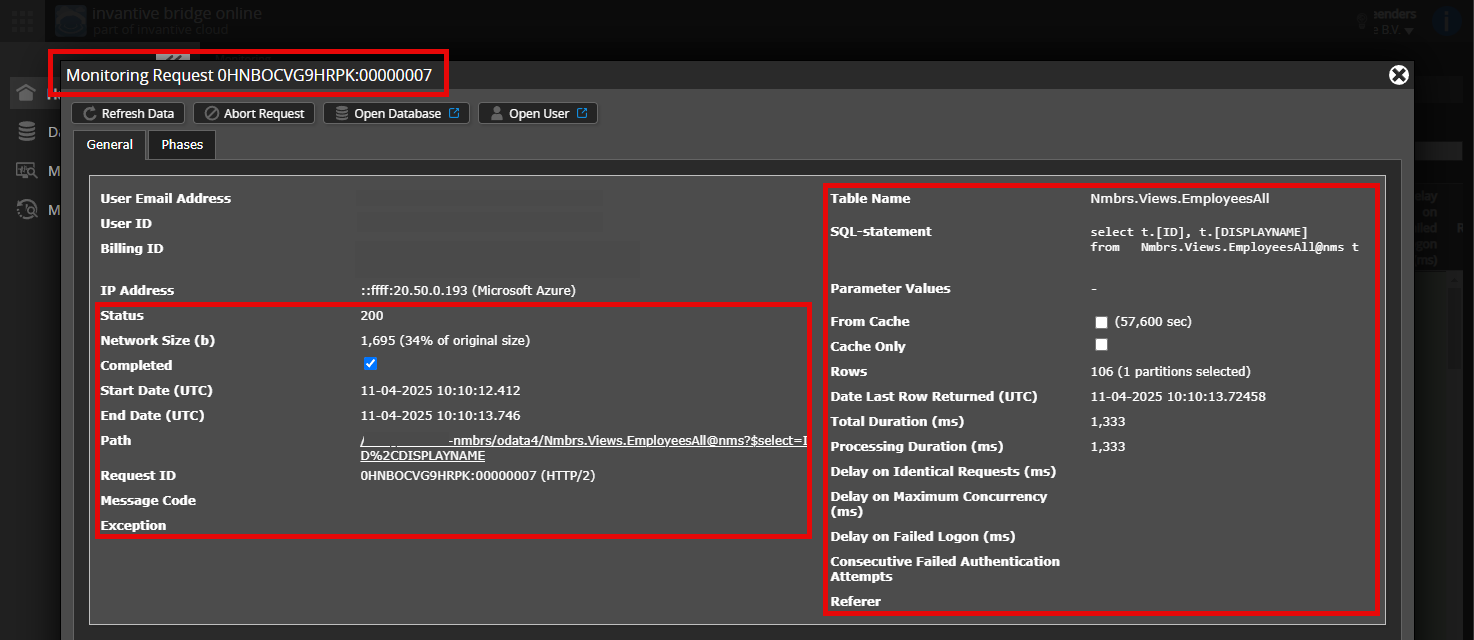
Is it possible to add an (anonymised) screenshot of the request details in Online Monitoring on Invantive Cloud as described in Meer inzicht met nieuwe Online Monitoring?
You can find the details by clicking on the download request that represents the subject of this topic.
The download request usually contains an SQL statement in which the table name is visible.
Please ensure that at least the following data is visible from both columns:
the title bar with the request ID,
the status code, network size, path, and timestamps in the left column,
the error code and error message at the very bottom of the left column,
the entire right column including the SQL statement, table name, and parameter values.
Carefully check that you log in to the Invantive Cloud website using the same username with which you process data, for example, via Invantive Bridge Online. You will only see the requests of the Invantive Cloud user with whom you log into the website.
Check Correct Request and Details
Ensure that you select the request first to display the details. Only one request should be visible in the screenshot.
Also, carefully check whether the request has a path with odata4, apps or mcp. Requests with other paths are generally not relevant for this purpose.
Error Message and Tips via Email
Additionally, the Invantive Cloud user who has the error message will often receive an email with an error message and tips on their email address if there is an error message in Power BI, Power Query, Azure Data Factory, Qlik, or Tableau.
It is recommended to check the spam of the involved user for such emails sent from support@invantive.eu.
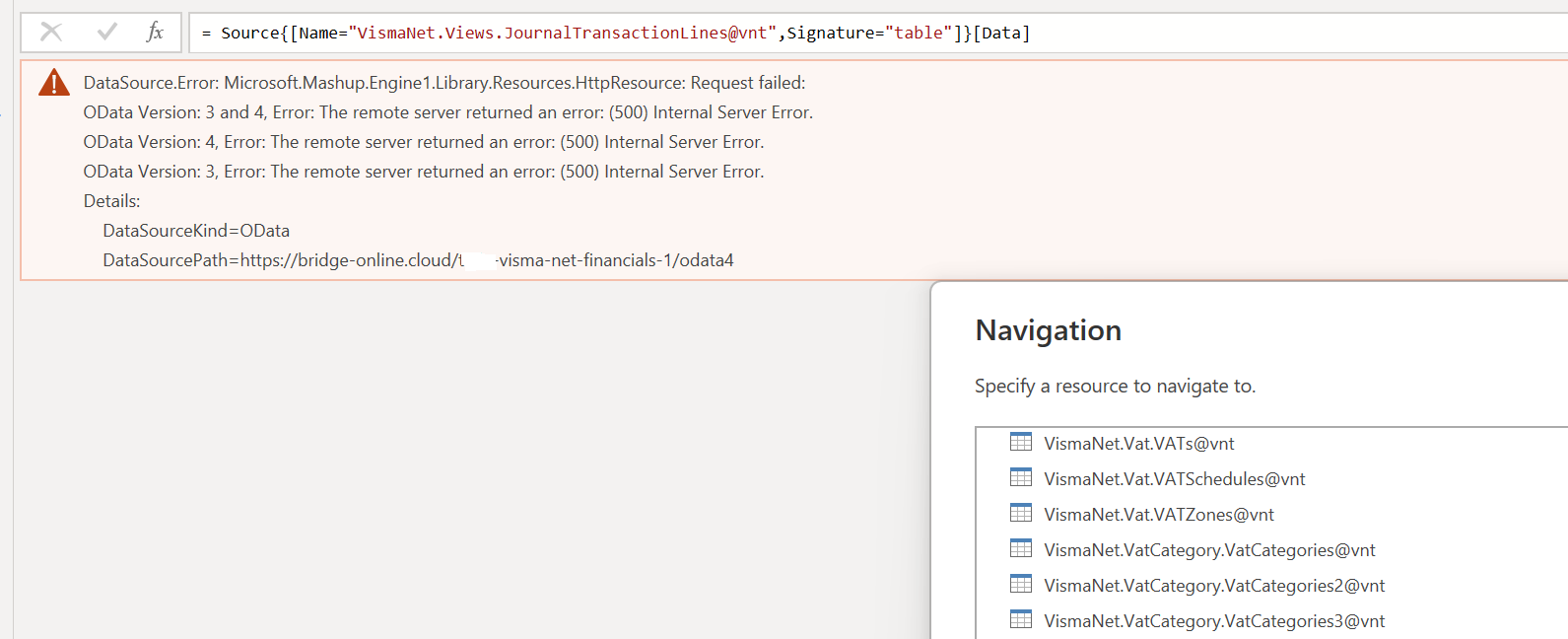
VismaNet.Views.JournalTransactionLines@vnt is still visible in the OData metadata and can be selected. However, Power BI Desktop returns a 500 Internal Server Error on the Navigation step. The Navigator also shows:
The property 'module_1' does not exist on type ...
Could you verify whether the schema for VismaNet.Views.JournalTransactionLines@vnt has changed or if there is an issue with the OData metadata for this entity?
The metadata for the underlying JournalTransactionLinesByPeriodOrDateV2 has changed slightly. There is a module and module_2 column now. Can you change your report to use either of these fields and retry?
Deze vraag is automatisch gesloten na 1 week inactiviteit. Het laatste gegeven antwoord is gemarkeerd als oplossing.
Gelieve een nieuwe vraag te stellen via een apart topic als het probleem opnieuw optreedt. Gelieve in de nieuwe vraag een link naar dit topic op te nemen door de URL er van in de tekst te plakken.